Exploring Different Keyboard Sensing Technologies
We took a closer look at different types of old and new keyboard technologies from Buckling Spring to TMR to explain how they work and their pros and cons.
The last couple of years have been weirdly busy for keyboard technology. Every time you blink, someone announces a new switch design promising faster inputs, better longevity, or “next-gen” responsiveness. Magnetic switches went from niche to mainstream in the gaming scene overnight, mechanical switches are still the kings of modding, optical switches are evolving to stay relevant, capacitive keyboards are making a {{tooltip:Sort of. Electro-capacitive Topre switches are a good example.}}comeback{{/tooltip}}, and membrane keyboards also…continue to exist.
While they’re all trying to do the same thing (detect a keypress), the way they do it can differ drastically. We’re going to break down the major switch technologies you’ll run into today, how they work, along with their pros and cons. We’ve split things into {{tooltip: Check out the new Table of Contents feature on the left to skip to what interests you the most!}}five main{{/tooltip}} categories based on the underlying sensing method: physical contact keyboards, optical keyboards, electro-magnetic keyboards and capacitive keyboards. There are also captures of CT scans for each type of keyboard switch, and the links to the scans for you to play around with.
Physical Contact Keyboards
Physical contact is the old-school, straightforward technology that you might imagine when a keyboard switch is mentioned. Keyboards based on this principle (mechanical and membrane keyboards) register a keypress by physically closing a {{tooltip: Just like a light switch.}}circuit{{/tooltip}}, but the assembly and mechanism around that circuit can range from full mechanical assemblies to simple rubber domes over conductive layers. That difference in mechanism has a huge impact on how they feel and behave, so let’s see all the different implementations of the technology.
Buckling Spring
Buckling spring switches are an older contact-based design most famously associated with IBM’s Model F and Model M keyboards. Instead of a conventional stem and leaf, each key uses a long coil spring mounted vertically over a pivoting hammer. As you press the key, the spring compresses until it suddenly buckles sideways. That buckling motion flips the hammer, which then makes contact with the membrane or capacitive sensing element underneath, registering the keypress.
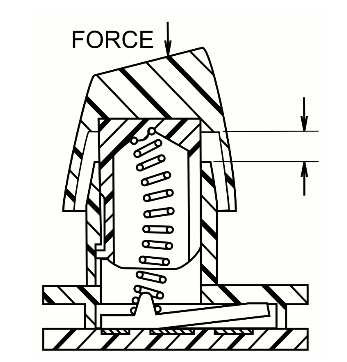
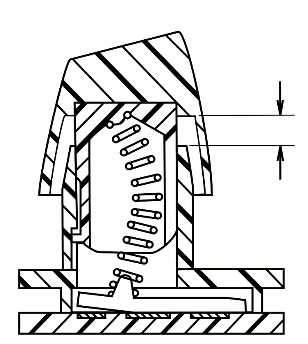
{{slide}}Off state of the Buckling Spring Switch{{/slide}}{{slide}}On state of the Buckling Spring Switch after it is pressed down{{/slide}}{{cite}}https://en.wikipedia.org/wiki/Buckling_spring{{/cite}}
The key detail is that actuation is mechanically enforced by the spring itself. The buckling event is sharp, loud, unambiguous – giving buckling spring keyboards their distinctive feel and sound. This also makes them very different from modern mechanical switches, where actuation is usually decoupled from the tactile event.
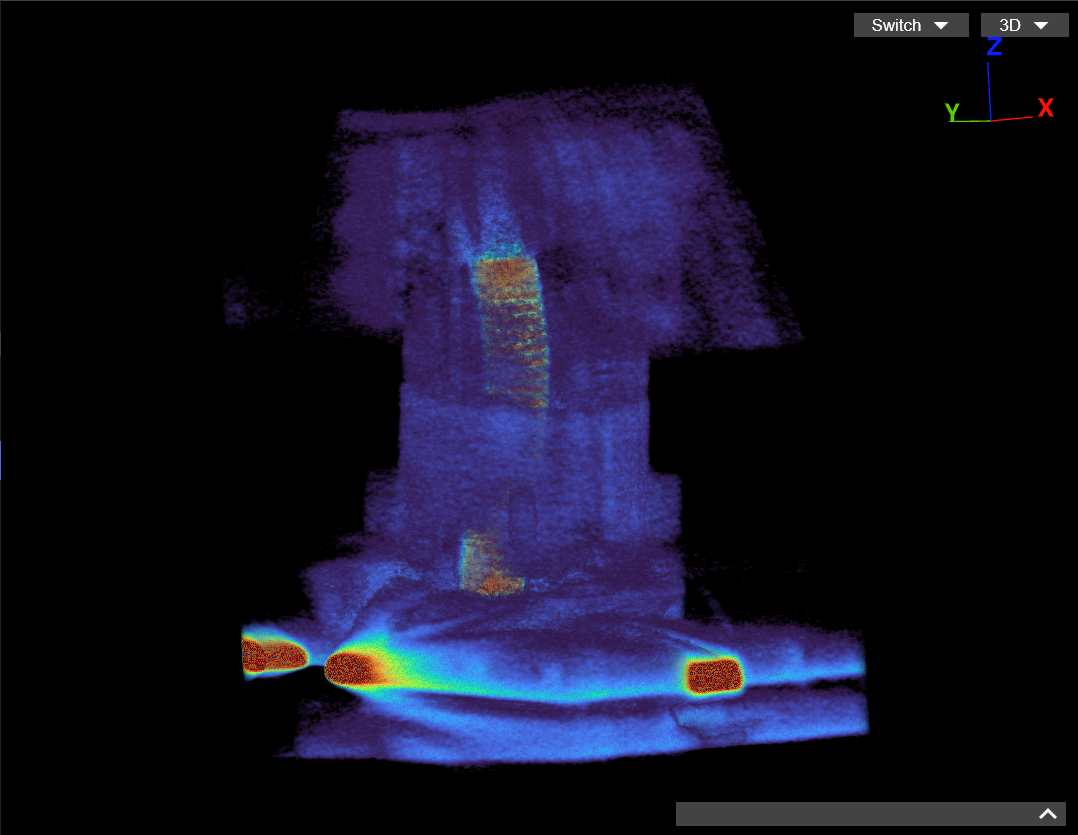
Here is the full scan for you to mess around with. You might even spot a paperclip stuck in the abyss of the keyboard somewhere.
Pros:
- Extremely durable due to simple, overbuilt mechanical components.
- Clear, unambiguous tactile and audible feedback at the actuation point.
- Actuation is tightly coupled to the tactile event, not firmware-dependent.
Cons:
- Heavy actuation force compared to modern switch designs. This might be a huge con for gamers that play twitchy FPS shooters.
- Very loud, making them impractical for shared or quiet environments.
Mechanical - Linear, Clicky, & Tactile
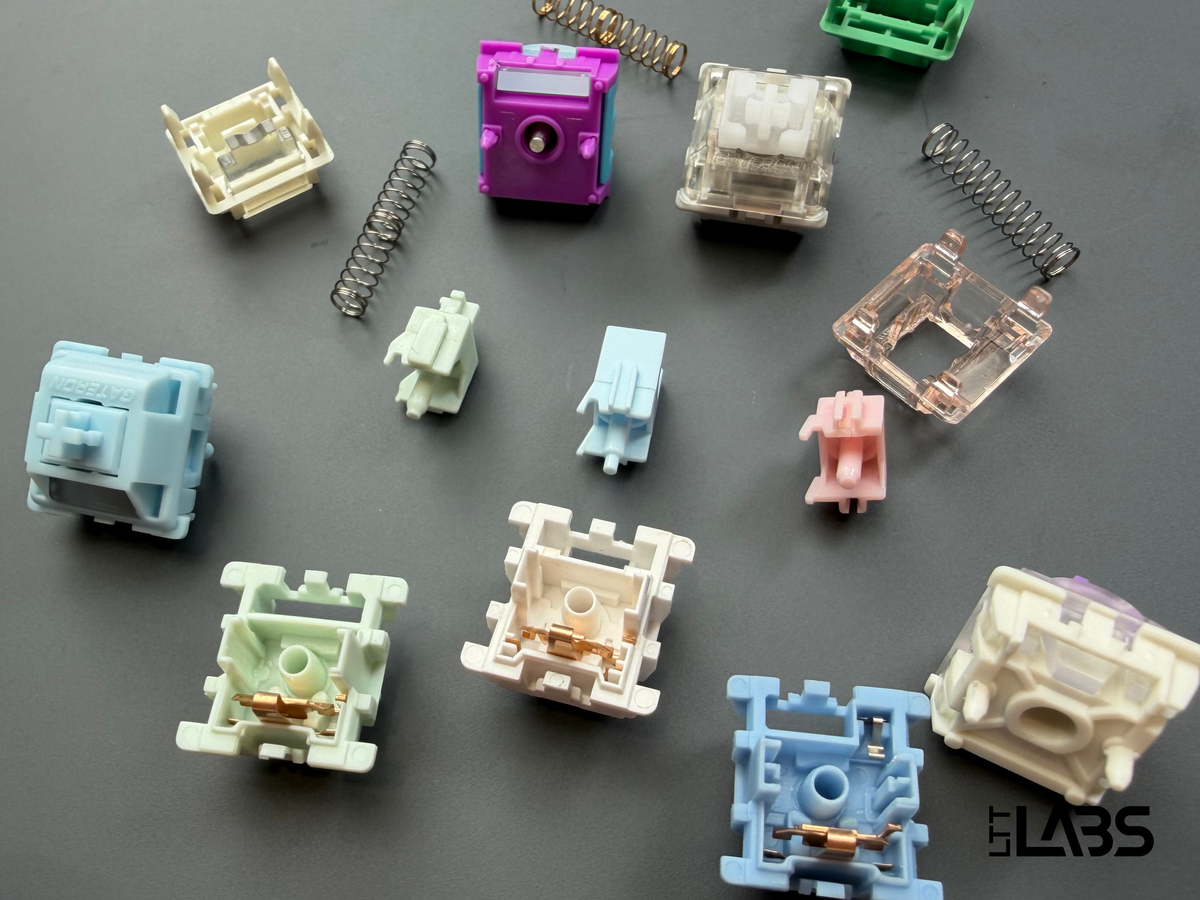
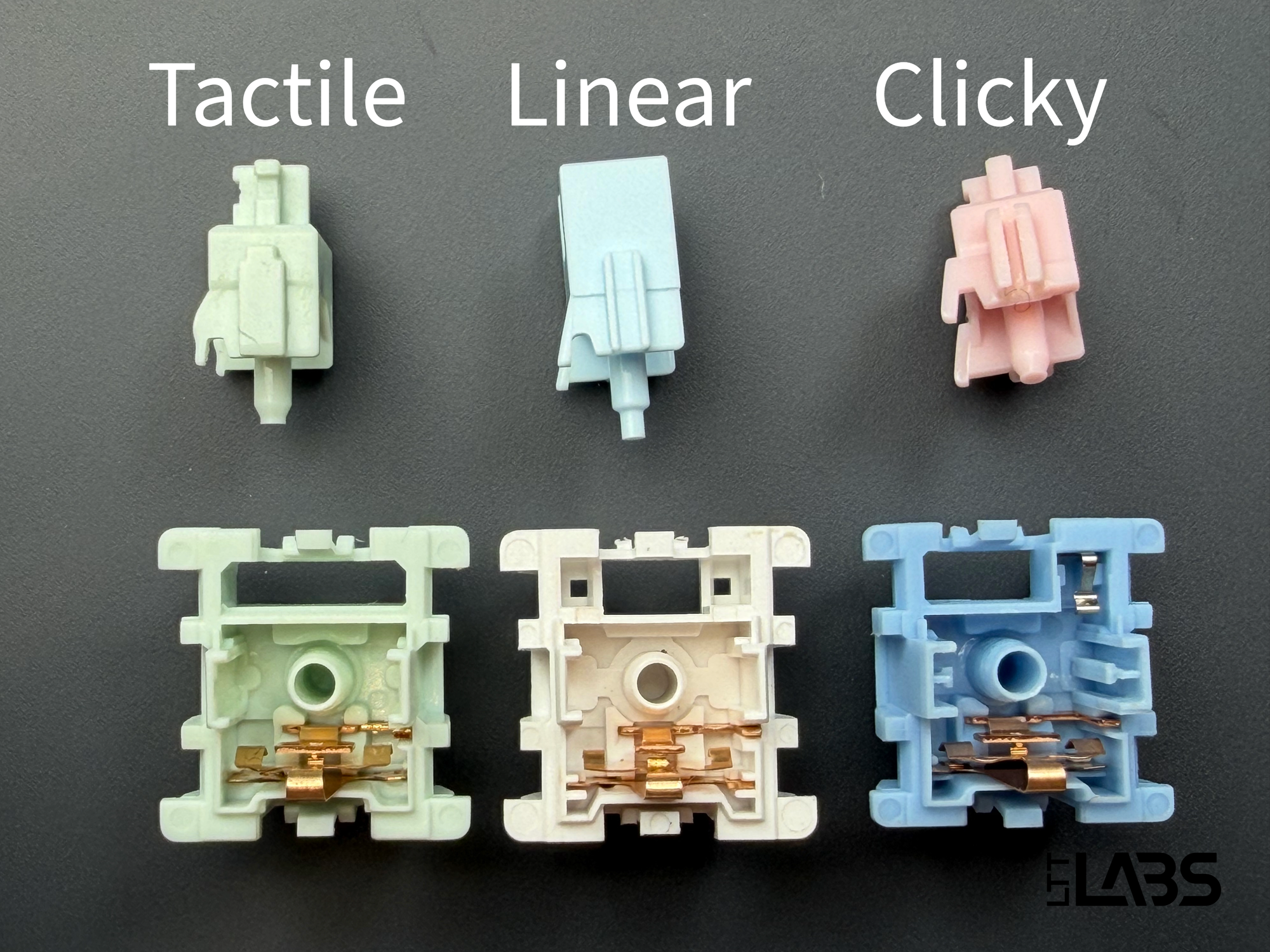
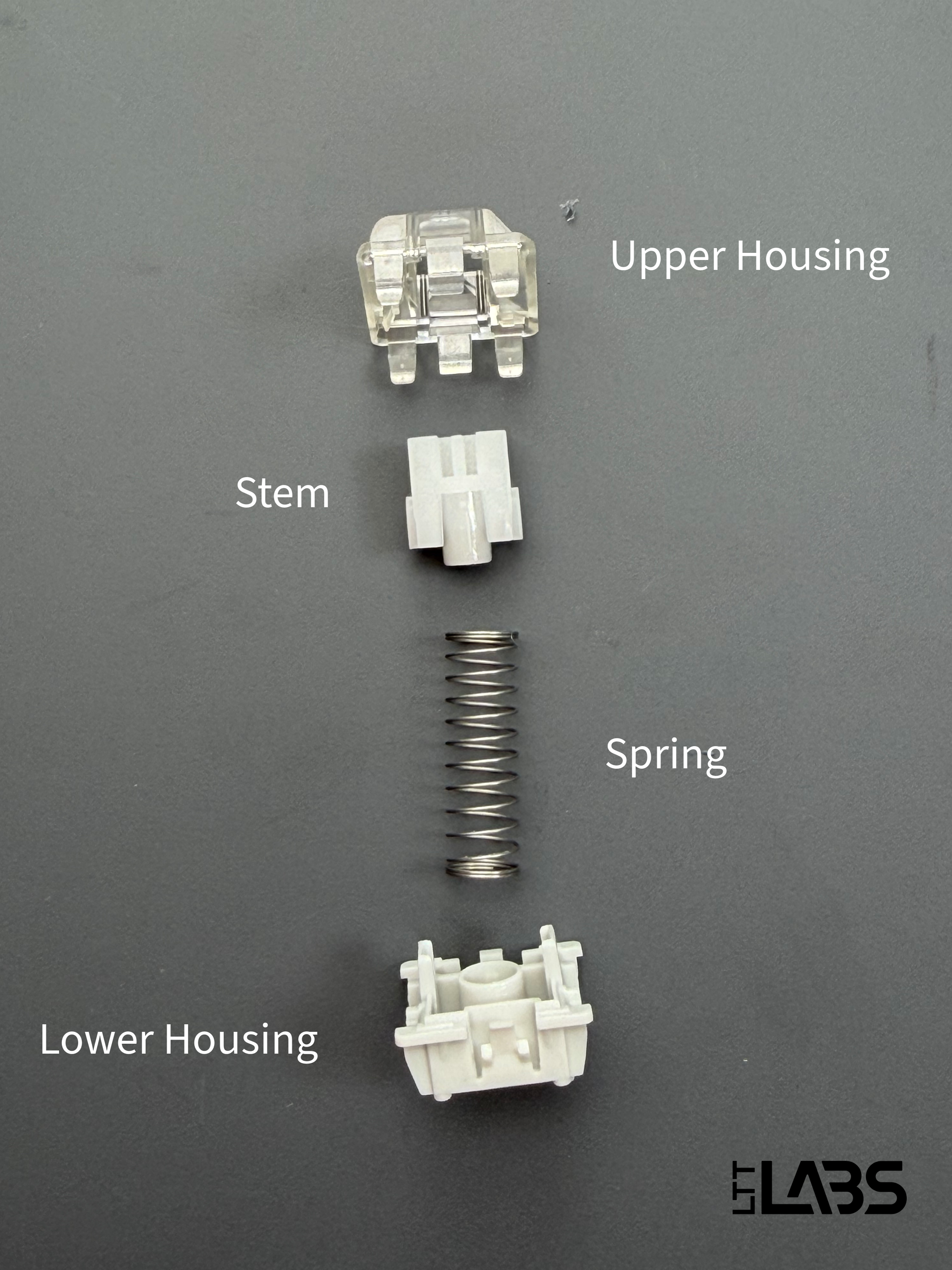
Each mechanical switch is built around a stem, a spring, and a metal leaf as annotated in the image below. When a key is pressed, the housing guides the switch through its travel while compressing the spring. As the stem moves far enough, it flexes the metal leaf inside the switch until the leaf makes contact and completes the circuit on the PCB, actuating the switch. When you release the key, the spring resets the switch to the default uncompressed position. The interaction between the leaf’s design and the stem shape determines whether the switch feels linear, tactile, or clicky (the stems and bottom housing are shown below). A board like the Epomaker x Aula F75 is a good example of this straightforward approach with linear switches.
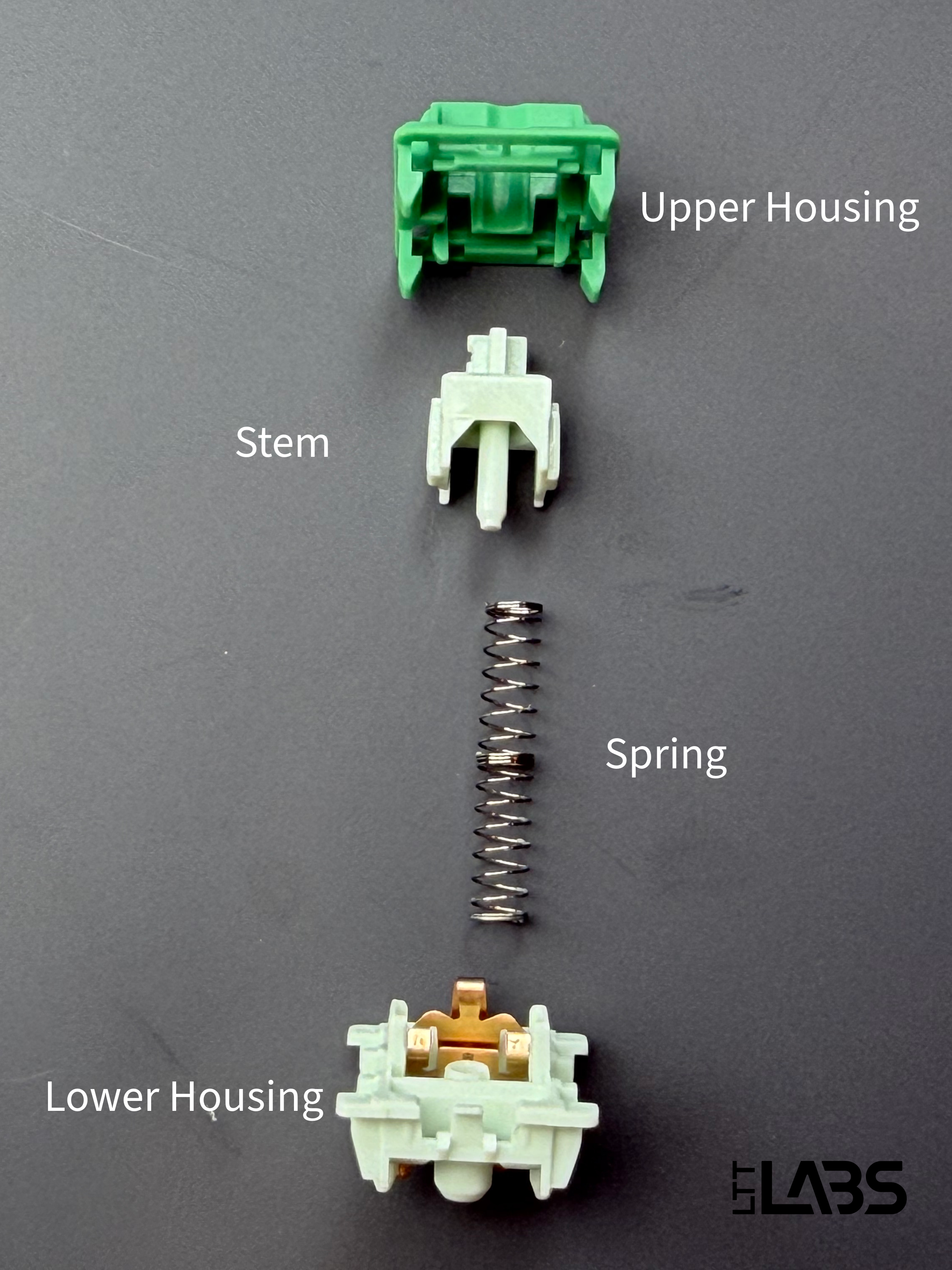
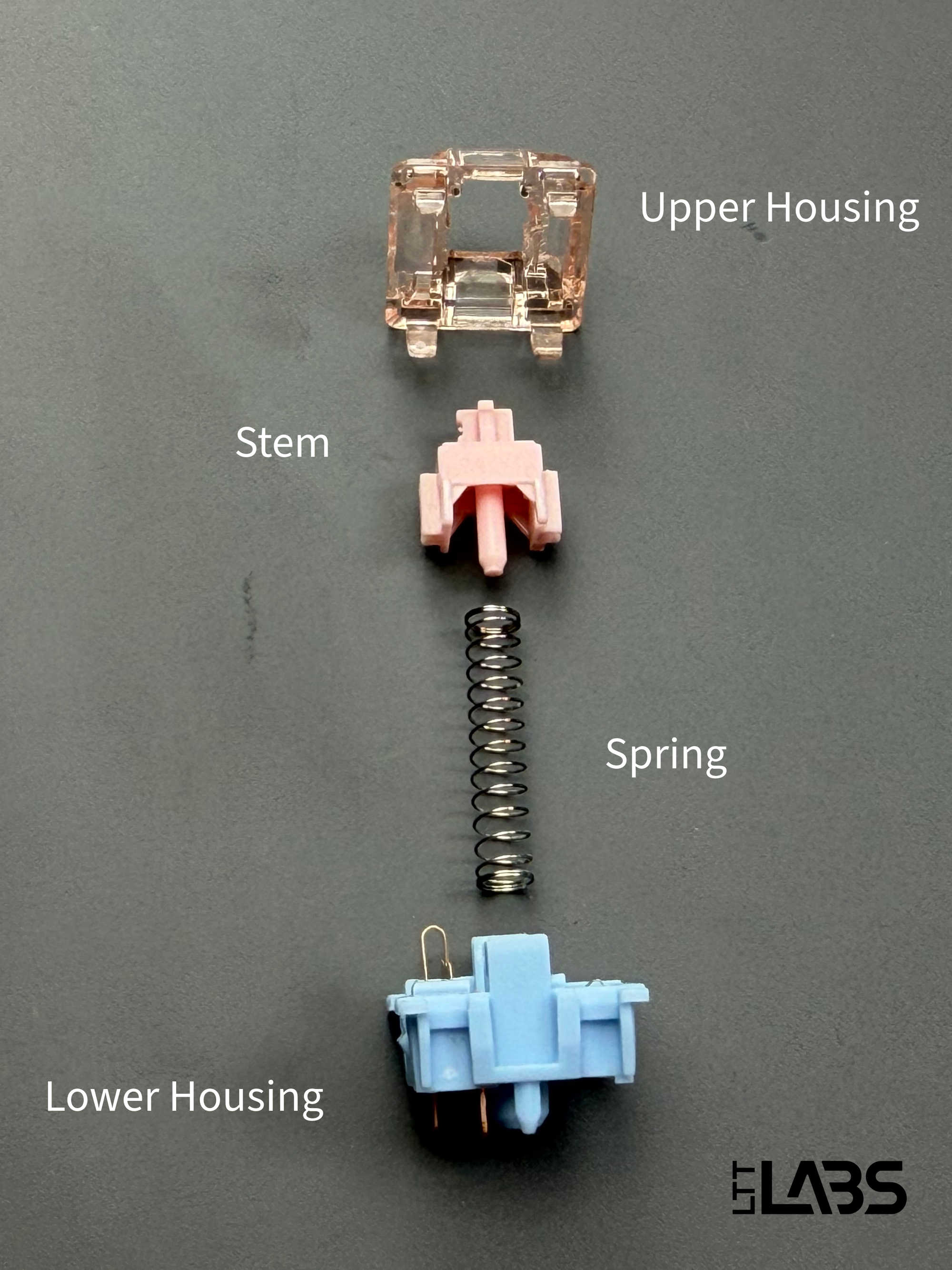
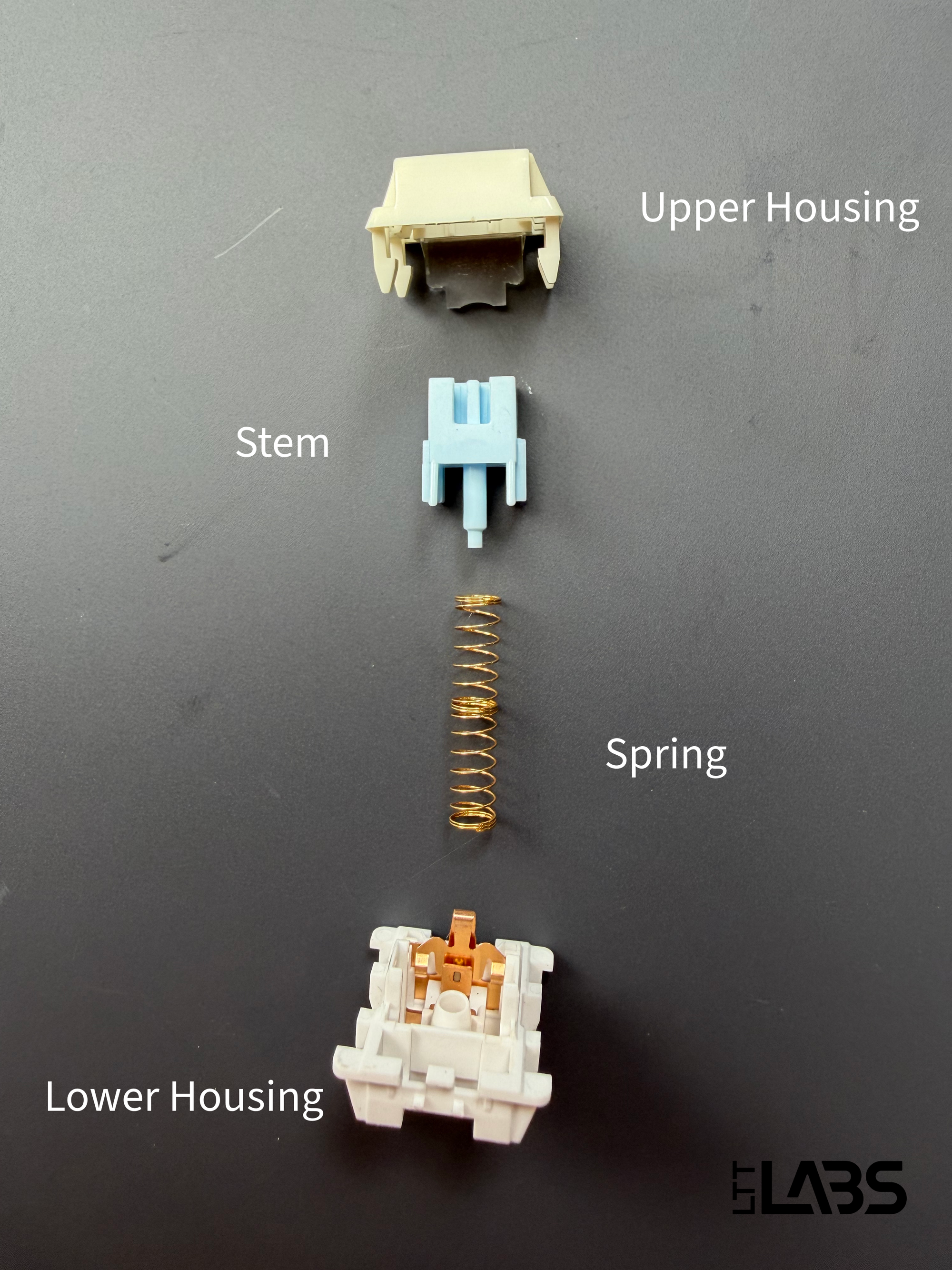
{{slide}}A broken down linear switch. The lower housing contains the leaf as well. {{/slide}}{{slide}}A broken down clickly switch. The lower housing contains the leaf as well. {{/slide}}{{slide}}A broken down tactile switch. The lower housing contains the leaf as well. {{/slide}}
The popularity of mechanical switches have allowed them to develop a ‘standard’ so that they are mostly interchangeable. There are some mechanical switch housings that have different footprints making them incompatible, but the options available for the ‘standard’ ones are quite extensive. Not all mechanical keyboards are hot-swappable, though. Many boards solder the switches directly to the PCB, which means you can’t pull them out without desoldering. Hot-swappable boards use specific connections that let you remove and replace switches easily, making it much easier to try different switch types or replace a failed one.
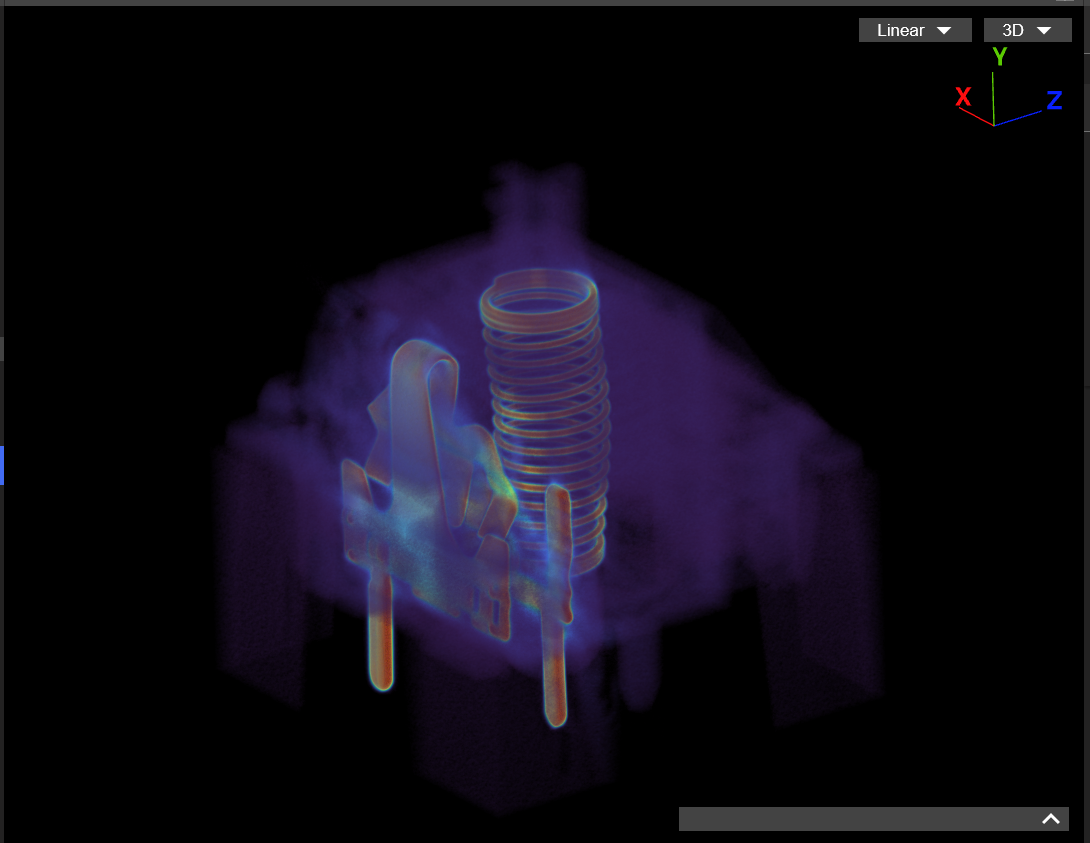
Here is the full scan of all types of mechanical switches.
Pros:
- Large variety of aftermarket and OEM parts to choose from. This includes switches, acoustic foams, weights, PCBs, etc.
- Easy to replace, fix, mod, and customize to suit your feel and sound preferences. Especially the hot-swappable boards.
Cons:
- Physical contacts can wear over time.
- More moving parts and possible points of mechanical failure (spring fatigue, leaf misalignment, broken housings, etc.).
Membrane Keyboards
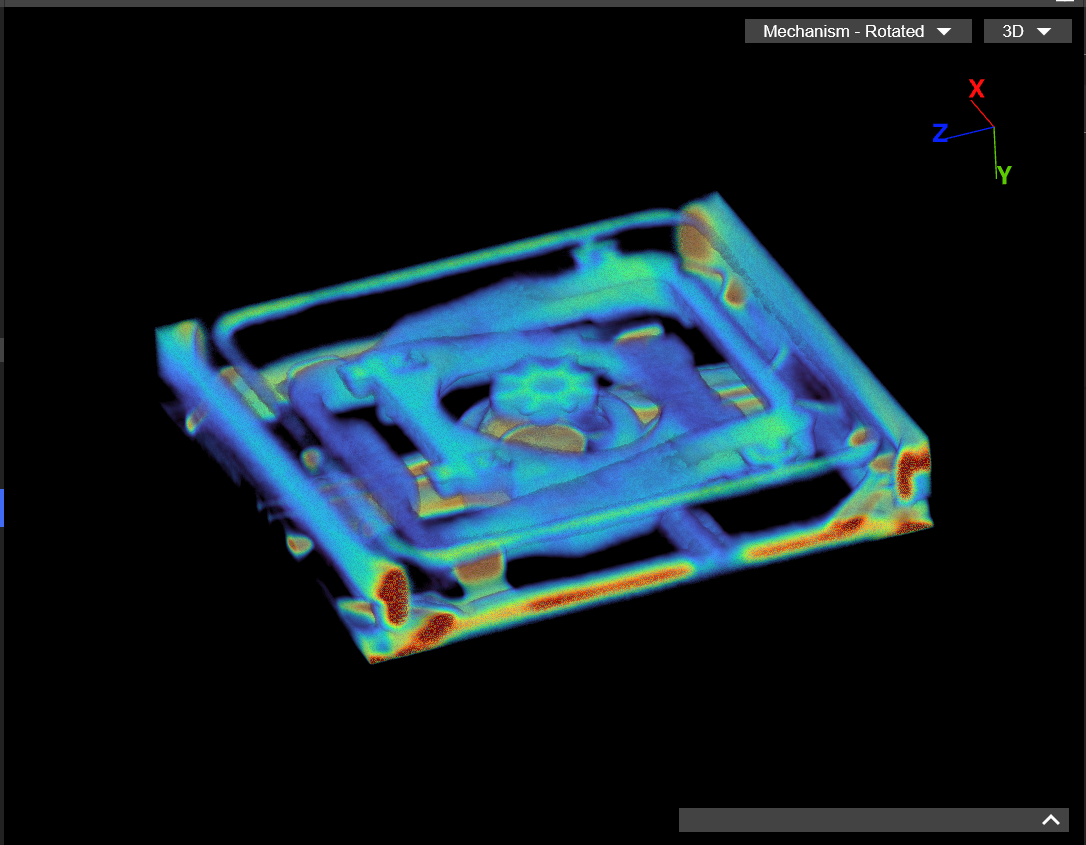
Membrane keyboards use a much simpler setup than mechanical switches. Instead of a full switch for each key, they rely on a rubber dome sitting over a set of thin, flexible conductive membrane layers. When the key is pressed, the dome collapses and pushes the top membrane layer down until it makes contact with the conductive traces on the layer below, completing the circuit.
Scissor-switch and chiclet keyboards use the same underlying membrane design, just with a scissor mechanism to stabilize the key and shorten the travel distance for compact designs. While the sensing principle is the same, they can feel very different depending on their implementations. Check out the Apple Magic Keyboard – one of the most popular chiclet style keyboards.
Pros:
- Thin and compact, ideal for laptops and low-profile keyboards.
- Inexpensive to manufacture and replace. However, the whole PCB or membrane has to be replaced, unlike hot-swappable switches.
Cons:
- Inconsistent feedback from key to key as the domes age. Generally shorter overall lifespan than other technologies/switches.
- Very limited or no customization and no switch swapping. Also, they are more difficult to repair without replacing the whole membrane.
Optical Keyboards
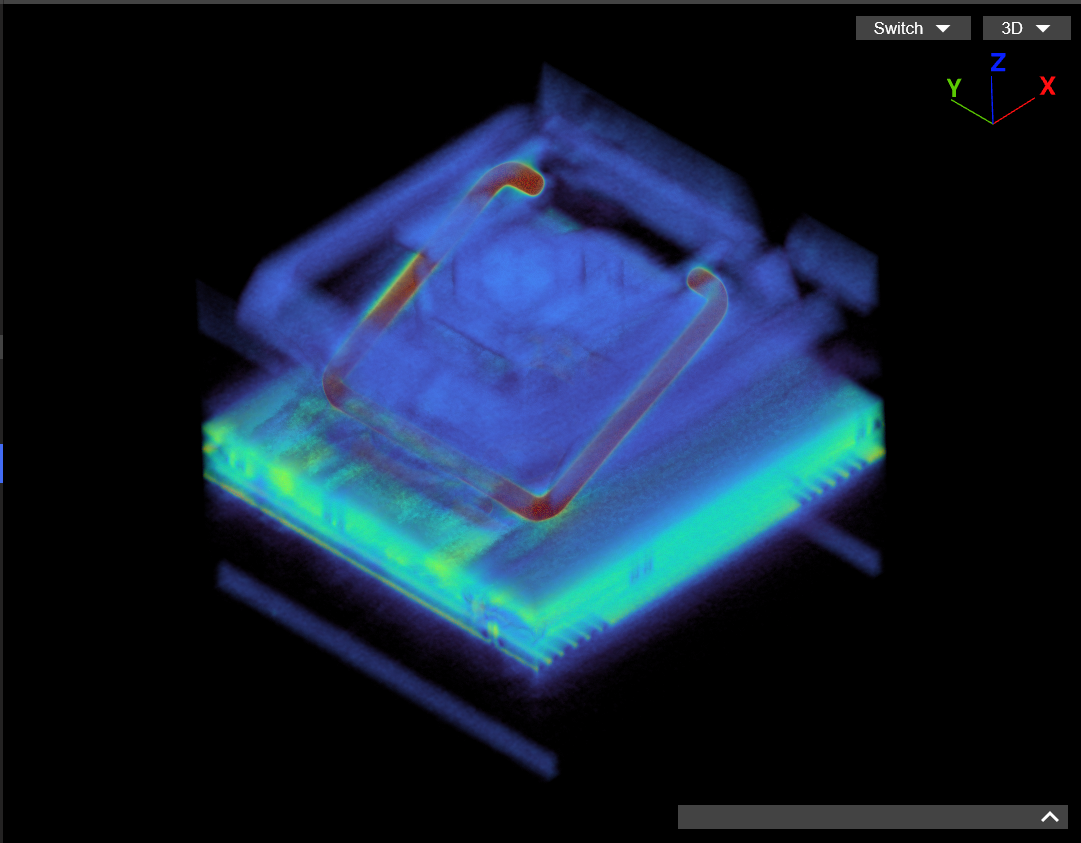
Optical switches detect a keypress using a beam of light instead of physical contacts. Inside the switch, an infrared emitter and sensor are positioned so that the stem blocks or redirects the light when you press the key. Once the beam is interrupted, the switch actuates instantly with no need for any physical contact to register the press. The feel still comes from the stem and spring, just like a mechanical switch, but the actual input is handled entirely by the optical sensor on the PCB. The Huntsman Mini Analog we reviewed represents optical switches that go beyond simple beam-break detection. It detects changes in light intensity to track key travel continuously rather than just registering an on/off press like the most prevalent optical keyboards in the market.
Pros:
- No switch/contact bounce, allowing for very fast actuation. In case you are wondering what contact bounce means exactly, check this page out.
- Immune to oxidation or wearing out of physical contacts. It can have a much longer lifespan and durability than contact based keyboards.
Cons:
- Smaller overall market presence, replacement switches and parts are harder to find, compatibility is limited and they are generally quite expensive
- Quality assurance has been a big issue for many brands. This could be due to the need for precise alignment of the sensors and emitters and limited production.
Magnetic Keyboards
These switches diverge from physical contacts entirely. Instead of triggering an input when two surfaces touch, they detect a keypress by measuring changes in a {{tooltip: Using this definition, this could also technically apply to optical switches but you know what we mean.}}quantifiable electromagnetic property{{/tooltip}} as the switch moves. Depending on the design, that property might be a magnetic field, resistance influenced by a magnetic field, or a related electromagnetic effect.
Hall Effect (HE)
Hall Effect switches use a magnet embedded in the stem of the switch and a Hall effect sensor mounted on the PCB. The sensing is based on the Hall effect (duh), which describes how magnets affect the flow of electricity. As the magnet in the switch moves closer to the sensor, it slightly bends the path of the electrons flowing through it. That voltage change is measurable, and the sensor on the keyboard uses it to determine the key’s position.
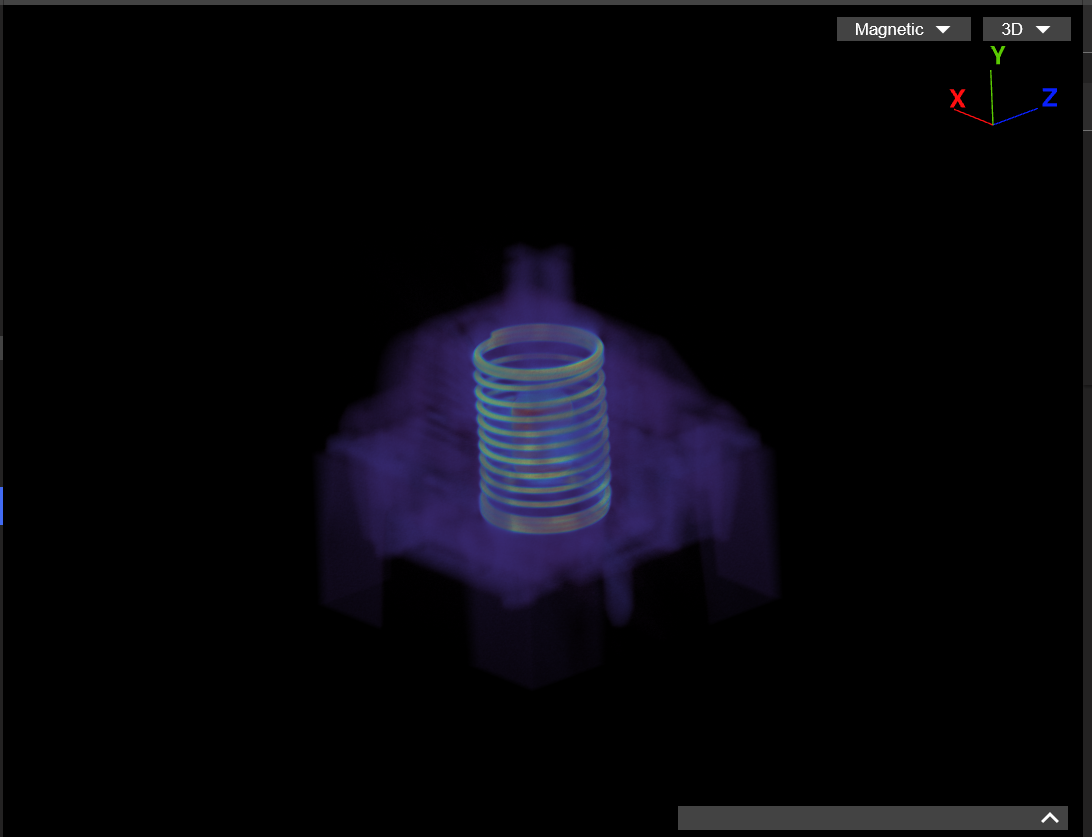
This measurement allows for much higher position granularity and Hall Effect switches can track key position instead of just detecting an on/off state. That’s what enables features like adjustable actuation points and rapid-trigger behavior. With rapid-trigger, a key can be re-actuated without fully returning to its resting position, allowing much faster repeated inputs. Some implementations also allow multiple actions to be assigned to different points in the key’s travel, on both press and release. A keyboard like the Keychron Q16 HE 8K represents this technology and feature set well.
Pros:
- True analog sensing of key position enabling features like rapid-trigger resets, custom actuation points, etc.
- These are also immune to issues caused by having physical contacts that can oxidize or wear out. They can have a much longer lifespan and durability than contact based keyboards.
Cons:
- Since the sensor is reading magnet position, any wobble in the switch can change the magnet’s alignment and affect the signal.
- Not ideal for precise tactile or clicky behavior since the actuation isn’t tied to a mechanical leaf.
- Full analog functionality often depends on proprietary software support (and not all boards execute it well).
Tunnel Magnetoresistance (TMR)
TMR keyboards also use magnetic switches, but they use a completely different sensor on the PCB. Instead of measuring magnetic field strength directly, TMR sensors on the PCB rely on a quantum tunnelling phenomena called Tunnel Magnetoresistance. At very small scales, electrons don’t behave like solid particles that must “climb over” energy barriers. Instead, quantum mechanics allows them to occasionally pass straight through barriers they wouldn’t have enough energy to overcome in classical physics. This effect becomes noticeable when the barrier is only a few atoms thick.
A TMR sensor takes advantage of this by placing two ferromagnetic layers extremely close together, separated by an ultra-thin insulating layer. Electrons can tunnel through that barrier, but how easily they do so depends on how the magnetization of the two layers is aligned. As the switch’s magnet moves, it changes that magnetization alignment, which directly changes the electrical resistance the keyboard measures.
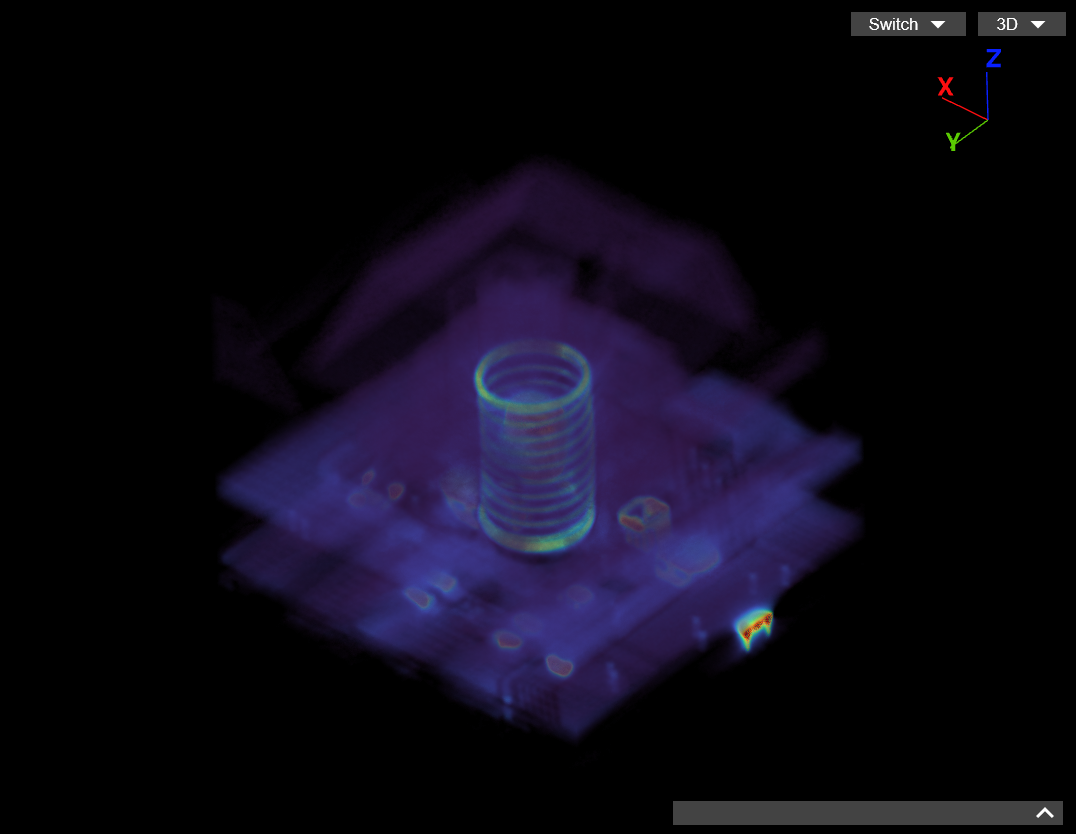
Like Hall Effect, this process is {{tooltip: Technically, it is not really analog, but it simulates analog behaviour really well.}}analog{{/tooltip}}, meaning the keyboard can determine how far the switch has been pressed. Check out the Womier SK75 TMR we reviewed – one of the very first commercially available TMR keyboards. It is also cross-compatible with traditional mechanical switches! We really hope this becomes a trend.
Pros:
- Extremely high positional resolution because small changes in magnet position cause large, measurable changes in tunnelling resistance. Even more resolution than HE.
- Supports analog features like adjustable actuation points, rapid-trigger resets, etc.
- Potential for lower power consumption because TMR sensors operate with very small currents compared to Hall voltage generation.
Cons:
- Higher implementation cost than mechanical technologies due to the magnetic tunnel junction structure.
- Like HE, they are a poor fit for tactile or clicky designs because electrical actuation isn’t tied to a mechanical snap point.
- Full analog functionality often depends on proprietary software support (and not all boards execute it well).
Inductive
Inductive switches function by measuring changes in inductance as the key moves through a sensing coil on the PCB. This is based on electromagnetic induction, described by Faraday’s law, where a changing magnetic field affects the electrical behavior of a nearby conductor. The PCB drives a {{tooltip: It is so small that it does not look like a coil at all using the naked eye.}}small coil{{/tooltip}} with an alternating current, creating a magnetic field whose strength varies across the key travel.
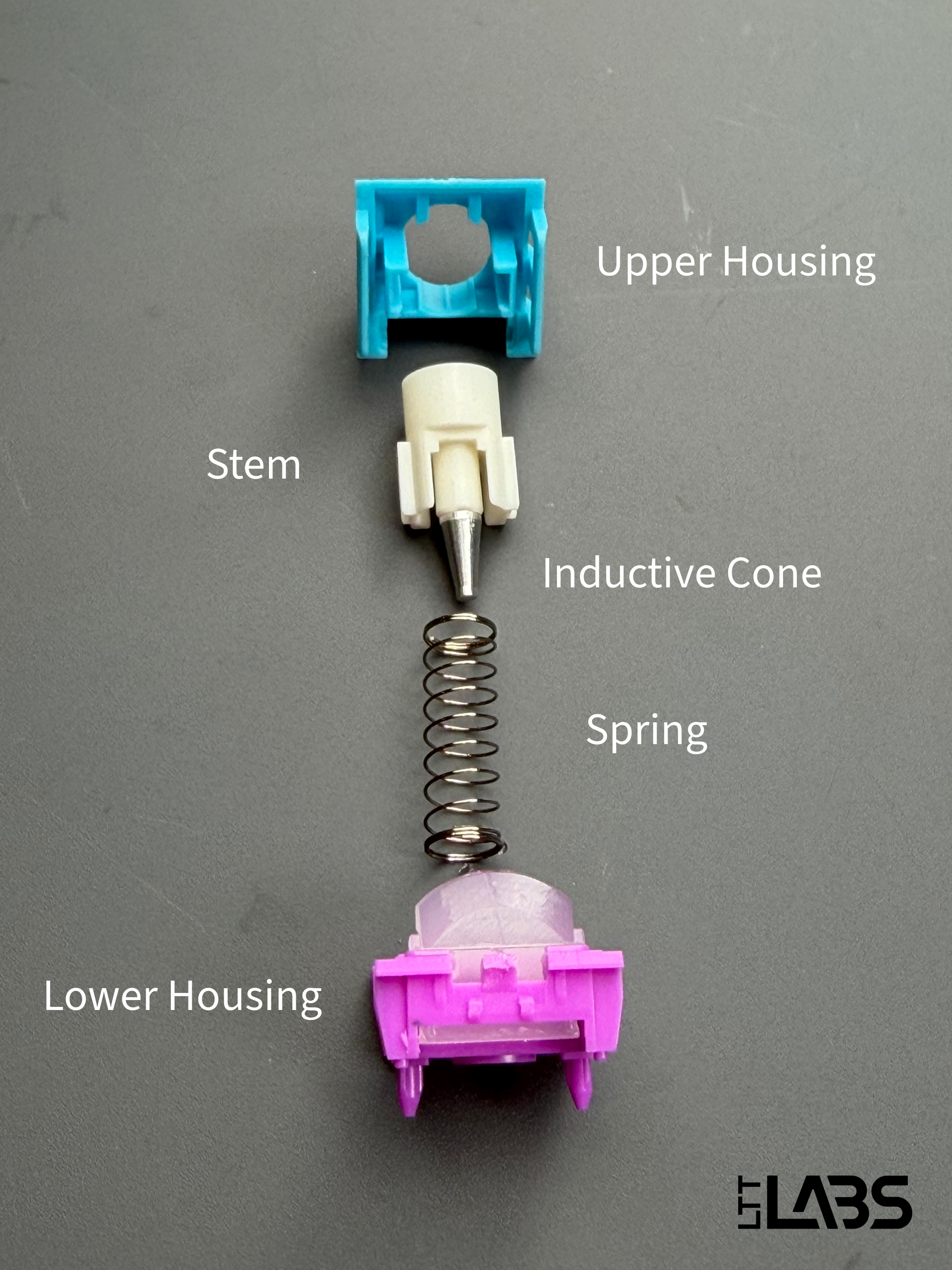
Instead of using a magnet, the switch stem typically has a small conductive cone attached to its underside. The cone shape is used because the coil’s magnetic field isn’t uniform, and a gradually widening conductor lets the inductance increase proportionally with key travel instead of jumping abruptly as the metal traverses the field. As the key is pressed, more of the cone moves into the field produced by the coil, inducing eddy currents in the metal. Following Lenz’s law, those currents oppose the original field, which increases the coil’s effective inductance.
Sensors on the PCB continuously monitor that inductance value, and the keyboard firmware interprets those changes as the key’s position. Because the measurement is continuous rather than binary, inductive switches can support features like adjustable actuation points and rapid-trigger behaviour, with control broadly similar to magnetic switch designs. Check out this great teardown video we came across. The Epomaker Magcore 87 is the first commercially available inductive keyboard and we tested it.
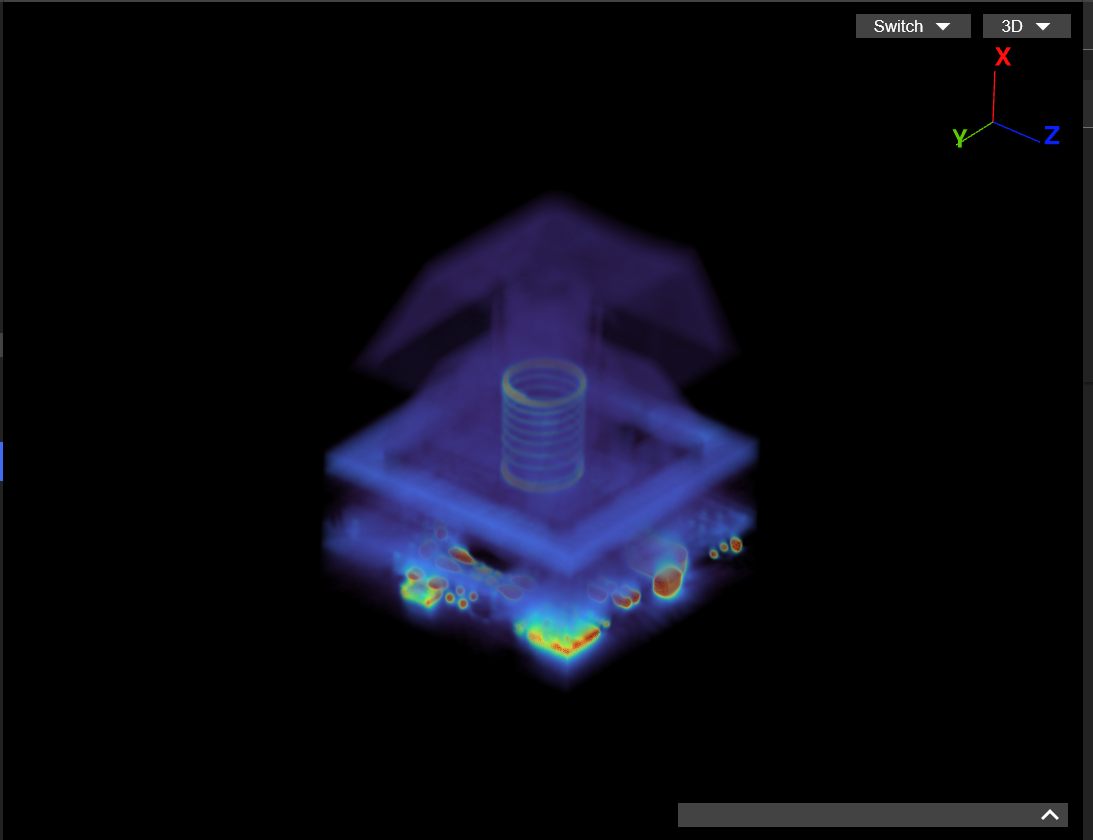
CT Scan of an inductive keyboard switch.{{lumafield}}https://voyager.lumafield.com/project/eed21a1d-6059-4b41-8b88-9b90ae323091?embed=true{{/lumafield}}
Pros:
- Higher resolution and more stable analog sensing (than HE switches) and it isn't affected by external magnetic fields.
- No physical contacts to wear out, offering excellent long-term durability.
- Supports analog features like adjustable actuation points, rapid-trigger resets, etc.
Cons:
- Limited customization, aftermarket switch availability, and market presence making it somewhat expensive.
- New technology on the block so it has not been tested by million hands to ensure its robustness.
Capacitive
{{tooltip: Sometimes marketed as Electro-Capacitive.}}Capacitive{{/tooltip}} keyboards detect a keypress by measuring changes in capacitance instead of relying on physical contacts. This is based on capacitive coupling. Under each key is a sensor pad on the PCB, and the switch assembly (usually a slider, spring, and rubber dome in Topre-style designs) contains a small conductive element. As you press the key, this conductive piece moves closer to the sensing pad. Because capacitance increases when two conductive surfaces move closer together, the sensor can monitor this change and determine when the key has reached its actuation point.
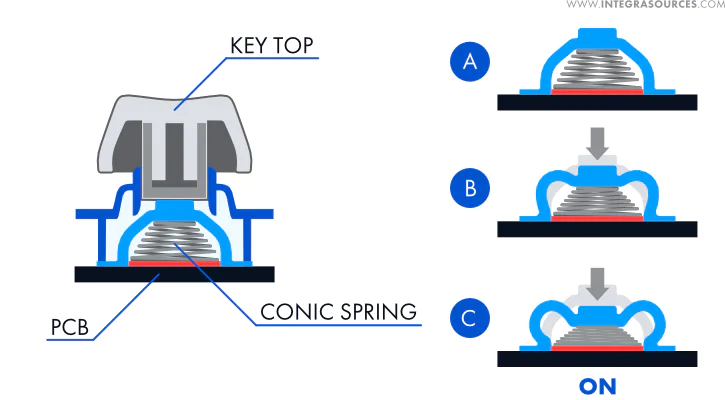
Most modern implementations use a conical spring that acts as the conductive element. As it compresses and expands, it changes the electric field between itself and the pad, giving the PCB enough analog information to track key movement. Capacitive keyboards can include physical contact in their mechanism, but the keypress is still detected electrically through changes in capacitance rather than by closing a circuit.
While we don’t currently have a Topre-style electro-capacitive keyboard reviewed on the website, this technology is best known through designs implemented by HHKB and Realforce, which use capacitive sensing paired with rubber dome mechanisms. We are already in the works to test one of these soon!
Pros:
- Unique tactile feel (in Topre and similar designs) that many find more refined than typical rubber domes.
- Potential for adjustable actuation or analog travel in modern electro-capacitive boards.
Cons:
- Most capacitive boards are not hot-swappable or even customizable because they rely on proprietary domes, sliders, and PCBs.
- In common Topre-style implementations, the rubber dome mechanism can still age or soften over time, even though the electrical sensing remains stable.
- Can be expensive due to the niche, manufacturing and smaller market presence.
Conclusions and Thoughts
While the major sensing methods cover almost everything you’ll see today, a few new and emerging technologies are starting to show up in consumer keyboards. Electro-capacitive MX hybrids bring Topre-style capacitive sensing into more customizable and mechanical-compatible housings, while optical switches are evolving into opto-mechanical and even optical-analog variants that mimic the adjustable actuation features of magnetic boards. Some manufacturers are also experimenting with capacitive analog sliders, magnetic-mechanical hybrids that combine traditional tactile mechanisms with analog sensing, and even early prototypes of electromagnetically controlled switches that promise programmable force curves. These aren’t mainstream yet, but they hint at where enthusiast and gaming keyboards may be heading next.
In short, modern keyboards aren’t defined by one dominant switch technology. Mechanical, optical, magnetic, inductive, and capacitive designs all coexist, each with its own feel, quirks, and strengths. The newer hybrid and analog approaches suggest that future keyboards will care less about how a key is sensed and more about what the user can do with that signal – whether that’s faster response, adjustable actuation, or entirely new input behaviors. All that being said, remember that no matter which technology you land on, the best switch is the one that clicks with you.