Intel Arc Pro B50: Your Workstation Deserves Nice Things Too
A quick look at the Intel Arc Pro B50 16GB. Small but mighty with power straight from the slot!
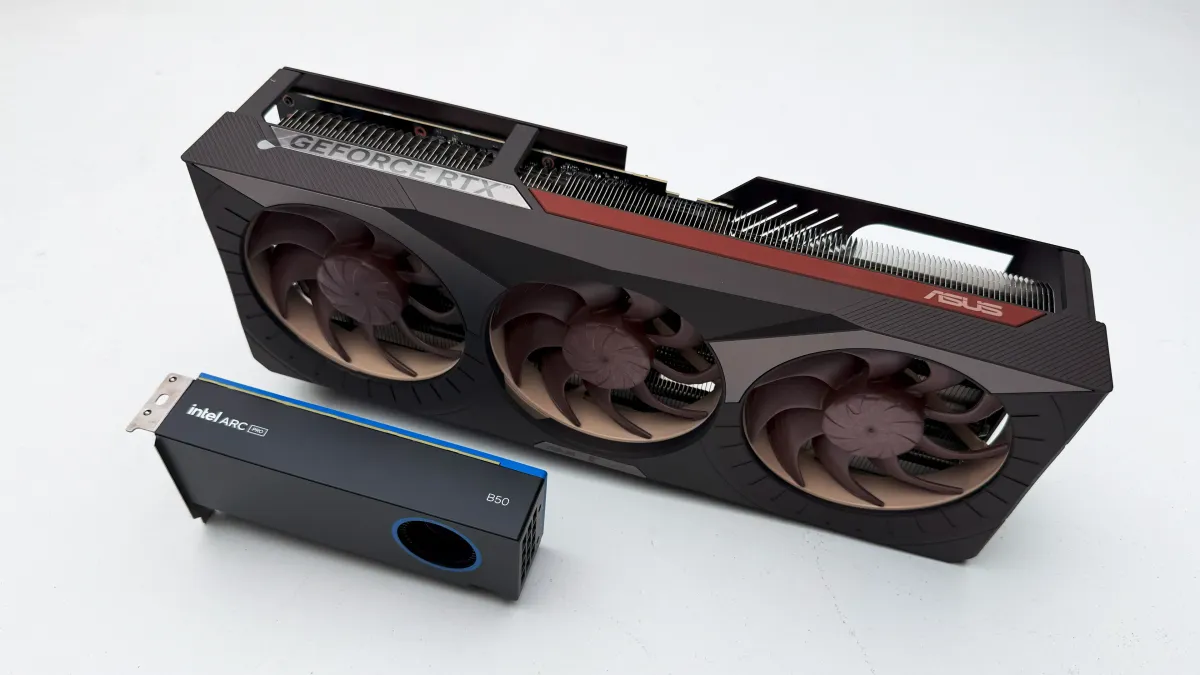
Earlier this year at CES we got introduced to two new Intel professional graphics card: the [home-made reference](tooltip: Original design created and released by Intel) B50 and the {{tooltip:An Add-in Board partnert GPU is a custom version made by third-pary}}AIB{{/tooltip}} only B60, though we’re going to focus on the B50 as that’s all we have on hand. However we are eager to get our hands on a gaggle of B60’s, especially with the advent of BATTLEMATRIX! Intel’s GPU division goes hard on their codenames.
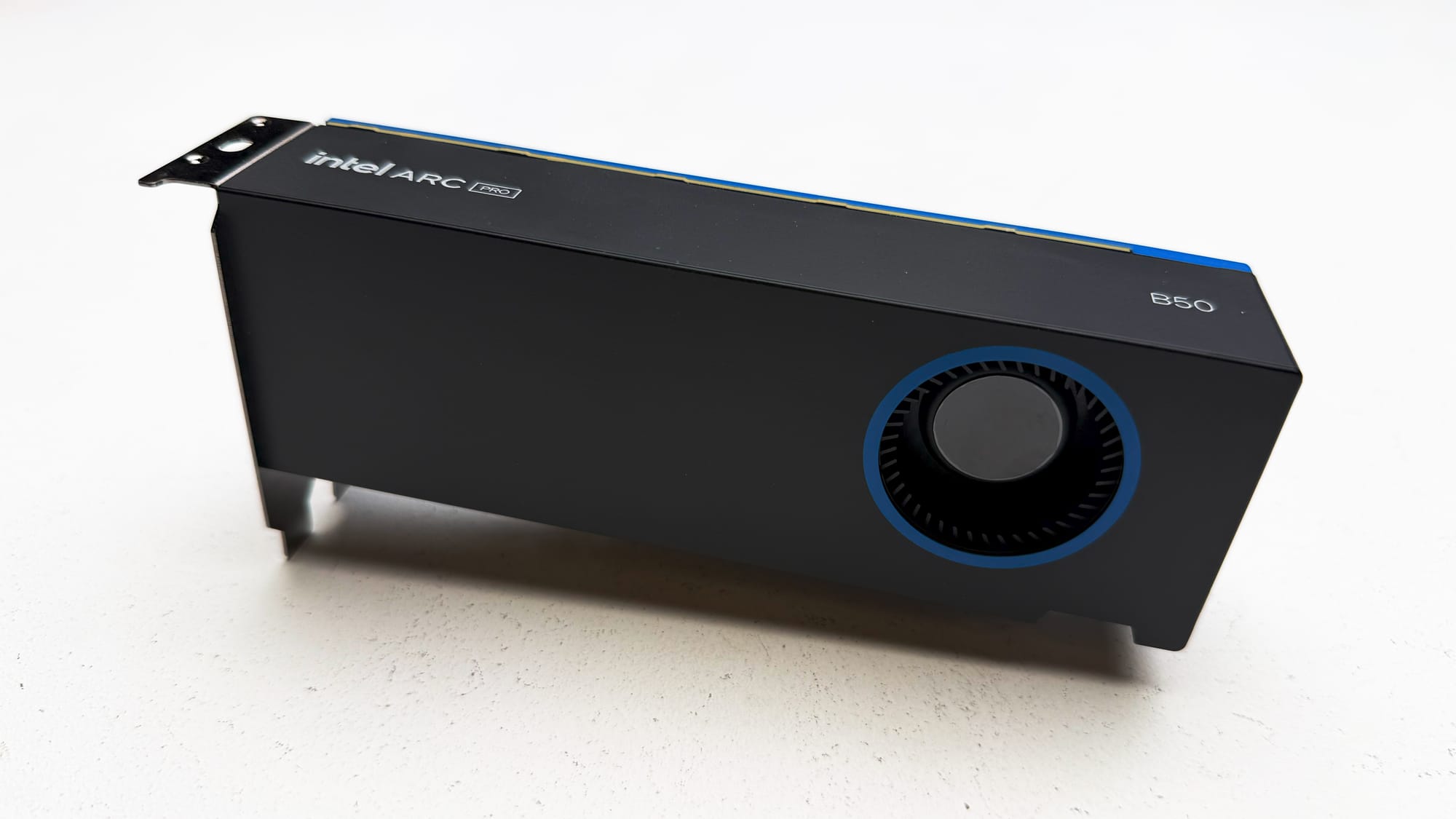
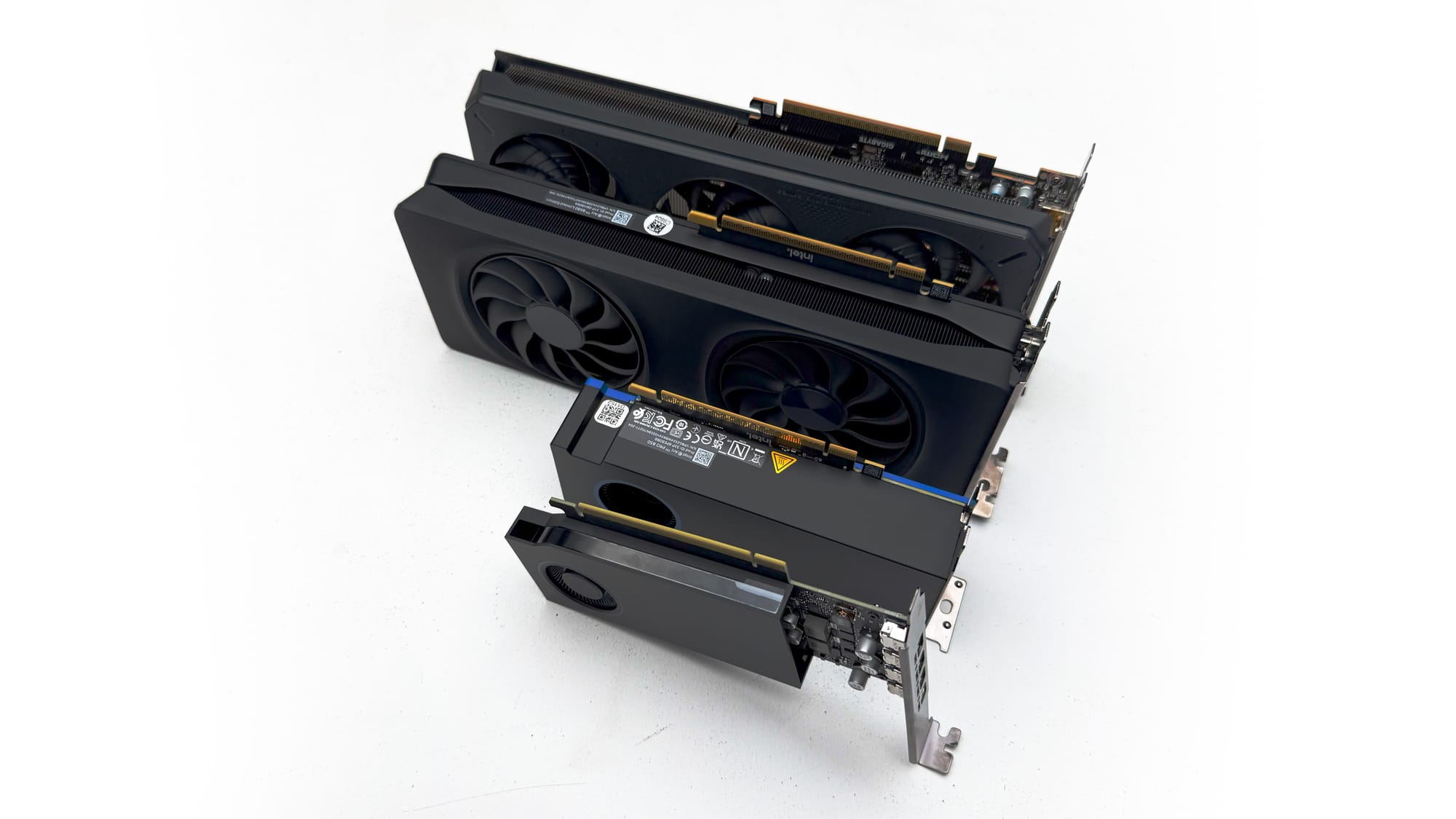
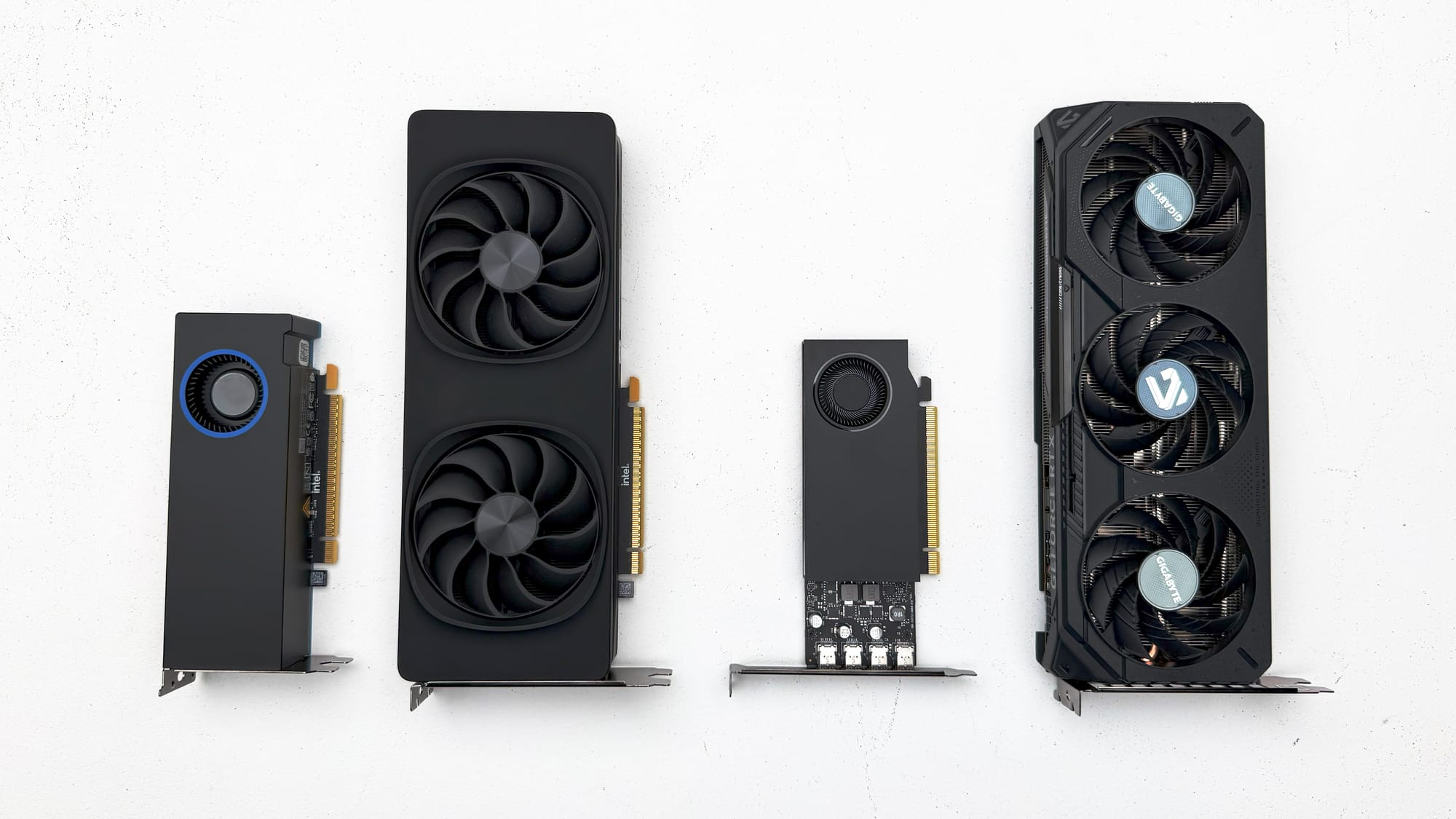
{{Slide}}Intel Arc Pro B50{{/Slide}} {{Slide}}Intel Arc B-Series Form Factor Comparison{{/Slide}} {{Slide}}Intel Arc B-Series Form Factor Comparison{{/Slide}}
The most impressive thing about the B50 is its size; a {{tooltip: Would have been nice to be single slot}}dual slot{{/tooltip}} low profile card with a blower style cooler. These two are the successors to the Alchemist workstation cards the A50 and A60, and share the same Battlemage architecture as the B570 and B580 gaming graphics cards.
The Specs
| B580 | B50 | B60 | |
|---|---|---|---|
| Architecture | Xe2 | Xe2 | Xe2 |
| Render Slices | 5 | 4 | 5 |
| Xe Cores | 20 | 16 | 20 |
| Ray Tracing Units | 20 | 16 | 20 |
| XMX Engines | 160 | 128 | 160 |
| XE Vector Engines | 160 | 128 | 160 |
| Graphics Clock | 2670 MHz | 2600 MHz | 2400 MHz |
| Memory Capacity | 12 GB | 16 GB | 24 GB |
| Memory Type | GDDR6 | GDDR6 | GDDR6 |
| Memory Bandwidth | 456 GB/s | 224 GB/s | 456 GB/s |
| Memory Bus Width | 192 bit | 128 bit | 192 bit |
| Total Board Power | 190 W | 70 W | 200 W |
| Interface | PCIe 4.0 x 8 | PCIe 5.0 x 8 | PCIe 5.0 x 8 |
The B50 is essentially a B580 that sheds a render slice fit in the low profile size — think of it as the GPU equivalent of losing some muscle to squeeze into skinny jeans.
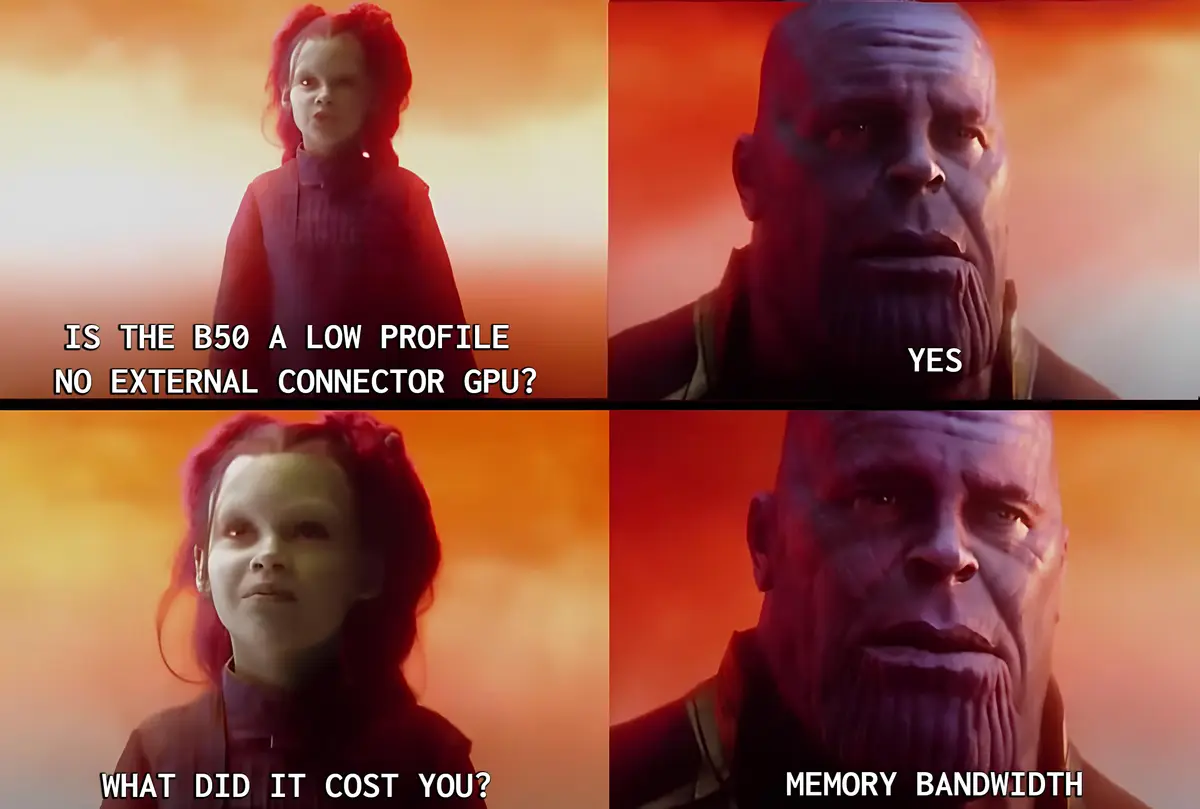
The memory arrangement for the B50 is a total of eight 2 GB chips; four on the front and four on the back. The choice for the 128 bit memory bus was a split between market fit and form factor. The RTX A1000 8GB also only has a 128 bit bus and similar form factor as well, to get increased bandwidth and compute in this form factor you can look to the RTX A2000 12GB, but that’s a different weight class with a price of $799. Improving the memory bandwidth on the B50 would be encroaching on both the market for B580 and B60, and also put the 70W total board power design in jeopardy.
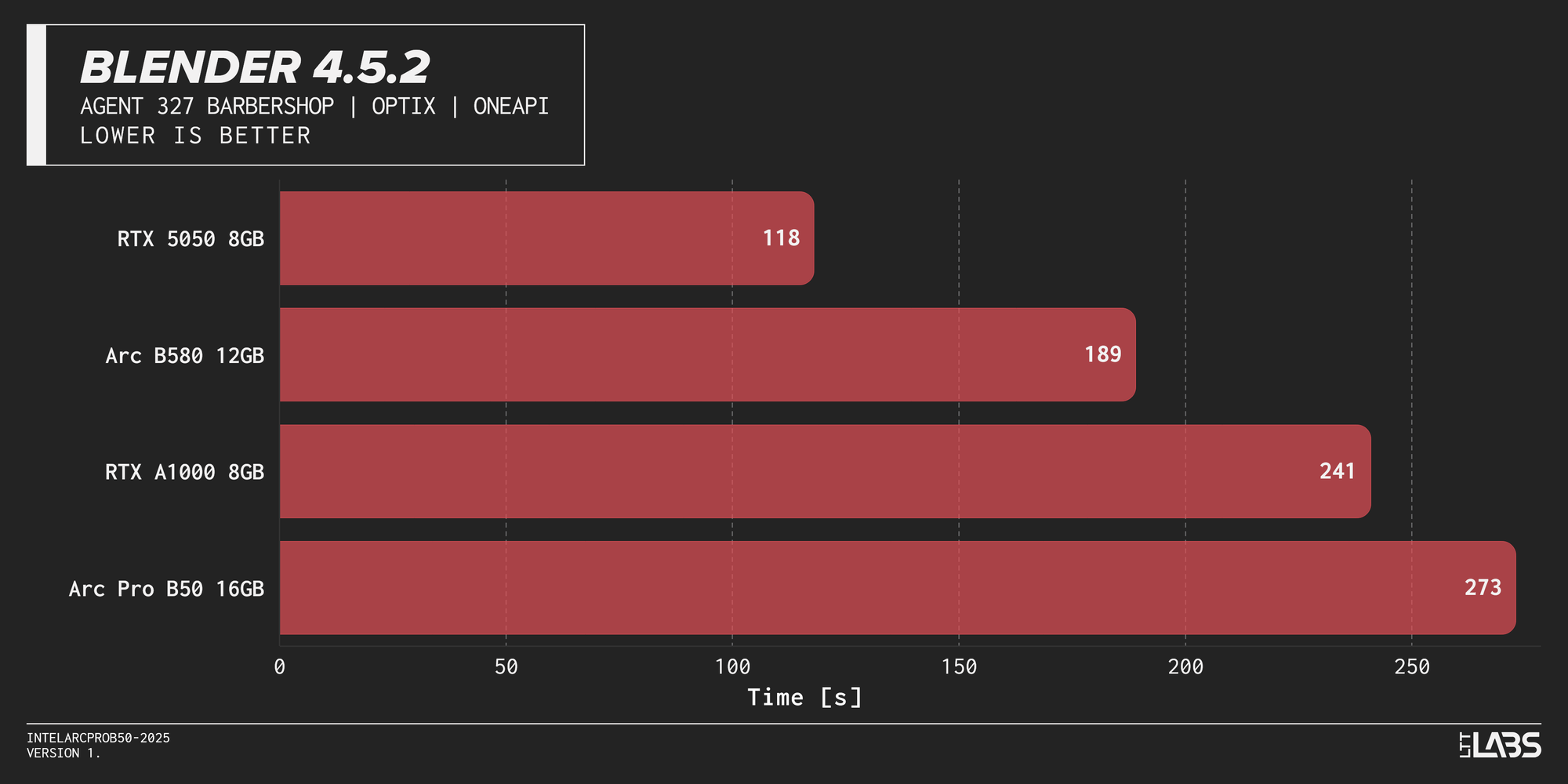
Intel pits the B50 against the Ampere era RTX A1000 workstation class card. We included this in our testing, and threw in the Intel Arc B580 12 GB and RTX 5050 8 GB for some additional comparisons. The test results reveal the impact of limited bandwidth, but it’s not that dire really. The performance is very competitive for the workloads it's intended for. Speaking of, let’s take a look at the usual suspects of productivity benchmarks.
Productivity
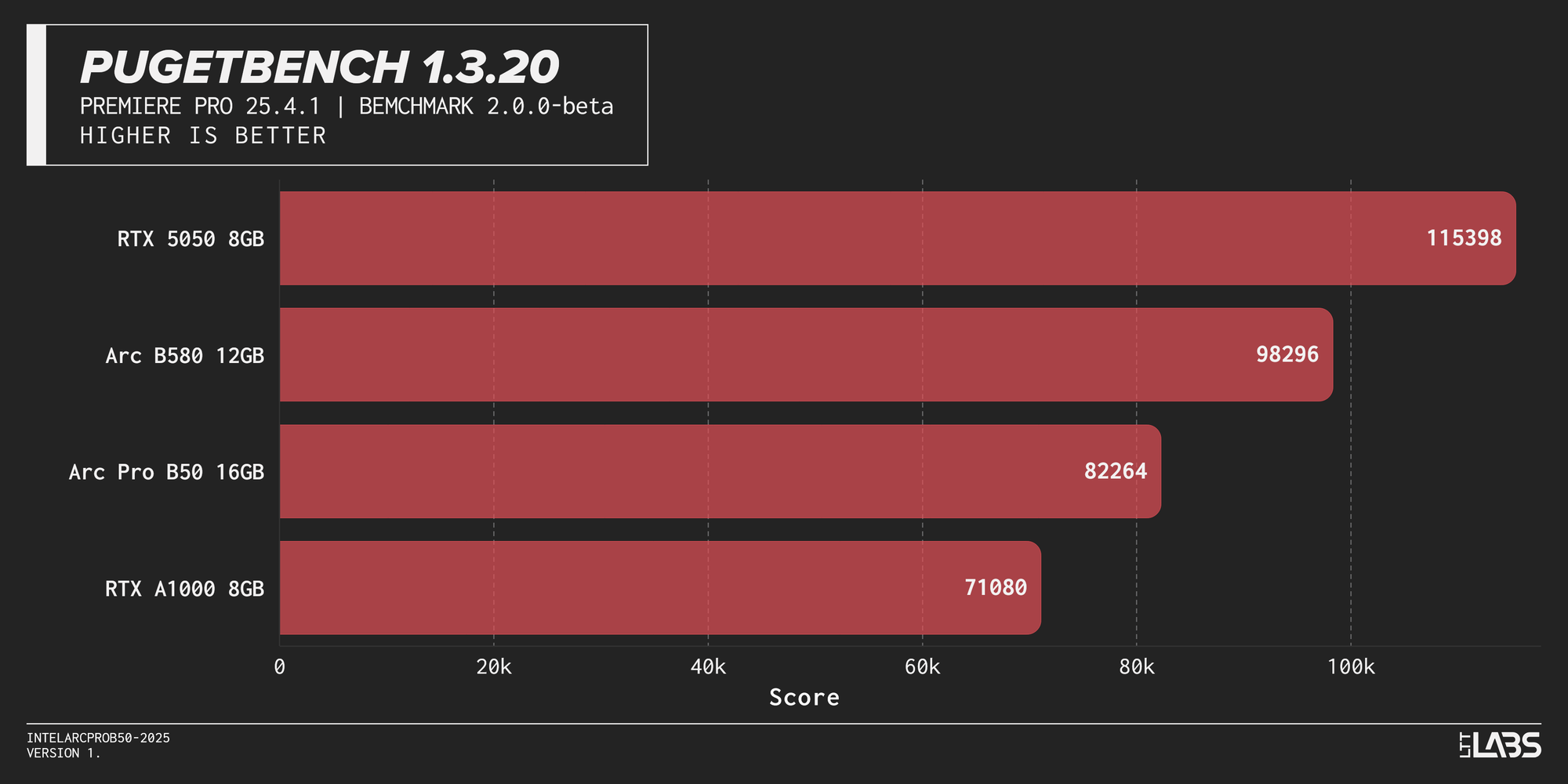
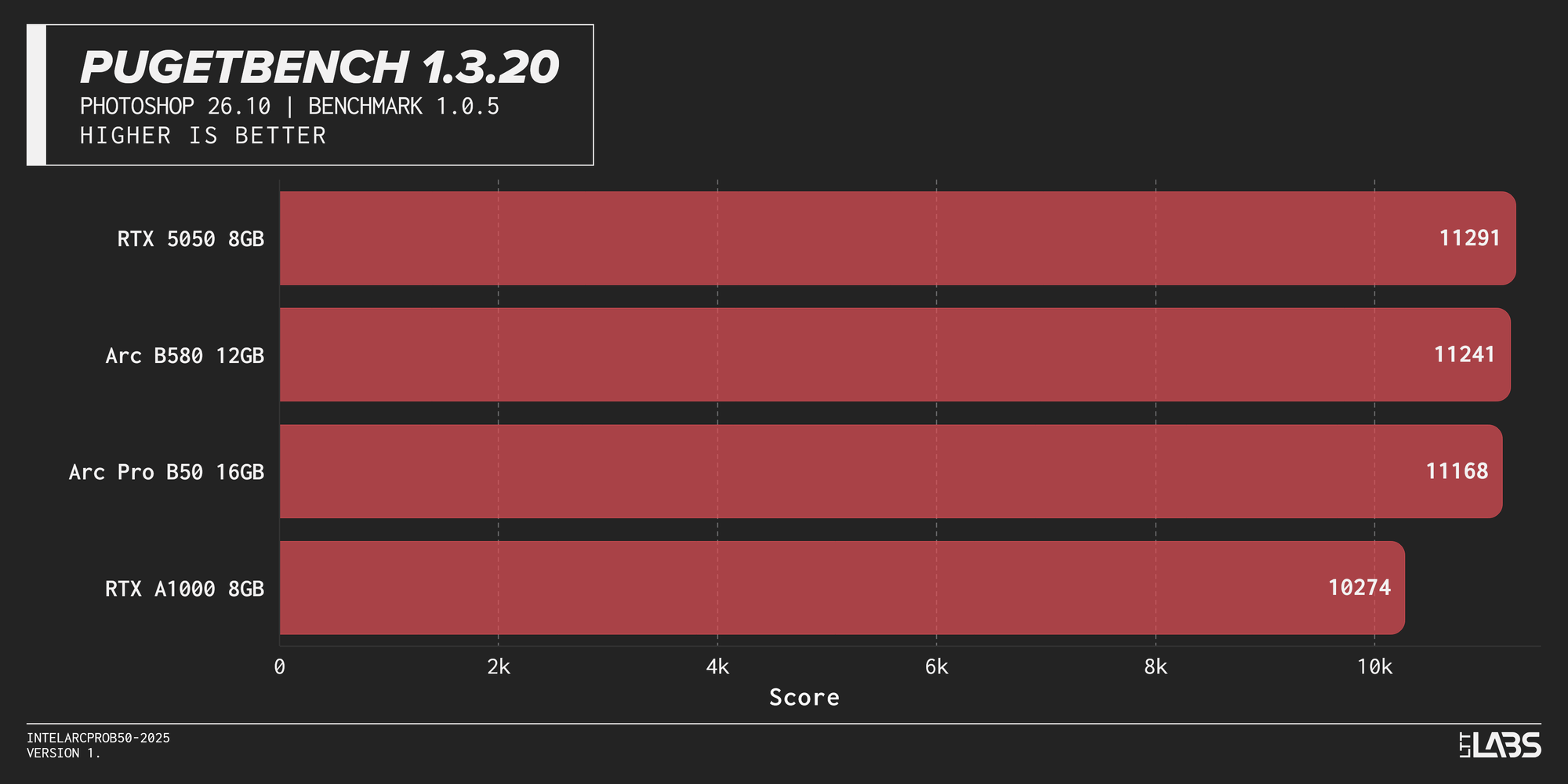
{{Slide}}Blender 4.5.2 Graph{{/Slide}} {{Slide}}Pugetbench 1.3.20 Results - Photoshop 26.10{{/Slide}} {{Slide}}Pugetbench 1.3.20 Results - Premiere Pro 25.4.1{{/Slide}}
In Blender the B50 isn’t able to beat the OptiX advantage of the RTX A1000, however in PugetBench’s Adobe Photoshop benchmark the age of the RTX A1000’s Ampere roots are showing. This will probably be the last time you see Photoshop in our GPU testing suite, it’s much more CPU-bound in the most recent GPU generations. Until Photoshop has some heavier hitting local features, or PugetBench evolves their benchmark to require more GPU oomph, we don’t consider it a graphics card test for now.
The Premiere Pro benchmark involves compute and encoding benchmarks and it's not about winning against the RTX 5050 or Arc B580, their inclusion is to highlight how effectively the B50 can utilize those 70 watts compared to the much higher 130 W and 190 W TDPs respectively.
AI Inference
You can find more details about the models and methodology used by Procyon here.
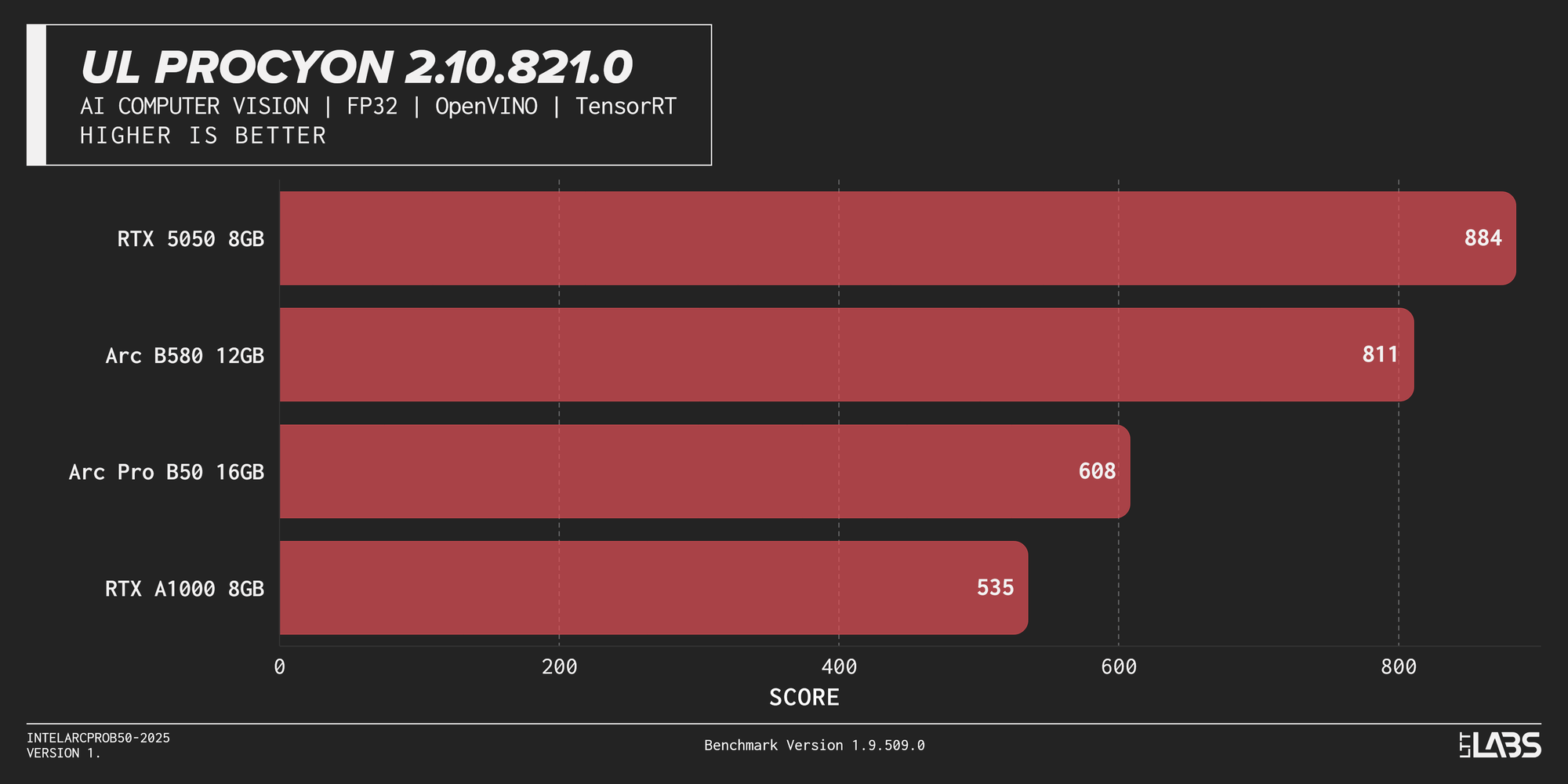
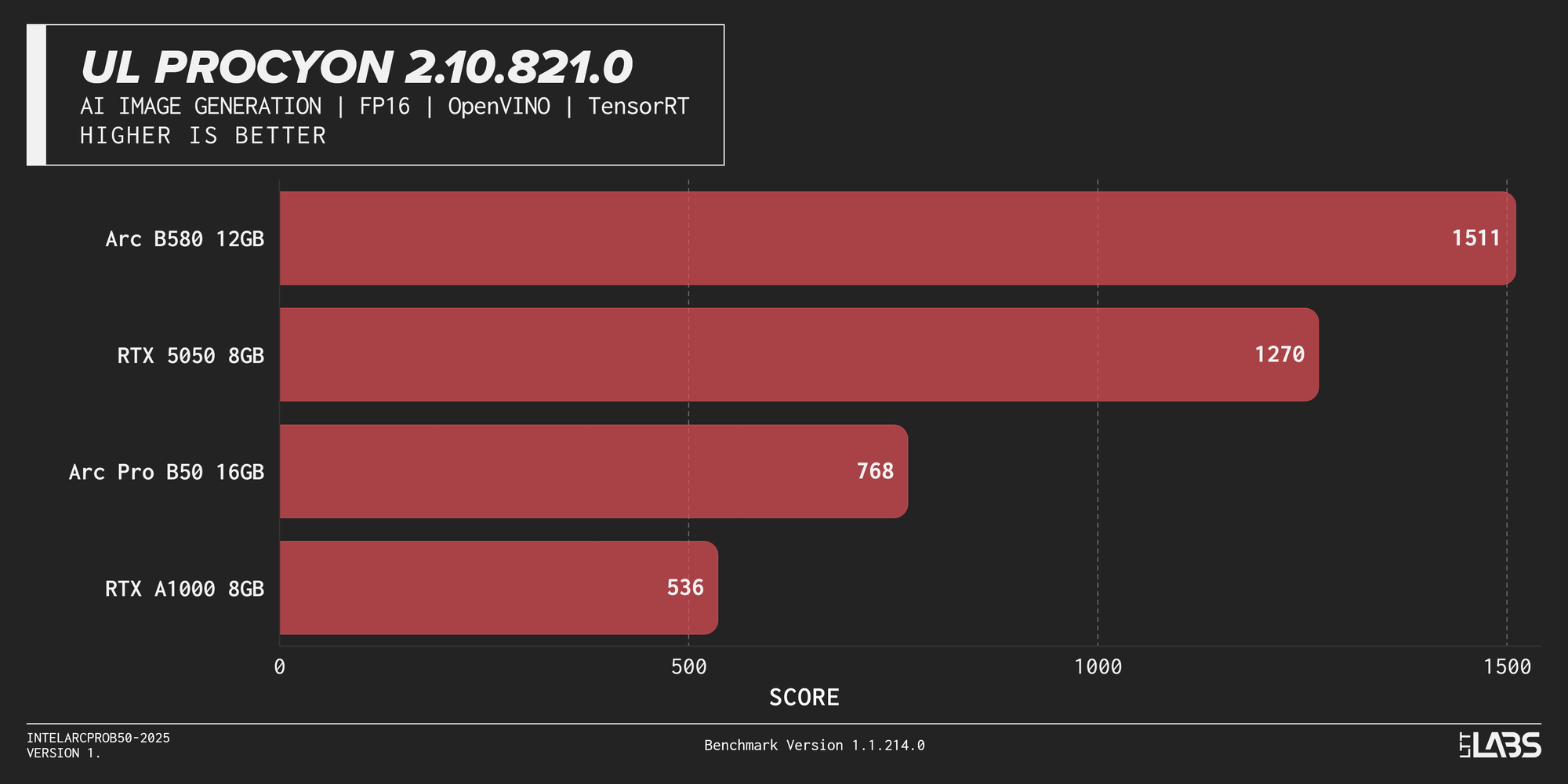
{{Slide}}UL Procyon 2.10.821.0 Graph (AI Computer Vision){{/Slide}} {{Slide}}UL Procyon 2.10.821.0 Graph (AI Image Generation){{/Slide}}
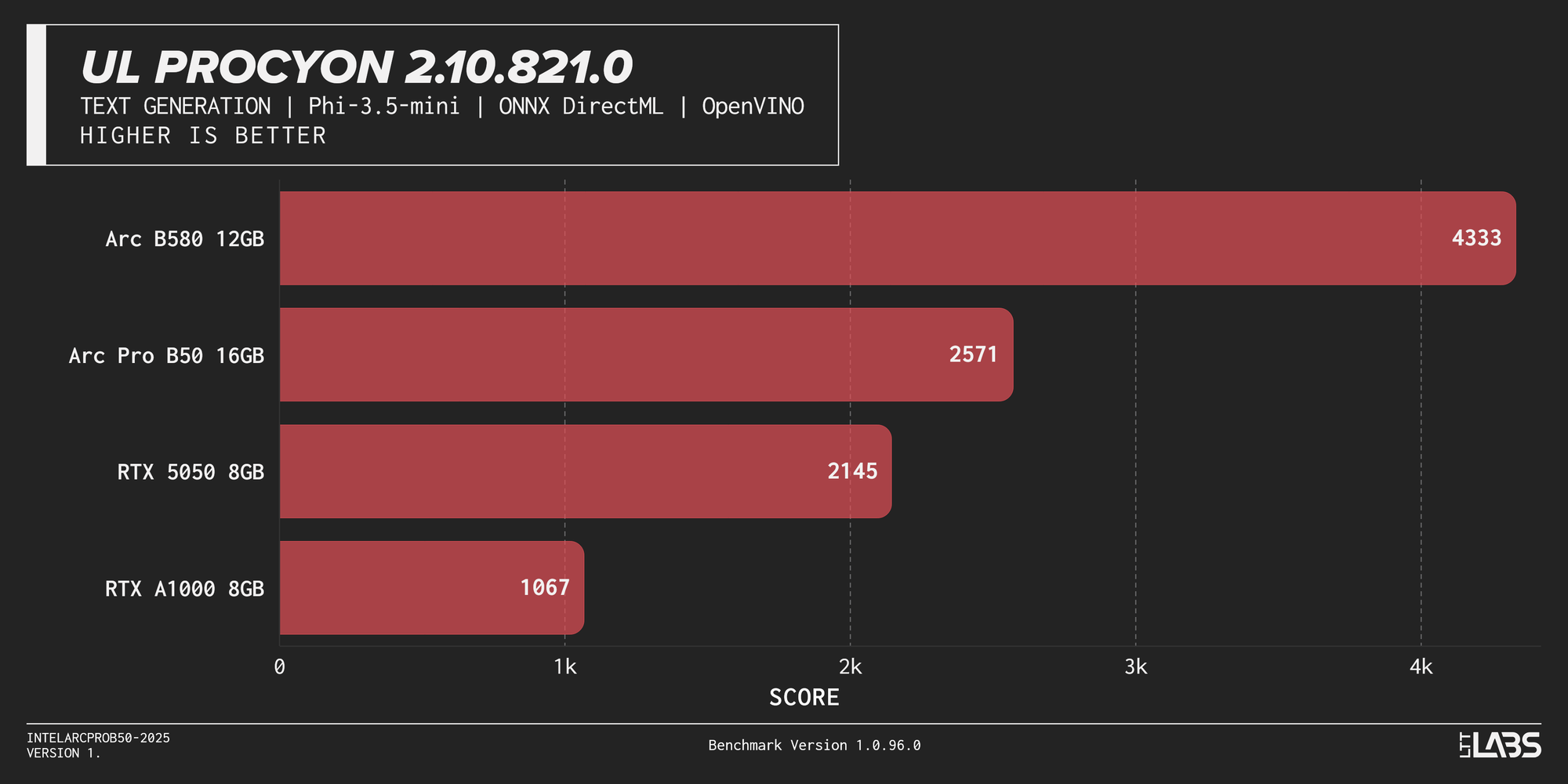
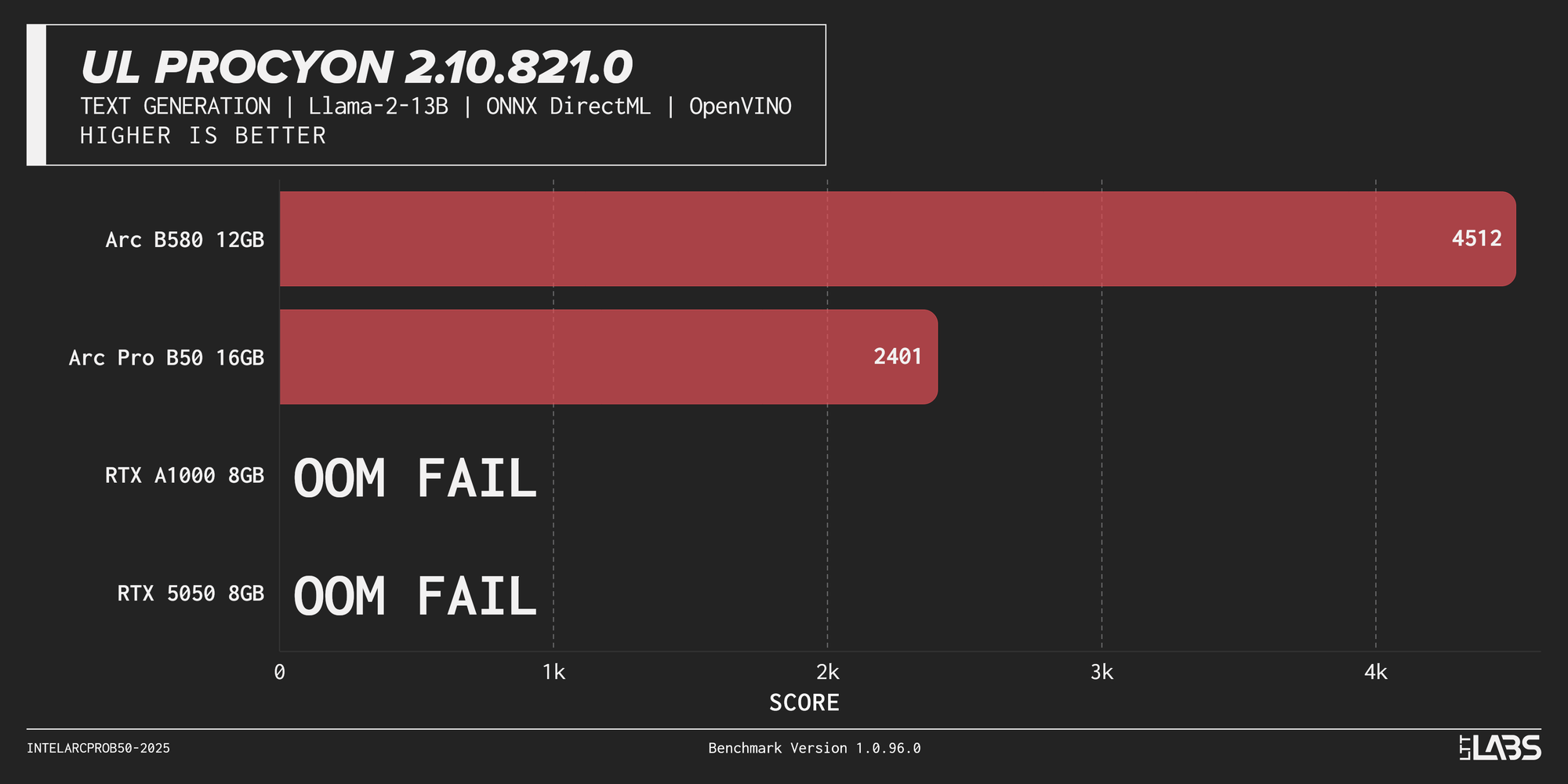
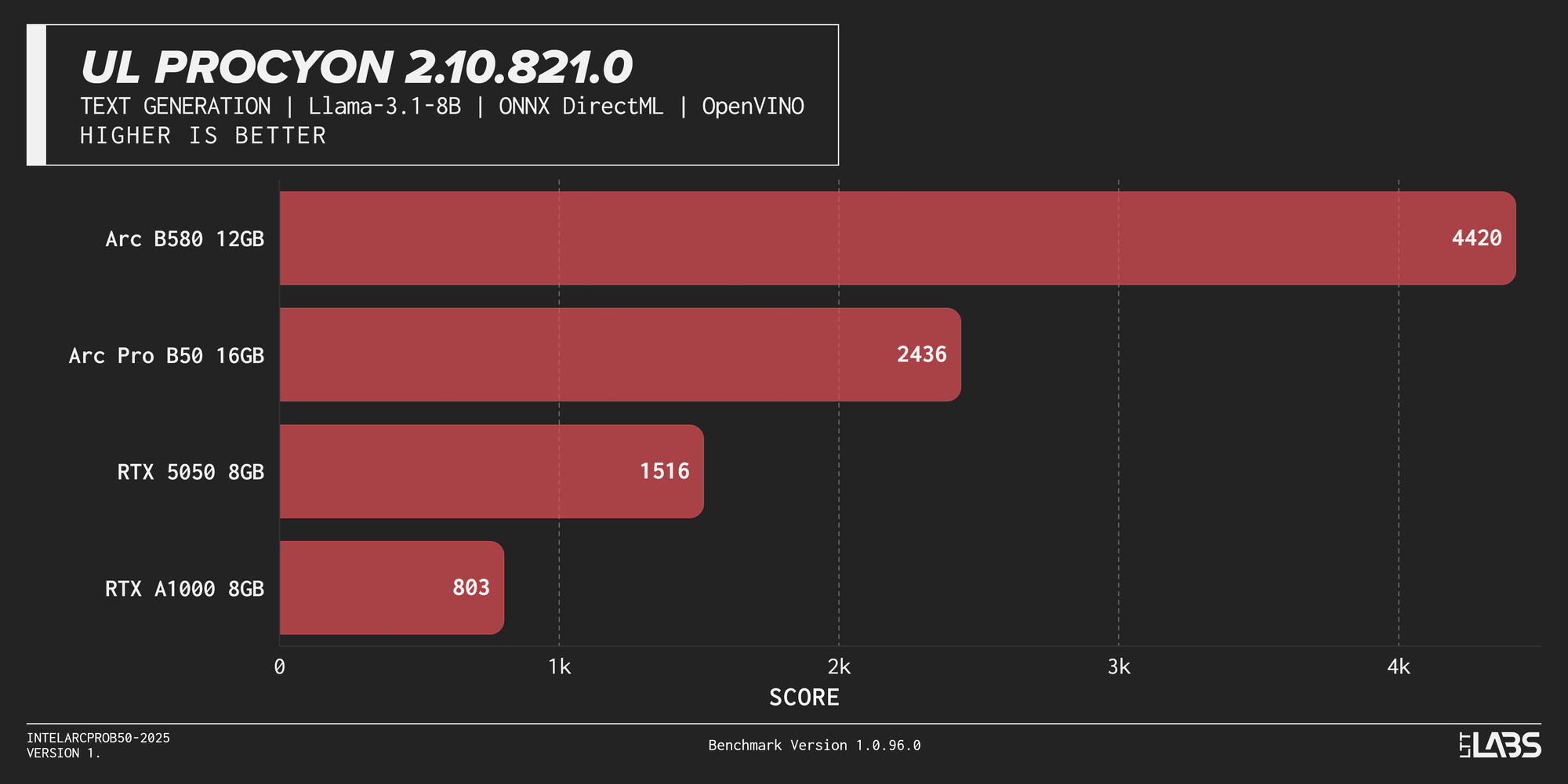
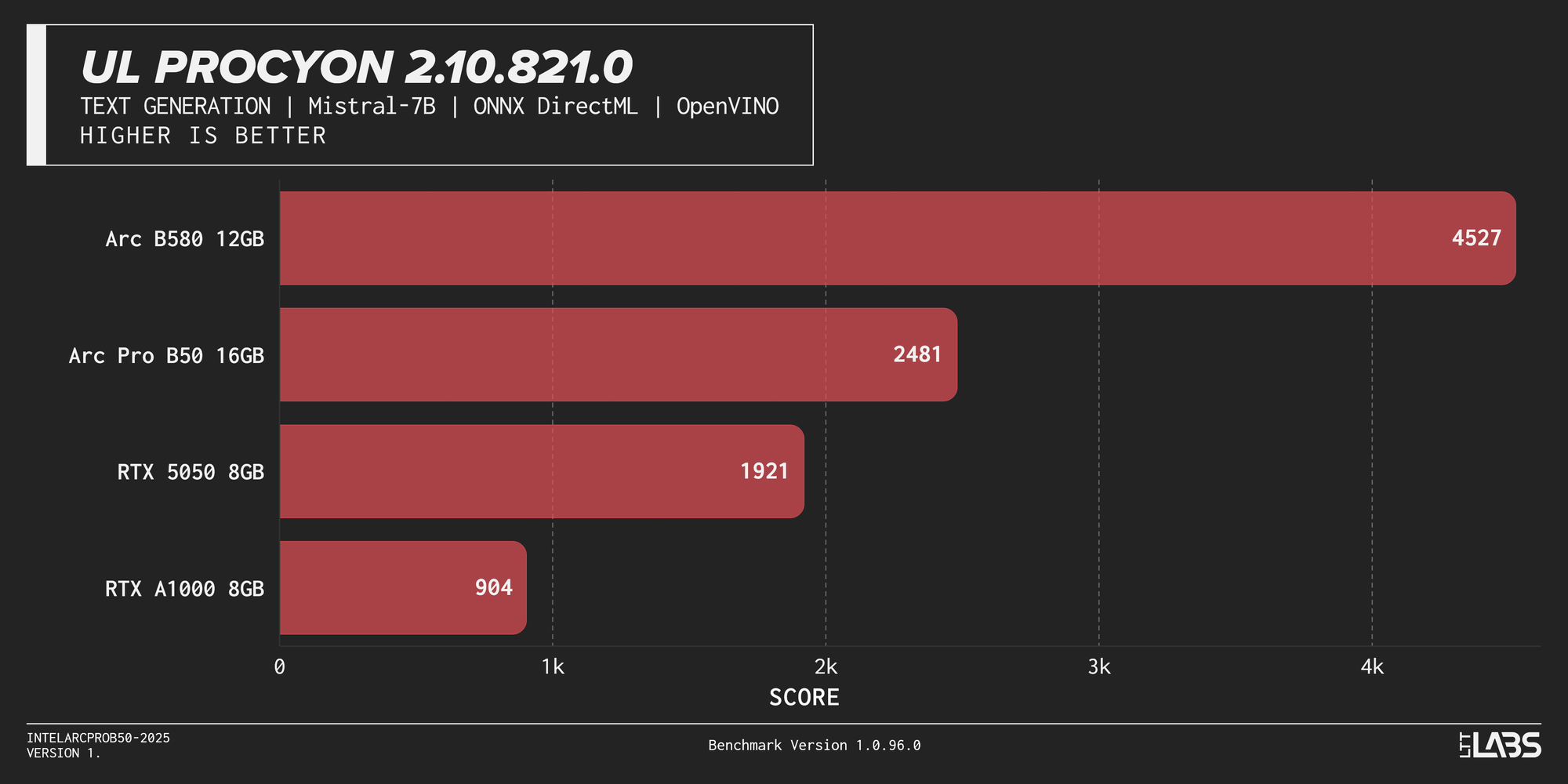
{{Slide}}UL Procyon 2.10.821.0 Text Generation - Phi-3.5-mini{{/Slide}} {{Slide}}UL Procyon 2.10.821.0 Text Generation - Llama-2-13B{{/Slide}} {{Slide}}UL Procyon 2.10.821.0 Text Generation - ONYX Direct ML{{/Slide}} {{Slide}}UL Procyon 2.10.821.0 Text Generation -Mistral-7B{{/Slide}}
In our computer vision and image generation results, the B50 beats the RTX A1000. Do note though, that in the Procyon text generation test suite, NVIDIA GPUs are relegated to ONNX DirectML and cannot leverage their native TensorRT advantage. Despite that, the RTX A1000 and RTX 5050 are incapable of completing the Llama-2-13B lap of the race, yet another repetitive nail in the coffin of 8 GB of VRAM.
It can game”ish”
We ran three of our staple games at 1080p resolution and max settings, so as you read through these results, remember… max settings. The B50, with some sacrifice in graphic fidelity, can squeeze out a playable experience. Not bad for 70 W!
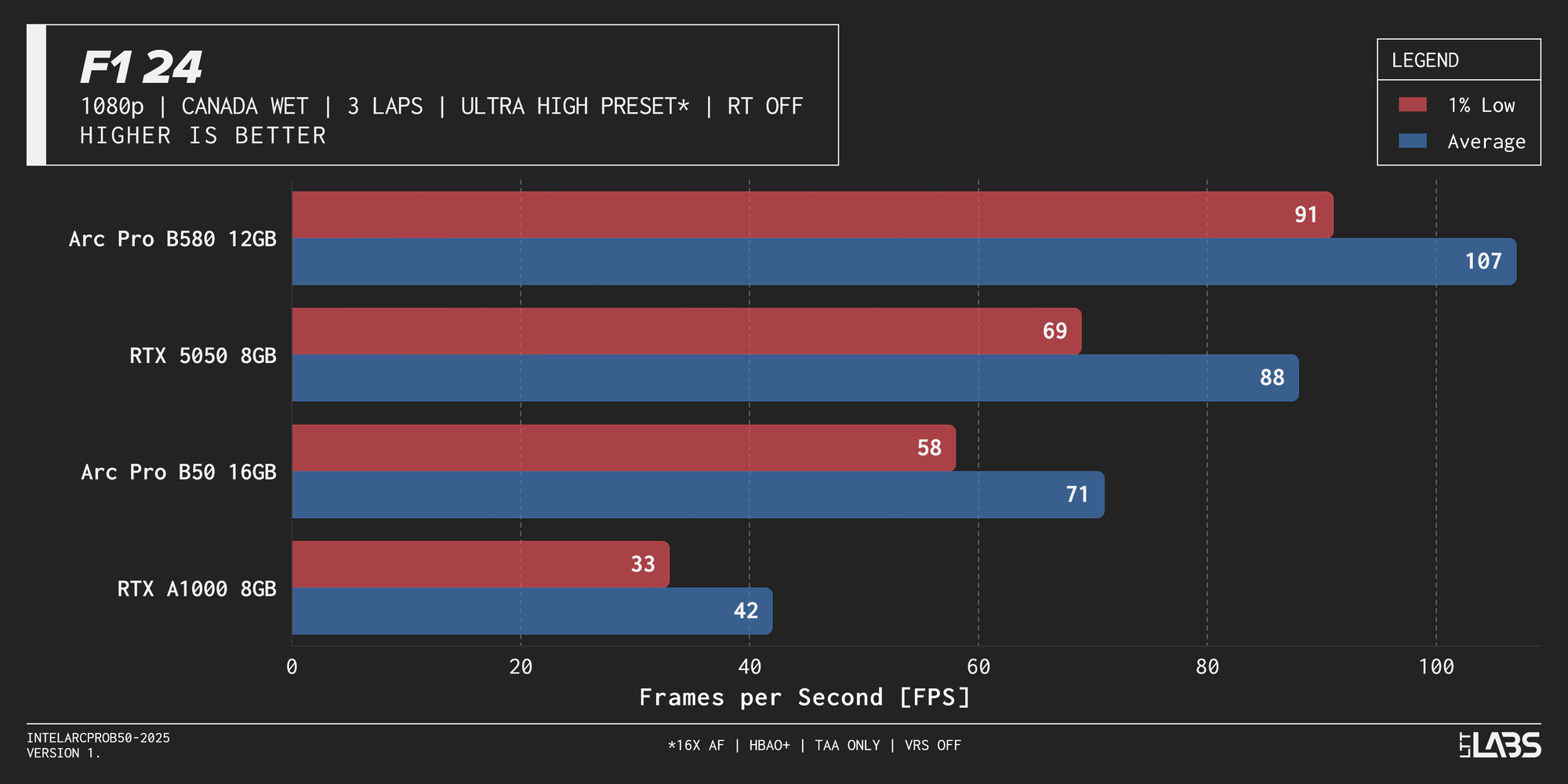
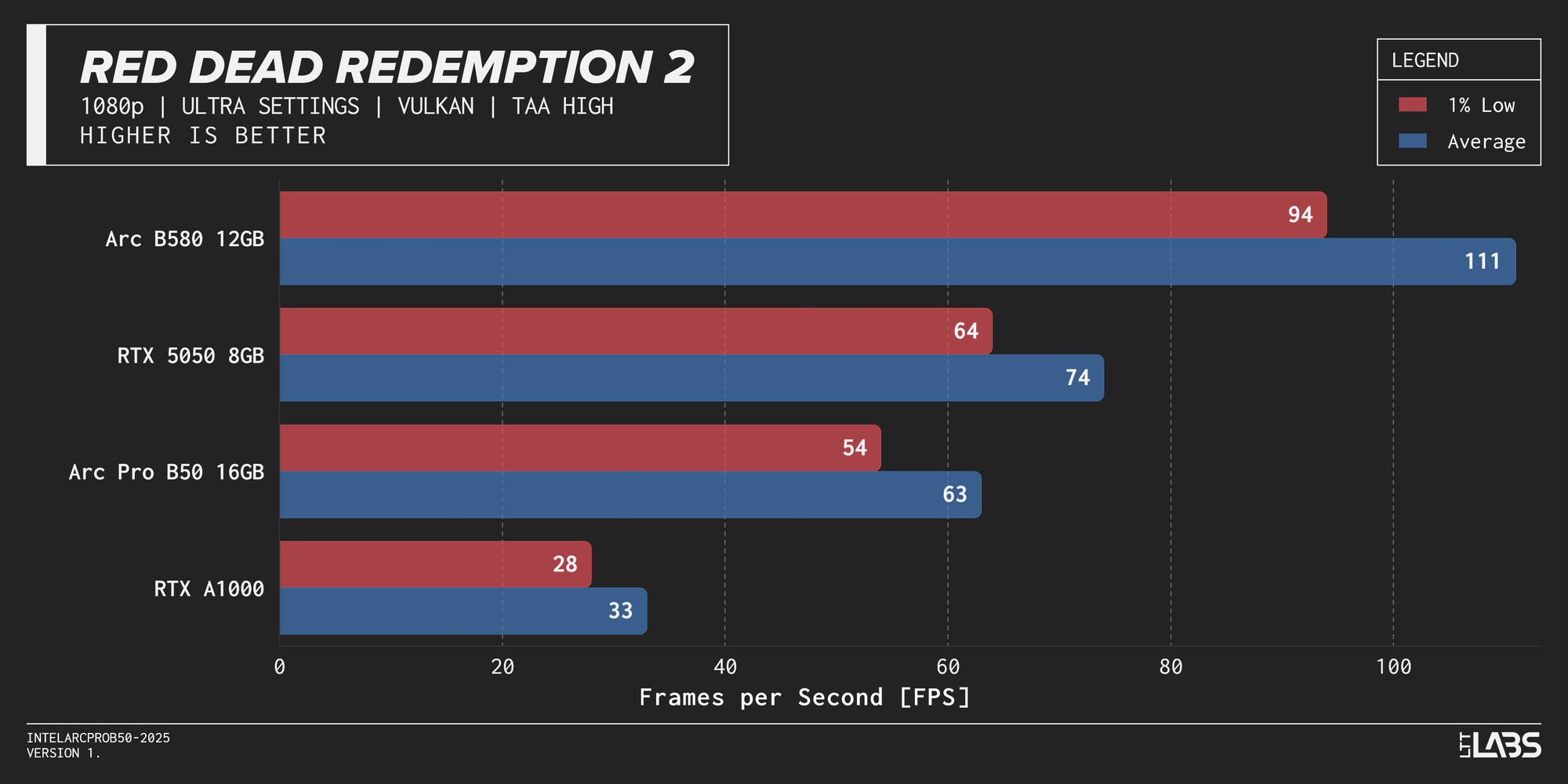
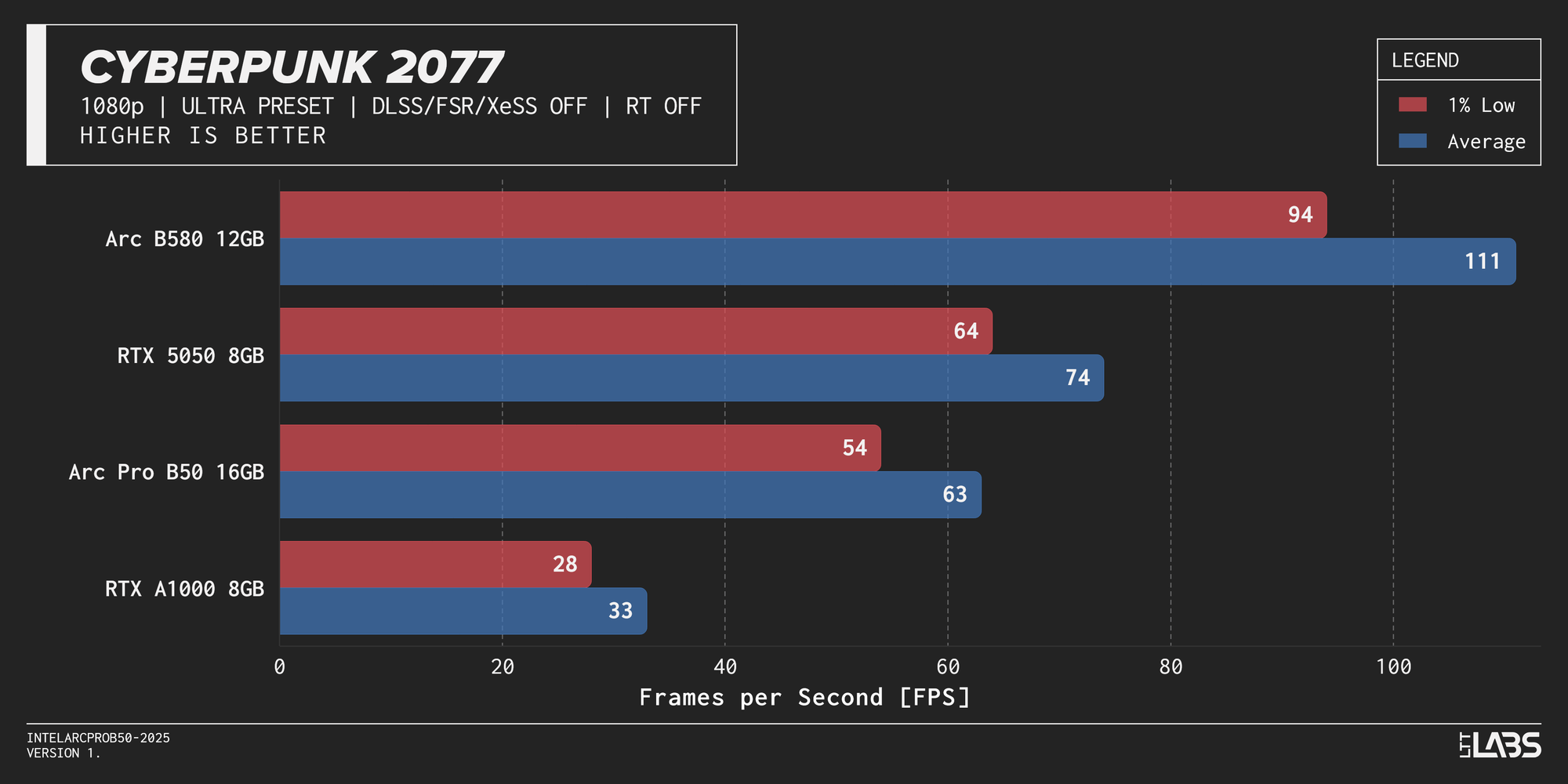
{{Slide}}F1 24 FPS Graph{{/Slide}} {{Slide}}Red Dead Redemption 2 FPS Graph{{/Slide}} {{Slide}}Cyberpunk 2077 FPS Graph{{/Slide}}
Encoding
We did run some encoding tests using FFmpeg, but we did not spend any time tuning the commands for H264 and AV1. We encoded our source video at increasing bitrates from 1 Mbit/s to 12 Mbit/s, and then ran VMAF on the output to get a score. VMAF is a tool that Netflix uses as a visual quality metric. A higher score equals better perceived image quality, with 100 being flawless, or equivalent to the source.
The graphs below are a crude attempt at image quality vs bitrate which is a visualization of how each hardware encoder handles image quality at lower to higher bit rates. Twitch limits streams to 6 Mbit/s, so streamers should pay attention to the VMAF scores between 3 and 6 Mbit/s. Anything north of 6 Mbit/s could represent use cases such as local game streaming or for media transcoding
The source video we use, Big Buck Bunny, is not representative of game content that would end up on Twitch. We are working on collecting some better footage for the future, however the results do illustrate the latest generation of QuickSync and NVENC are nearly identical for H264; the most ubiquitous encoding.
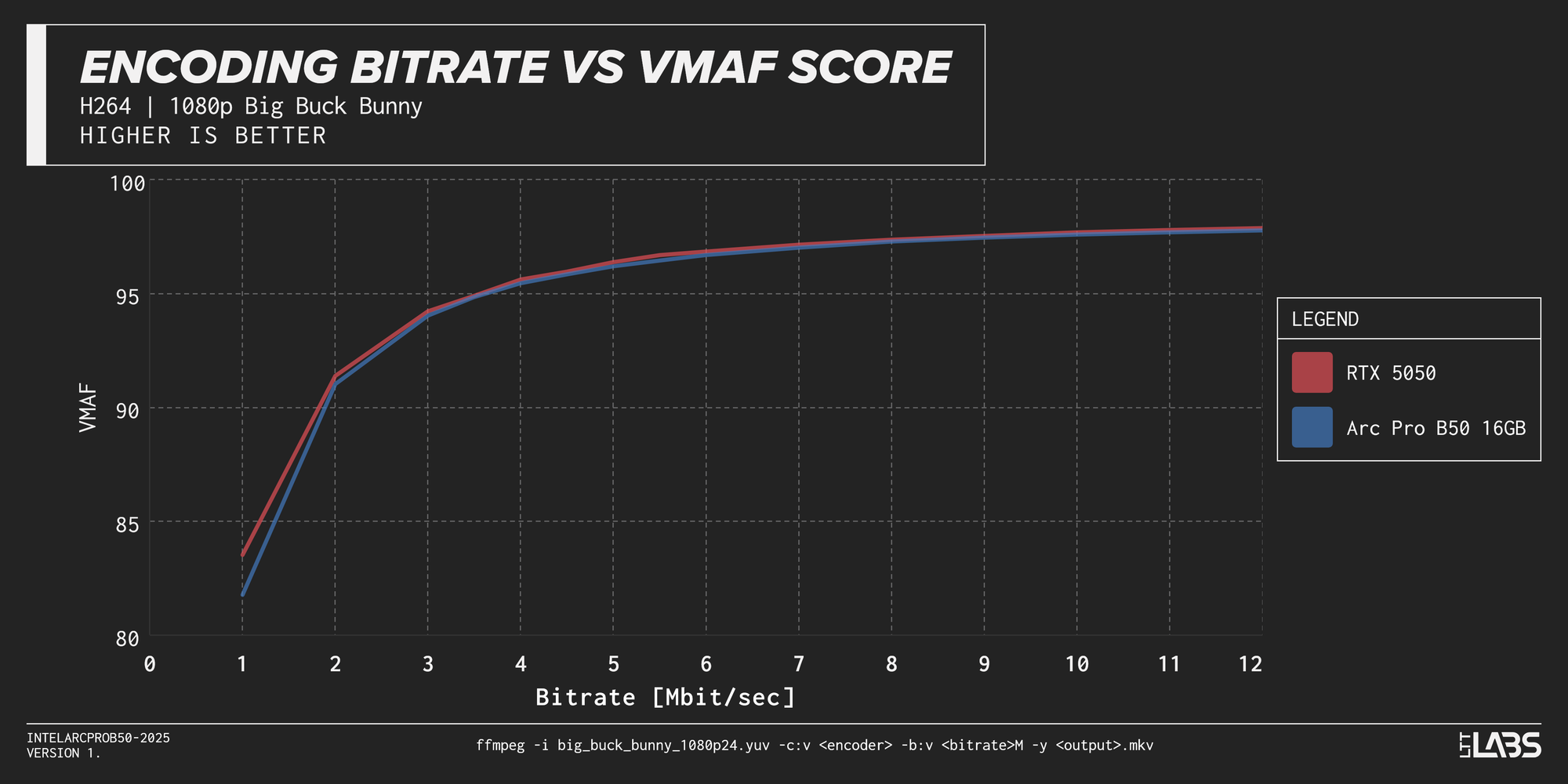
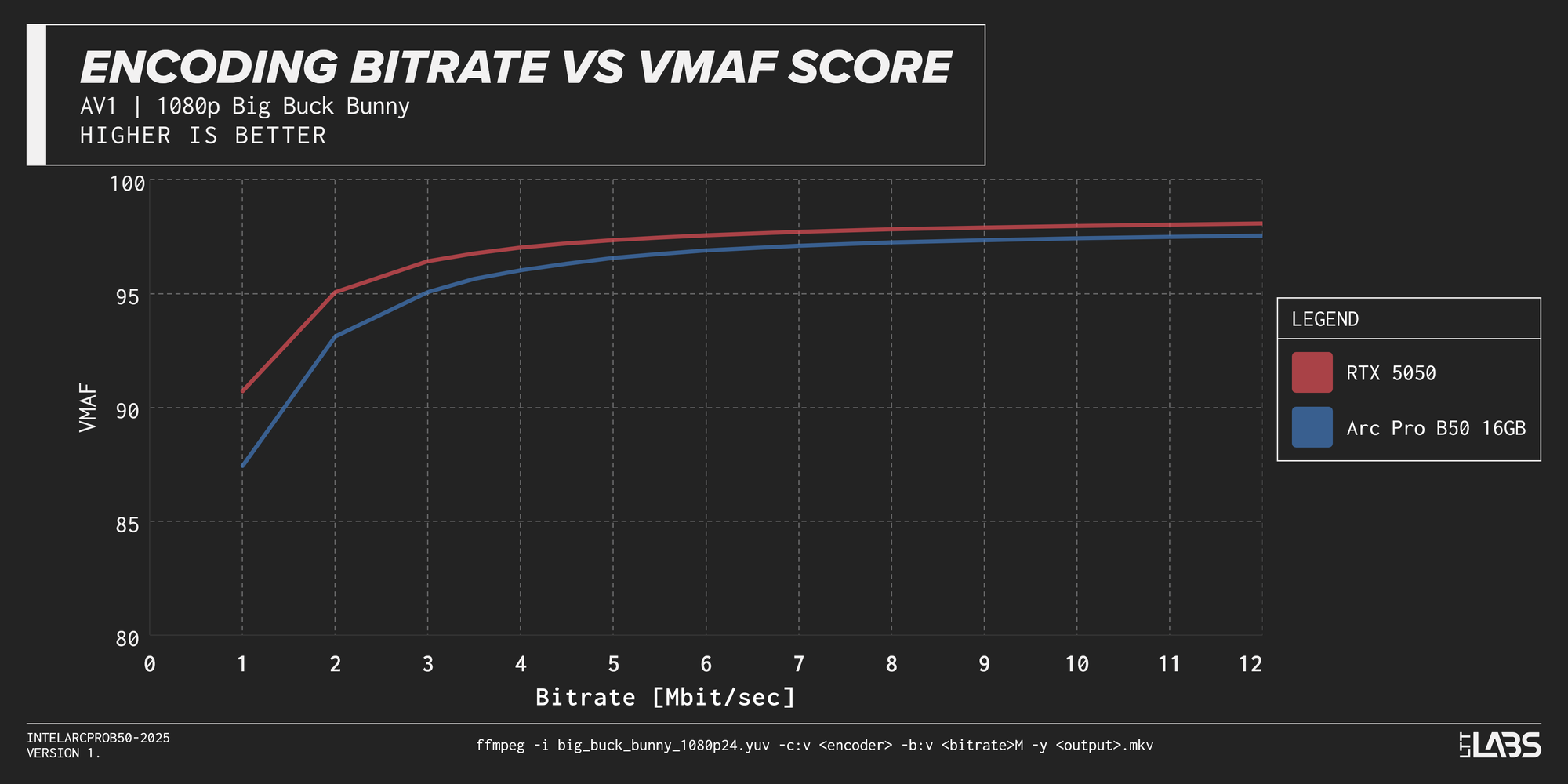
{{Slide}}Encoding Bitrate vs. VMAF Score Graph (H.264){{/Slide} {{Slide}}Encoding Bitrate vs. VMAF Score Graph (AV1){{/Slide}
Twitch will support AV1 at some point – maybe – so the support for it on the B50 is welcome. Out of the box the AV1 encoding looks much better at lower bitrates for NVENC, but remember this is without any tuning whatsoever, so there should be room for improvement for AV1 QuickSync output.
Possibly niche but nice
The B50 is $349 USD and the B580 (Intel's model) is $249 USD, but also 190 W! Based on performance alone, the B50’s price tag seems high, but what you are paying for is the miniaturization and the VRAM capacity. In productivity the B50 is where we expect it, and it delivers well enough, especially for its form factor.
The feature I am personally looking forward to is SR-IOV support which at the time of writing is a pinky promise, but we’re pretty hopeful it’ll happen. Great encoding and GPU virtualization is a killer combo for the homelabbers and their multipurpose box in the corner of their living room.
The B50 graces us with 16 GB of VRAM, and we do wish for greater memory bandwidth, but the truth is we really like this card. Most likely our deployed, aging discrete CUDA cards (used in MarkBench automation) will be replaced with the B50, enabling us to shrink from the Fractal Pop Air to the Terra; a much smaller and classier case.