Logi Bolt Receiver: Not Just a Bluetooth Dongle
We decided to stop speculating about Logi Bolt and ask Logitech directly. They clarified the technology and shared some additional information.
During a recent ShortCircuit video on the Logitech MX Master 4, the host tossed out a line that set off a wave of conversation. He said, “Sadly, it is a Bluetooth dongle.” That hit a nerve in the community because this has actually been a long-running point of confusion. Discussions on Reddit and other forums had already dissected what Bolt might be and whether it offered any real performance advantage over Bluetooth.
We decided to stop speculating and confirm with Logitech directly. Their response largely matched what we knew from their already public materials (like the comprehensive Logi Bolt info page) and added useful technical details about how Logi Bolt actually works.
What Bolt Is Built On
Bolt, Logitech’s proprietary wireless receiver technology, is based on Bluetooth Low Energy. Logi Bolt devices use BLE 5.0 or higher with the security features introduced in BLE 4.2, and remains backward compatible with BLE 4.0 hosts.
BLE connections can operate at different security levels. Security Mode 1, Level 4 is the highest standard for BLE. It requires authenticated pairing and AES-CCM encryption with a 128-bit key, offering stronger protection against eavesdropping and man-in-the-middle attacks. Lower levels allow weaker or unauthenticated pairing, which can be negotiated down depending on the host’s configuration.
Logitech told us that Bolt enforces Security Mode 1, Level 4 for all connections through the receiver. This means it won’t fall back to weaker levels the way a direct BLE connection can, resulting in a more secure and predictable wireless link.
What’s New with MX Master 4
Logitech told us the MX Master 4 uses the same Bolt protocol as the MX Master 3 and 3S, but with notable RF improvements. The Printed Inverted-F Antenna (PIFA), which provides efficient omnidirectional signal coverage, has been moved slightly forward, which should reduce hand interference and improve signal clarity. Output power has also increased from +4 dBm to +8 dBm, which should make the link more resilient in noisy environments, particularly in workplaces.
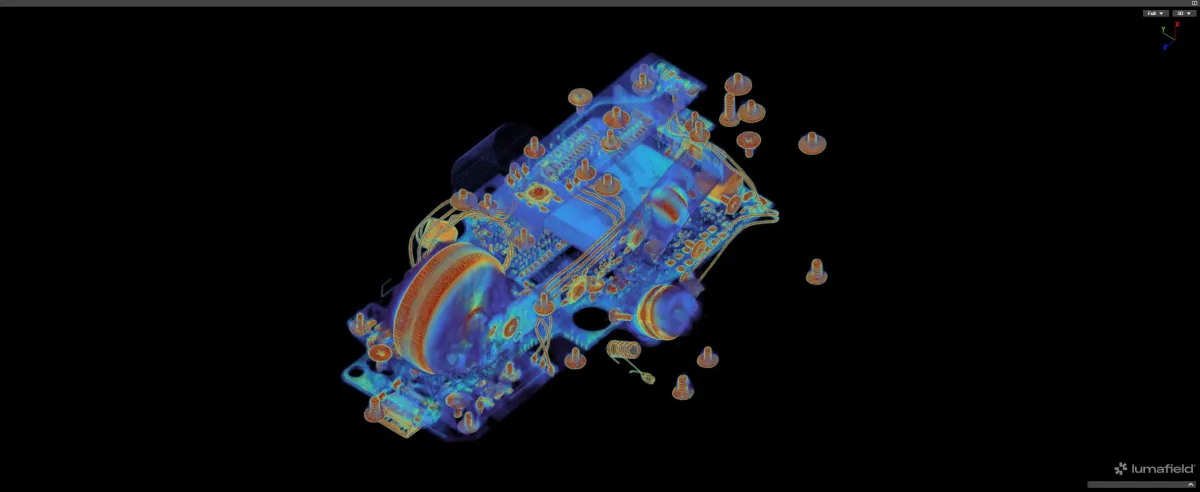
Below are CT scans of the MX Master 4 and MX Master 3S, followed by slices showing the PIFA for the MX Master 4 and MX Master 3S.
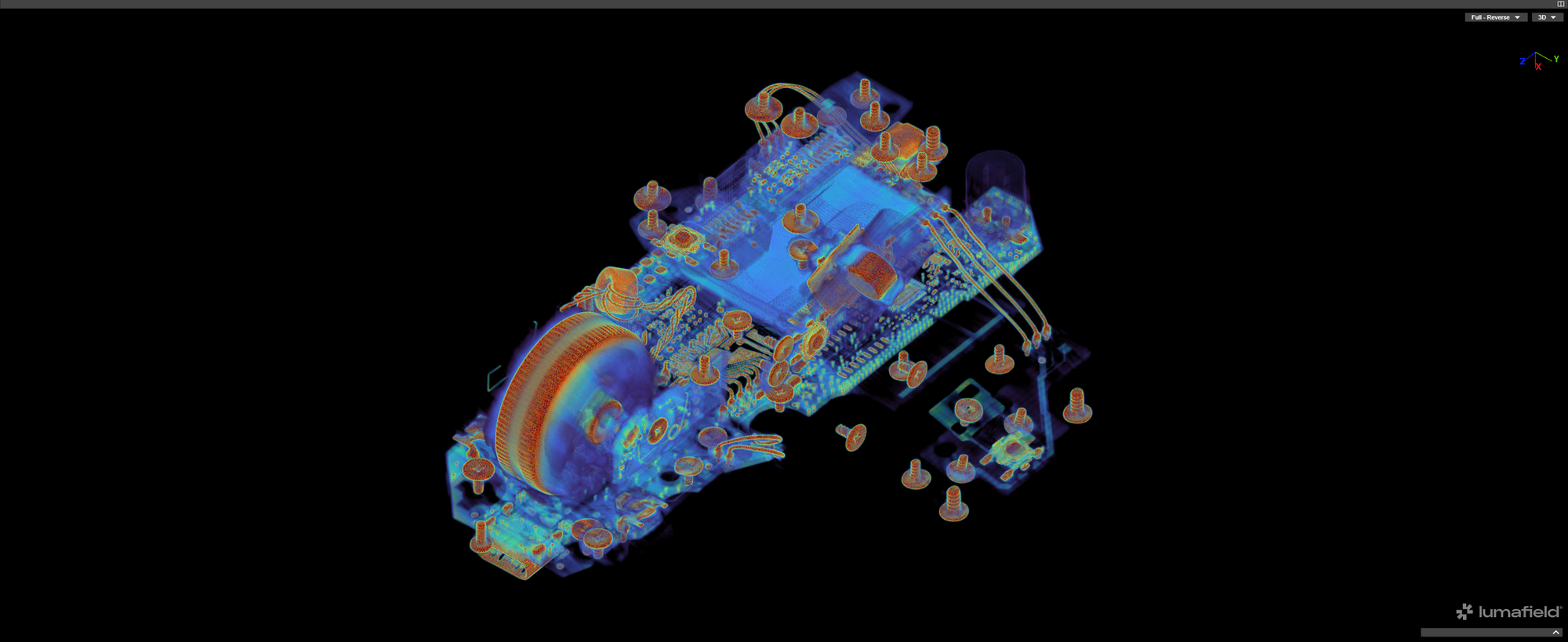
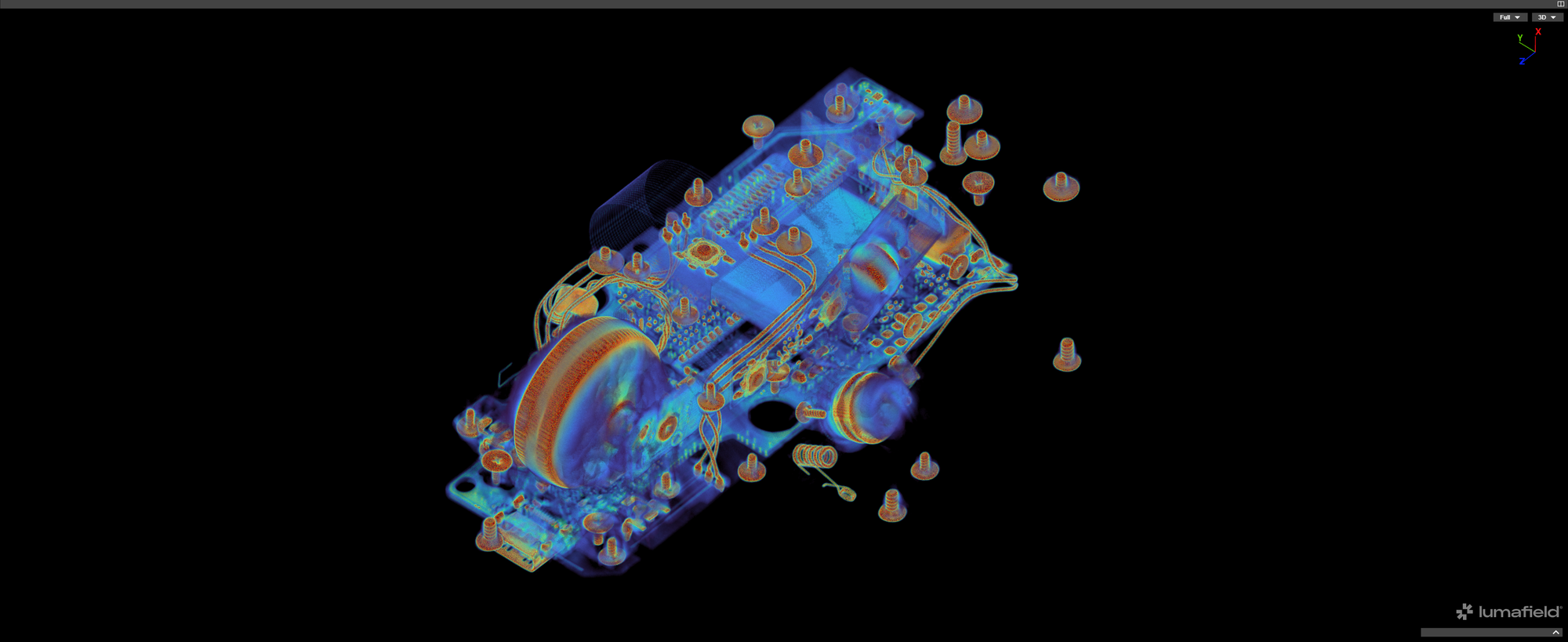
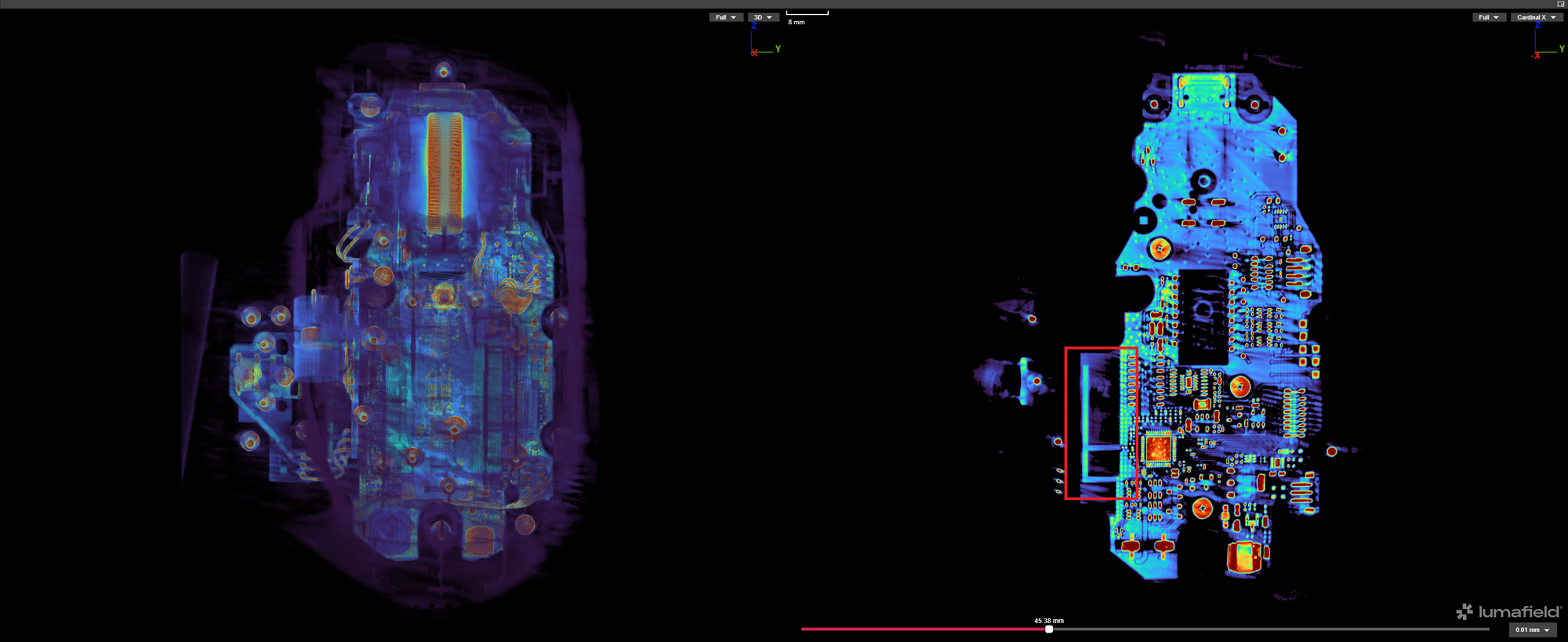
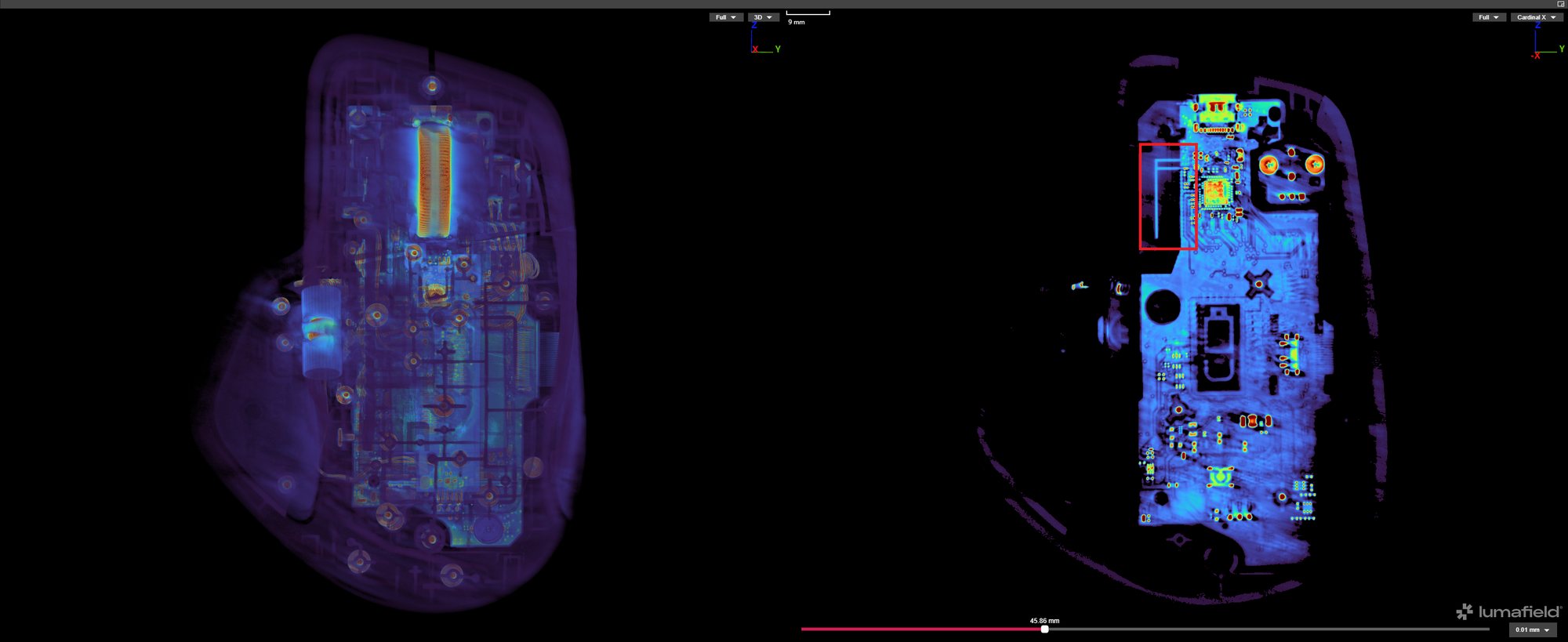
{{slide}}MX Master 3S {{lumafield}}https://voyager.lumafield.com/project/129f4653-cb5c-4d8a-a551-50f9fa2ffebb?embed=true{{/lumafield}}{{/slide}} {{slide}}MX Master 4 {{lumafield}}https://voyager.lumafield.com/project/12facfad-edd9-4ca1-8fae-25219782b7ce?embed=true{{/lumafield}}{{/slide}} {{slide}}MX Master 3S Slice{{/slide}} {{slide}}MX Master 4{{/slide}}
We also encourage you to check out the 3D viewers for the MX Master 3S and the MX Master 4 yourself – it is really fun!
Latency and Stability
Bolt is not doing anything to fundamentally change BLE’s performance ceiling. It locks in the fastest reporting interval (7.5 ms), where a regular BLE connection can vary depending on host configuration. According to Logitech, Bolt also benefits from Logitech controlling both ends of the link, allowing tighter control over antenna design and frequency hopping for better stability in crowded environments.
In our own latency measurements, when we compared the MX Master 4 against other Bluetooth mice (check out the detailed comparison between the mice here), the results were all in the same ballpark. Bolt doesn’t change the underlying latency characteristics of BLE, and the performance is still capped by the lowest latency BLE can achieve.
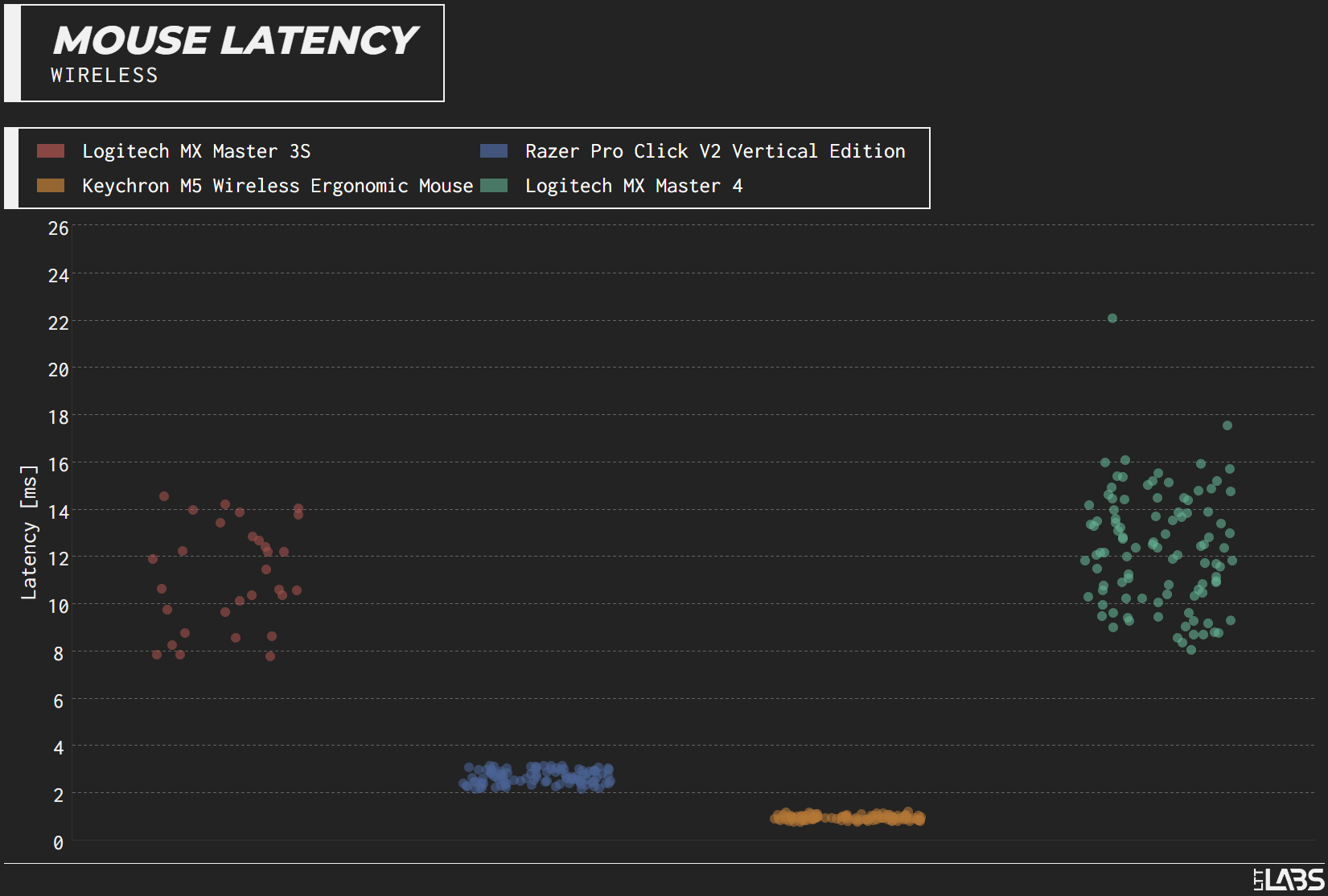
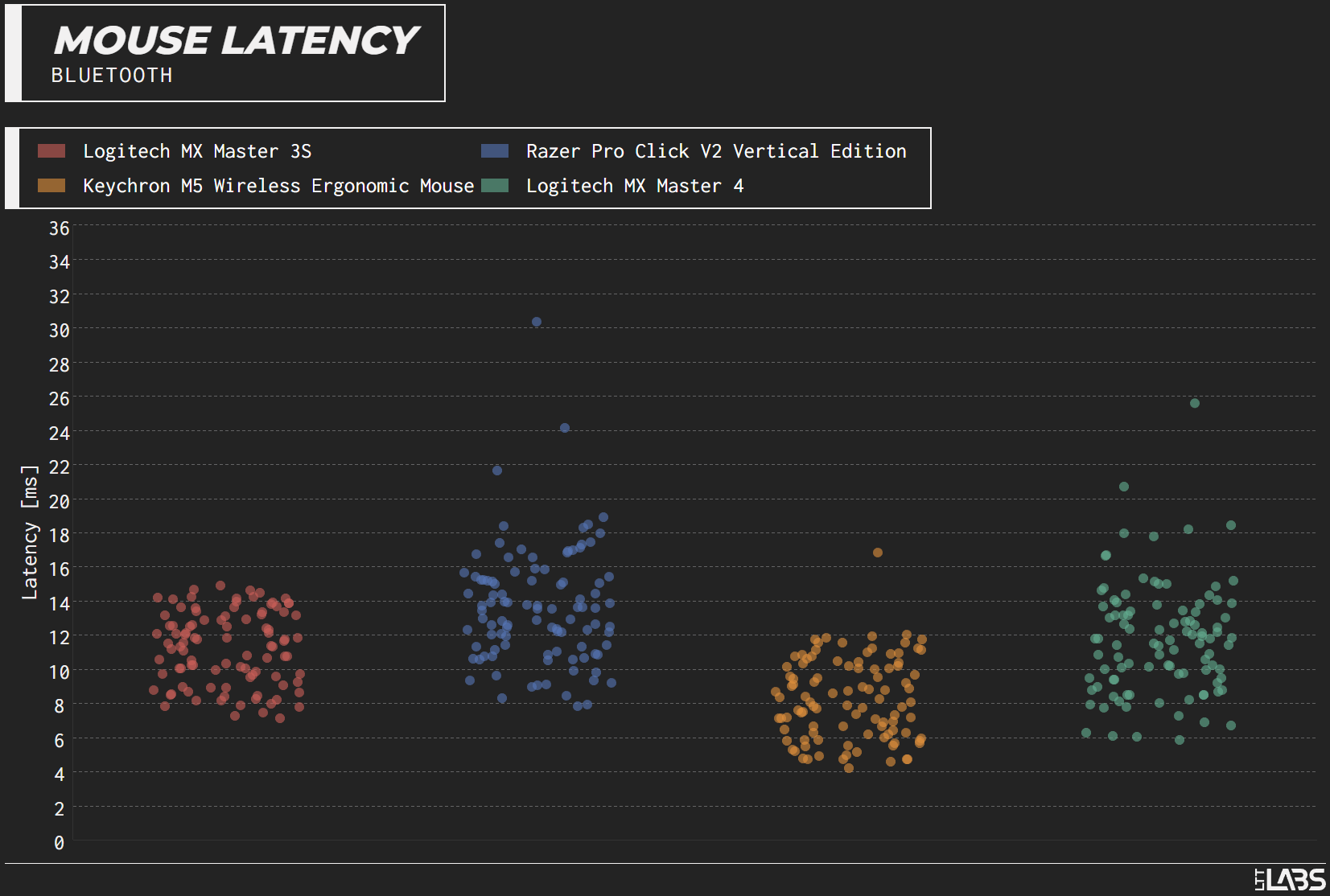
{{slide}}Mouse Latency (Wireless){{/slide}}{{slide}}Mouse Latency (Bluetooth){{/slide}}
Conclusions
The Bolt receiver is not a generic Bluetooth dongle, and it isn’t some new proprietary wireless stack either. It is BLE with security, reporting rate, and RF behavior locked down in Logitech’s favor. That means you can expect a stable connection and predictable performance, not a new class of latency.