Samsung Galaxy S26 Ultra Privacy Display
Privacy Display mode on the new Samsung Galaxy S26 Ultra turns off half the pixels to dim regions of the display and protect your privacy. However, Maximum Privacy Display mode turns some pixels back on, making the screen even more difficult to read from extreme angles.
Privacy Display mode on the new Samsung Galaxy S26 Ultra turns off half the pixels to dim regions of the display and protect your privacy. However, Maximum Privacy Display mode turns some pixels back on, making the screen even more difficult to read from extreme angles.
We've received a review sample of the S26 Ultra with the standard performance and camera improvements. However, Samsung also introduced the Privacy Display that hides displayed content when viewed off-axis. It performs quite similarly to common privacy screen protector films, but can be disabled on a whim.
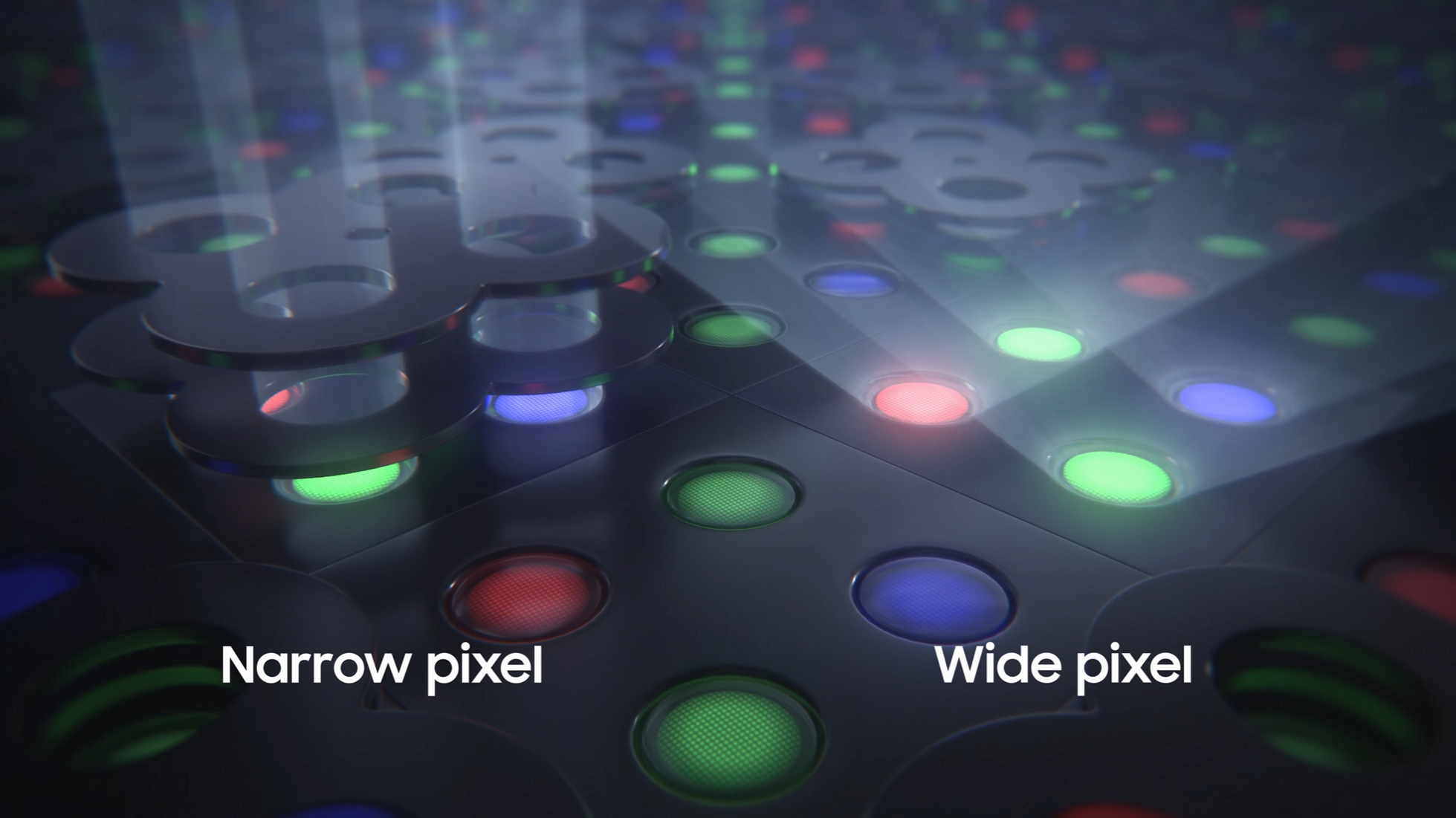
When Privacy Display is activated, only the "narrow pixels" of the display are illuminated, simultaneously disabling the regular/wide pixels. These narrow pixels and the "Black Matrix" control the path of light, limiting the amount of light sent off-axis and narrowing the viewing angles. However, Maximum Privacy Display mode turns the 'wide'/regular pixels in the dark regions of the display back on, bringing most of the display towards a middle grey. This further obfuscates the displayed content at the expense of greatly diminished visual quality.
Display technologies are tricky to properly characterize and communicate over the interwebs. Therefore we've taken a variety of example photos, videos, and luminance measurements with the hopes that a combination of them will give an idea of the experience.
We've included a lot of large graphics, so the table of contents(left) can be extremely helpful!
Comparison Photos
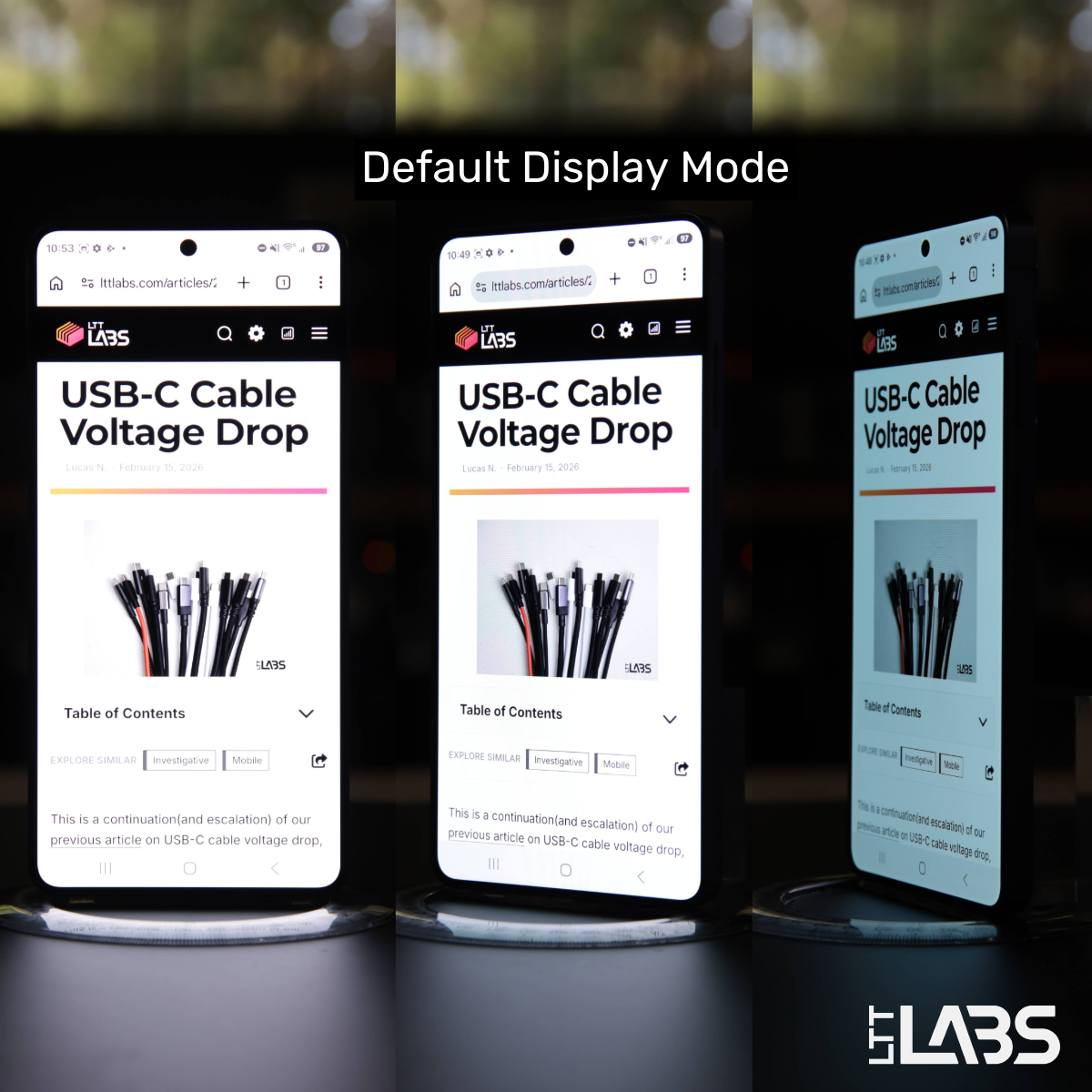
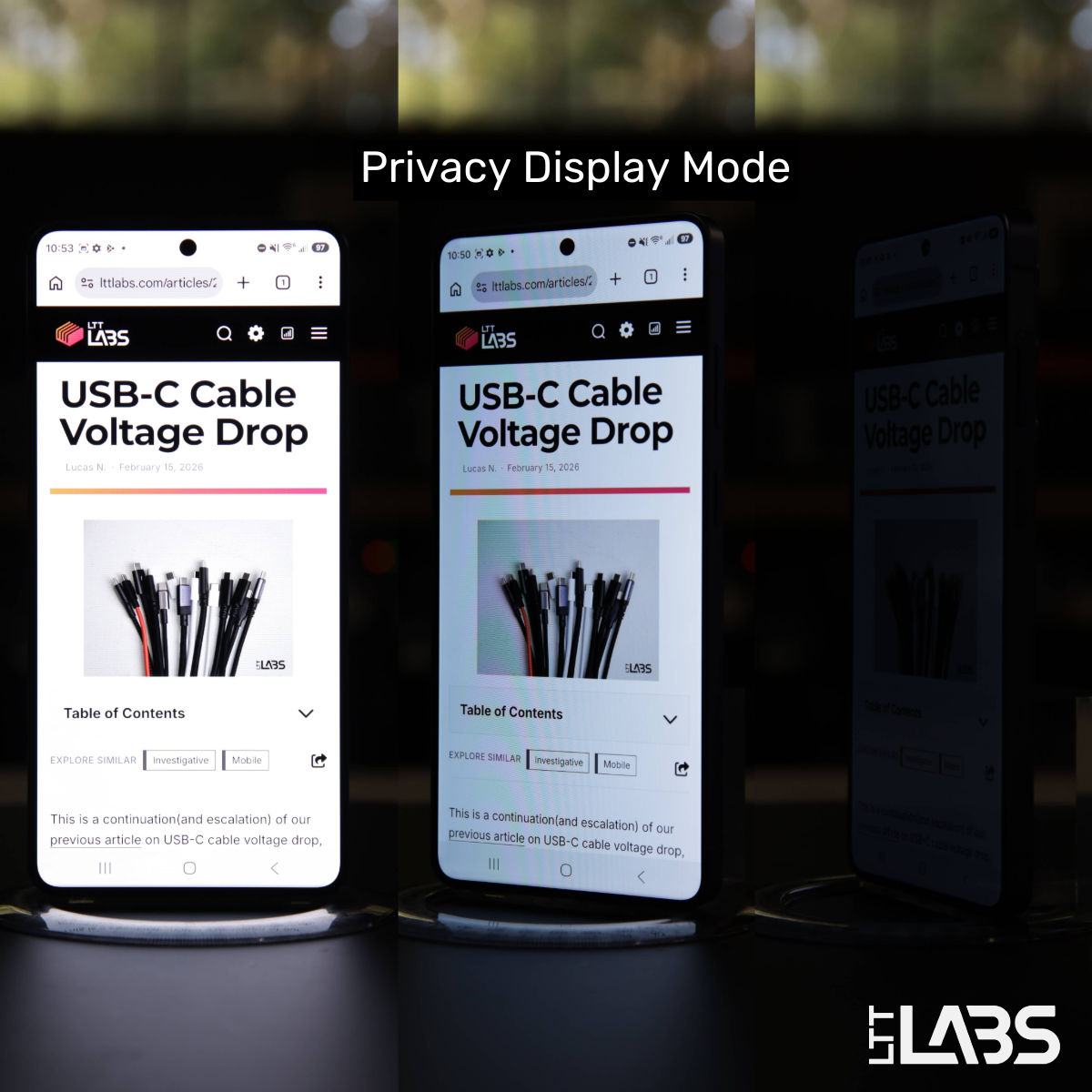
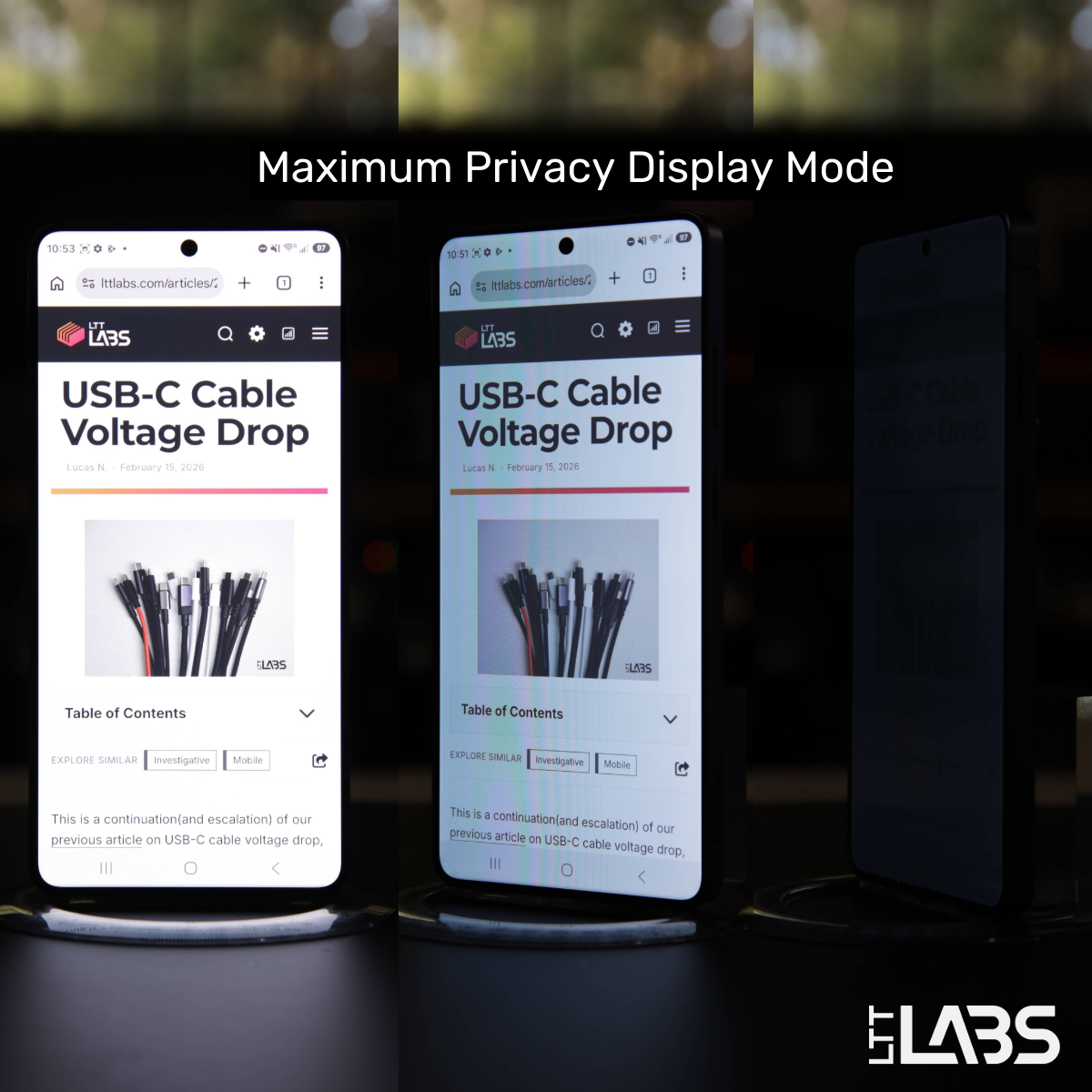
Below are captures of the S26 Ultra display with Standard Dynamic Range(SDR) web content, brightness maximized, and auto-brightness disabled. Images were collected in default/standard display mode, Privacy Display mode, and Maximum Privacy Display Mode at angles of 0°, 30°, and 60° off-axis.
The images show rotation along the long axis of the device to simulate 'prying eyes' while using your phone in portrait mode. Full images captured while rotating along the long and short axes are included in Appendix B. The display appears to produce the same effect along both axes.
Camera exposure was held constant for all shots to maximize comparability at the cost of some over and under exposure. The exposure was tuned so that the brightness of the display in each mode is similar to the appearance in real life.
Portrait Viewing Angles
180° Viewing Angle Videos
The videos below show the display quality at all angles of a 180° rotation. Test parameters are similar to the images captured above, but High Dynamic Range(HDR) content was used. Videos captured with SDR web content are included in Appendix B. An overhead filming light was used to simulate more typical lighting conditions.
The HDR content emphasizes the grey-ing effect that the Maximum Privacy Display Mode has on the dark regions of the display.
Default Display Mode
Samsung Galaxy S26 Ultra - Default Display Mode
Privacy Display Mode
Samsung Galaxy S26 Ultra - Privacy Display Mode
Maximum Privacy Display Mode
Samsung Galaxy S26 Ultra - Maximum Privacy Display Mode
Luminance Measurements
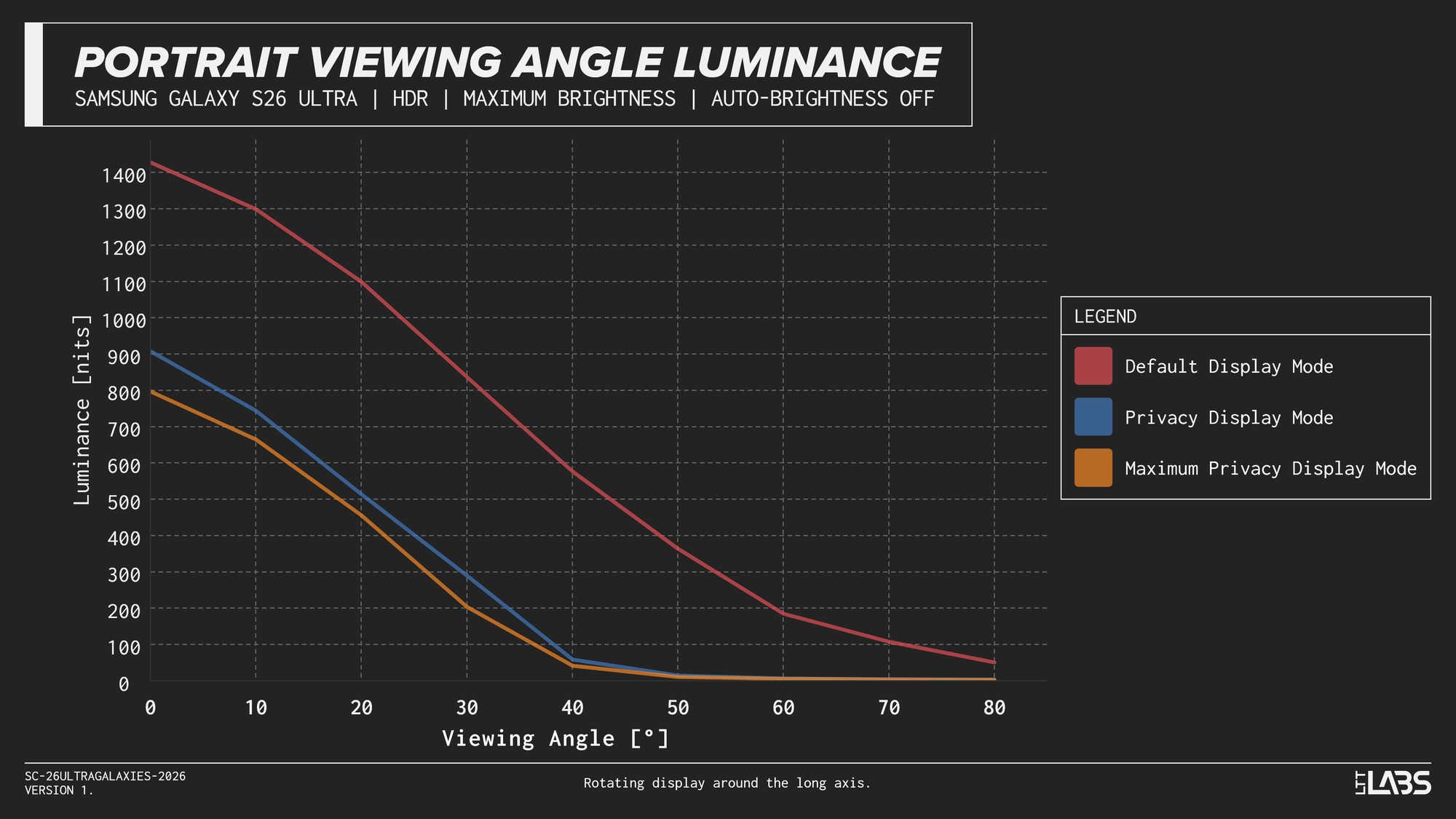
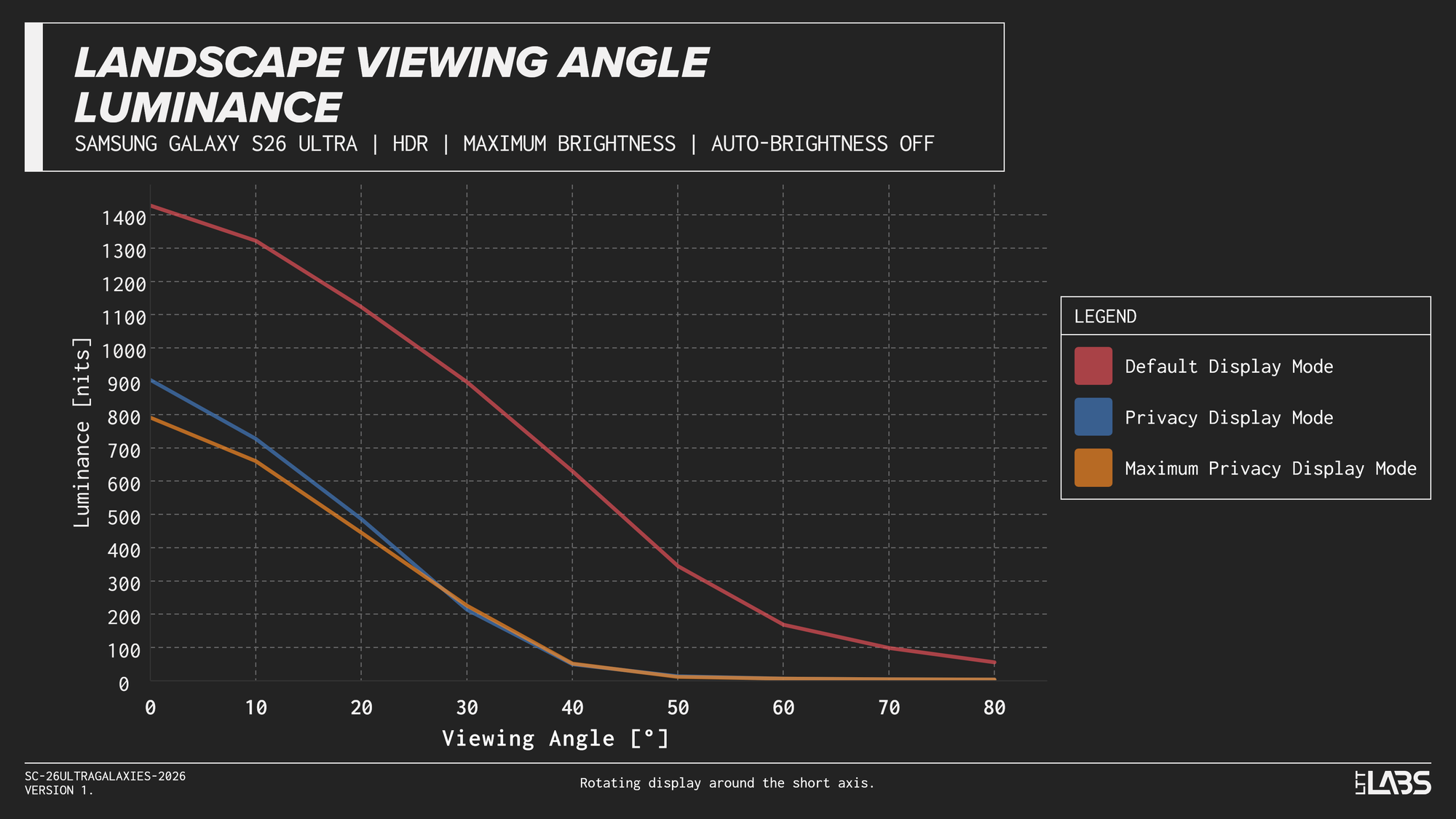
The Samsung Galaxy S26 Ultra was rotated in increments of 10° along its {{tooltip: like having a nosy neighbour when using your phone in portrait}}long axis{{/tooltip}} and {{tooltip: like having a shoulder surfer when using your phone in landscape}}short axis{{/tooltip}} while displaying a white(HDR) rectangle in the centre 9% of the display. A Konica Minolta LS-150 Luminance Meter was used to measure the luminance in the default display mode, Privacy Display Mode, and Maximum Privacy Display Mode.
The precision of the angle is within a couple of degrees, and testing was conducted with low, but not zero, ambient lighting. Luminance measurements of the display in an off state were <1 nit, but the ambient light levels may impact luminance values at extremely low brightness.
{{slide}}Portrait Viewing Angle Luminance{{/slide}}{{slide}}Landscape Viewing Angle Luminance{{/slide}}
You may be able to tell that these luminance measurements don't quite align with the perceived content visibility in the images and videos above. Maximum Privacy Protection Mode is a greater step up in privacy than the measurements suggest.
There are many factors, but I believe the two main factors are that perceived brightness is not linear, and that these luminance measurements are only of the "white" section of the display. There is always a disconnect between measured luminance and perceived brightness, but the secret feature of the Maximum Privacy Display Mode is that it doesn't further dim the bright regions, it brightens the dark regions.
Where you see black(effectively 0 nits) in the "dark" OLED regions while in default and Privacy Display modes, I measured roughly 15-20 nits in Maximum Privacy Display Mode. With the non-linear perception of luminance/brightness, this appears quite bright and significantly 'washes out' any content, even when viewing the display head-on. As a point of comparison, I measured a luminance of {{tooltip: this could be predominantly ambient light}}0.4 nits{{/tooltip}} in a black region of a ASUS ProArt PA278CV. This monitor has an IPS display which is high quality, but still produces a distinct 'glow' in dark environments.
By reducing the off-axis light of some sections, while increasing the off-axis light of other sections, the display drastically reduces contrast and virtually prohibits off-axis viewing.
Pixel Peeping
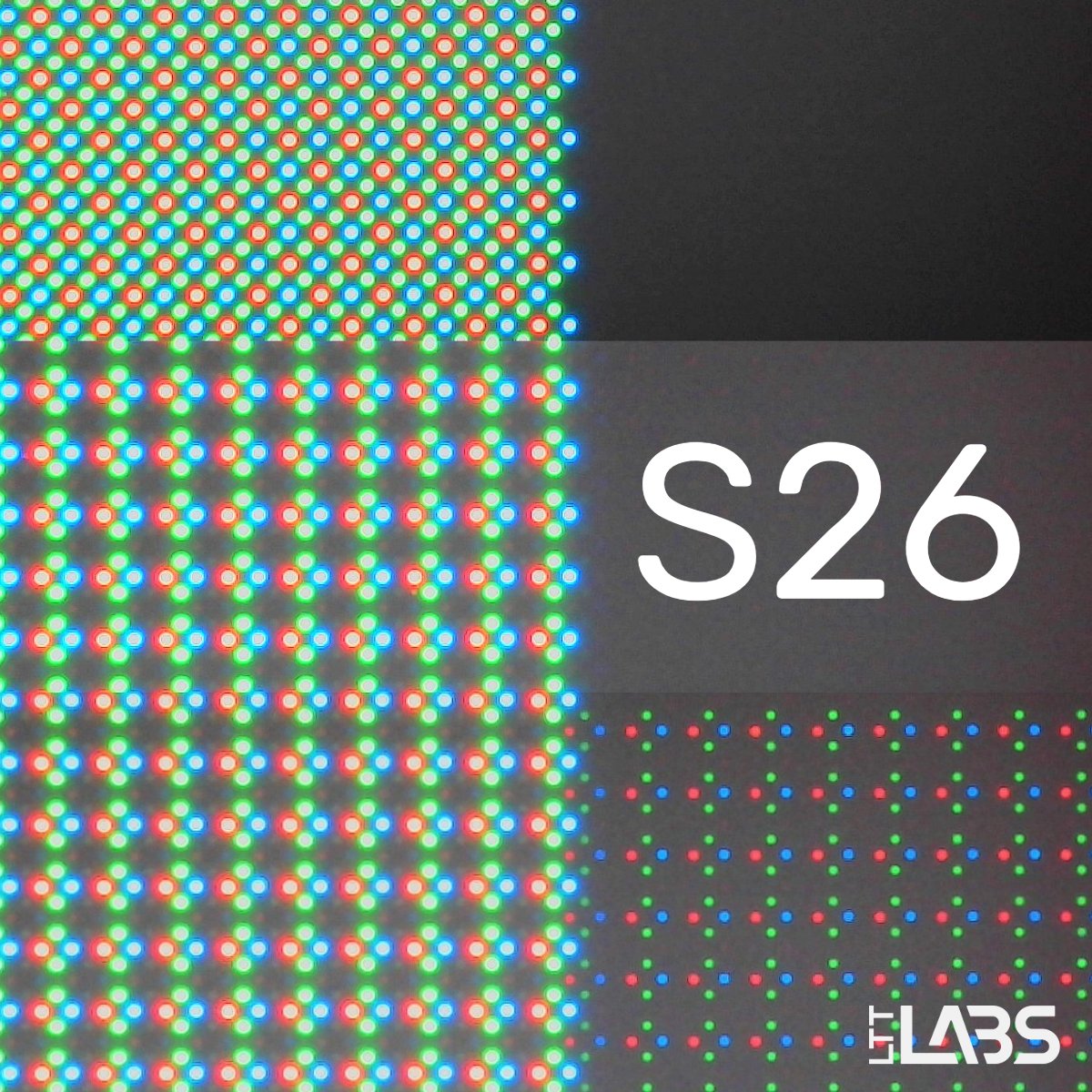
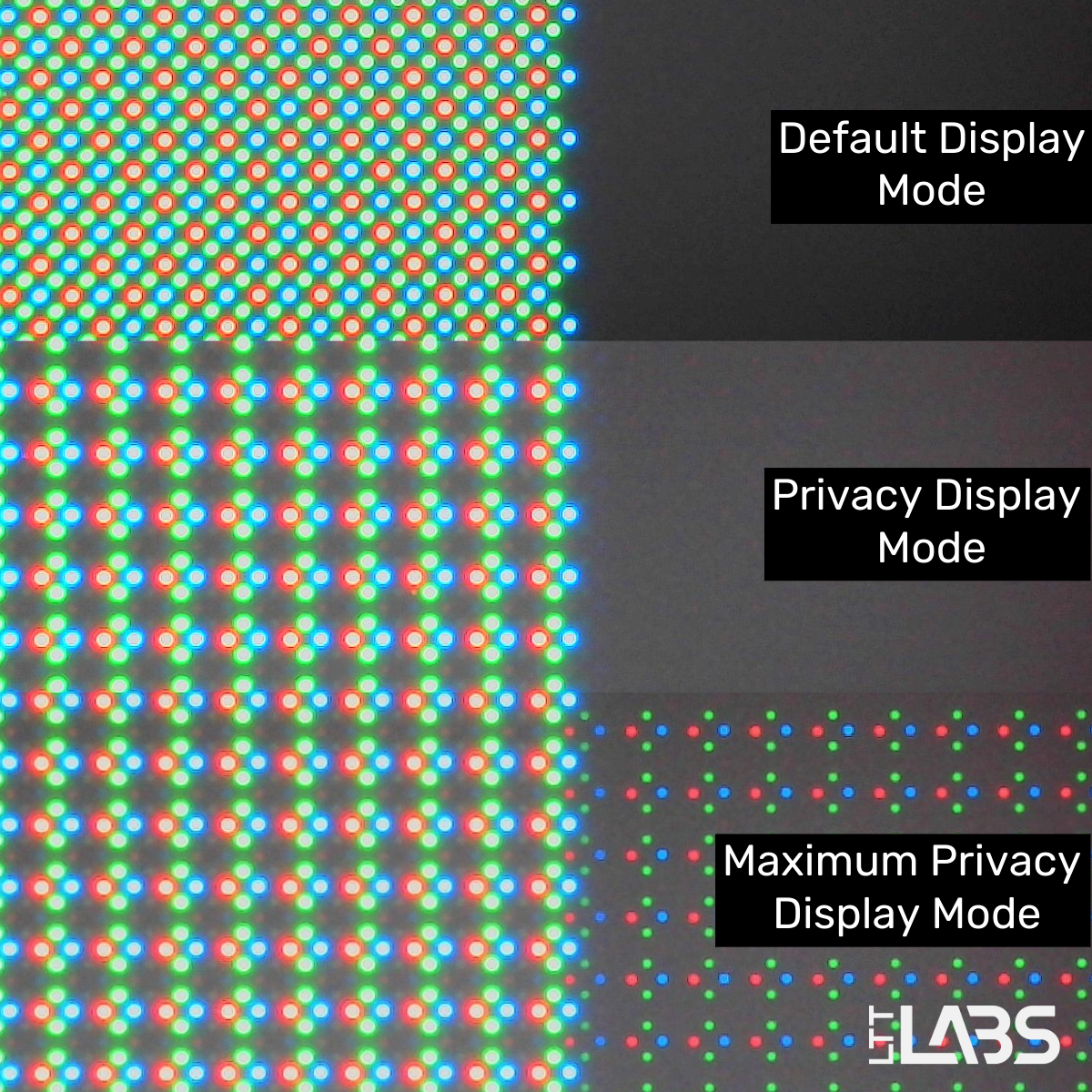
While we don't have a microscope capable of examining Samsung's "Black Matrix", we are able to get some passable images of the subpixel layout and explore the effect of the three display modes. The images below show the intersection of white(left) and black(right) regions of the display while in default display mode, Privacy Display Mode, and Maximum Privacy Display mode.
The standard PenTile pixel layout of Samsung's OLED displays can be seen in the default mode, followed by the disabling of half of the pixels(regular/wide pixels) in Privacy Display Mode. However, the final Maximum Privacy Display Mode enables the wide/regular pixels in the "black" region. This is why the luminance measurements of the previous section aren't sufficient to capture the effect of this mode. The only difference is the behaviour of the dark regions, decreasing the contrast for a remarkable difference in clarity as you go off-axis.
Narrow Time, Wide Scope
There are certainly more questions that can be asked and explored about this technology. I could see it becoming widely adopted in the industry if it is a 'packaged feature' of Samsung displays, otherwise, I don't know if other manufacturers will follow feel pressure to catch up. I believe it would be relatively simple for them to implement a variant where the display contrast is decreased, but they would be missing the directivity of the pixels.
I'm sure people will discover their strengths and weaknesses as the S26 Ultra goes out into the world, so it would also be interesting to explore lighting conditions where it 'shines'.
I would be most interested to see a high magnification image/scan of the narrow and wide pixels, and I think that someone with more photography/videography experience could improve on my photo and video examples.
Appendix A - Additional Comparison Photos
Portrait Viewing Angles
0° Viewing Angle
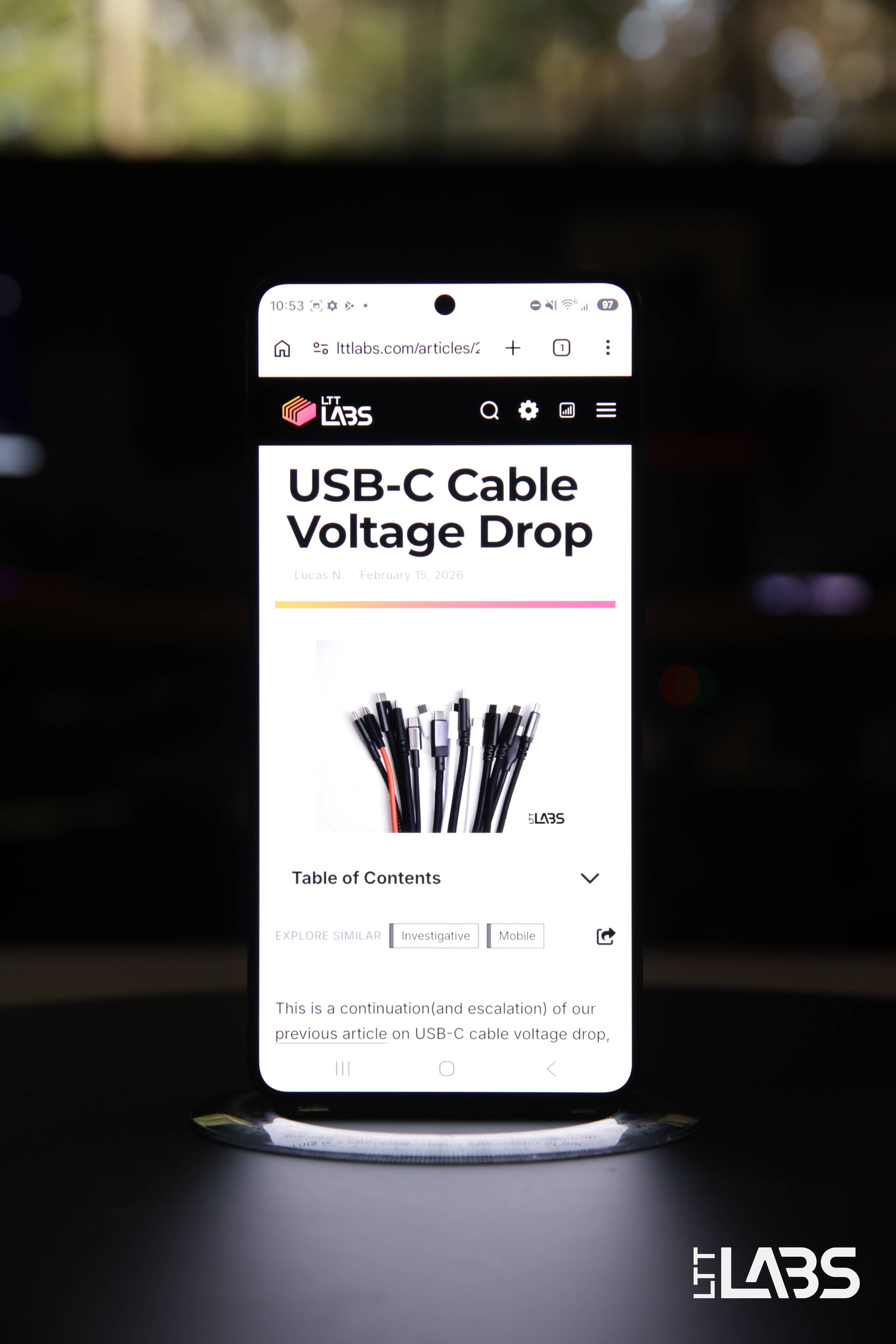
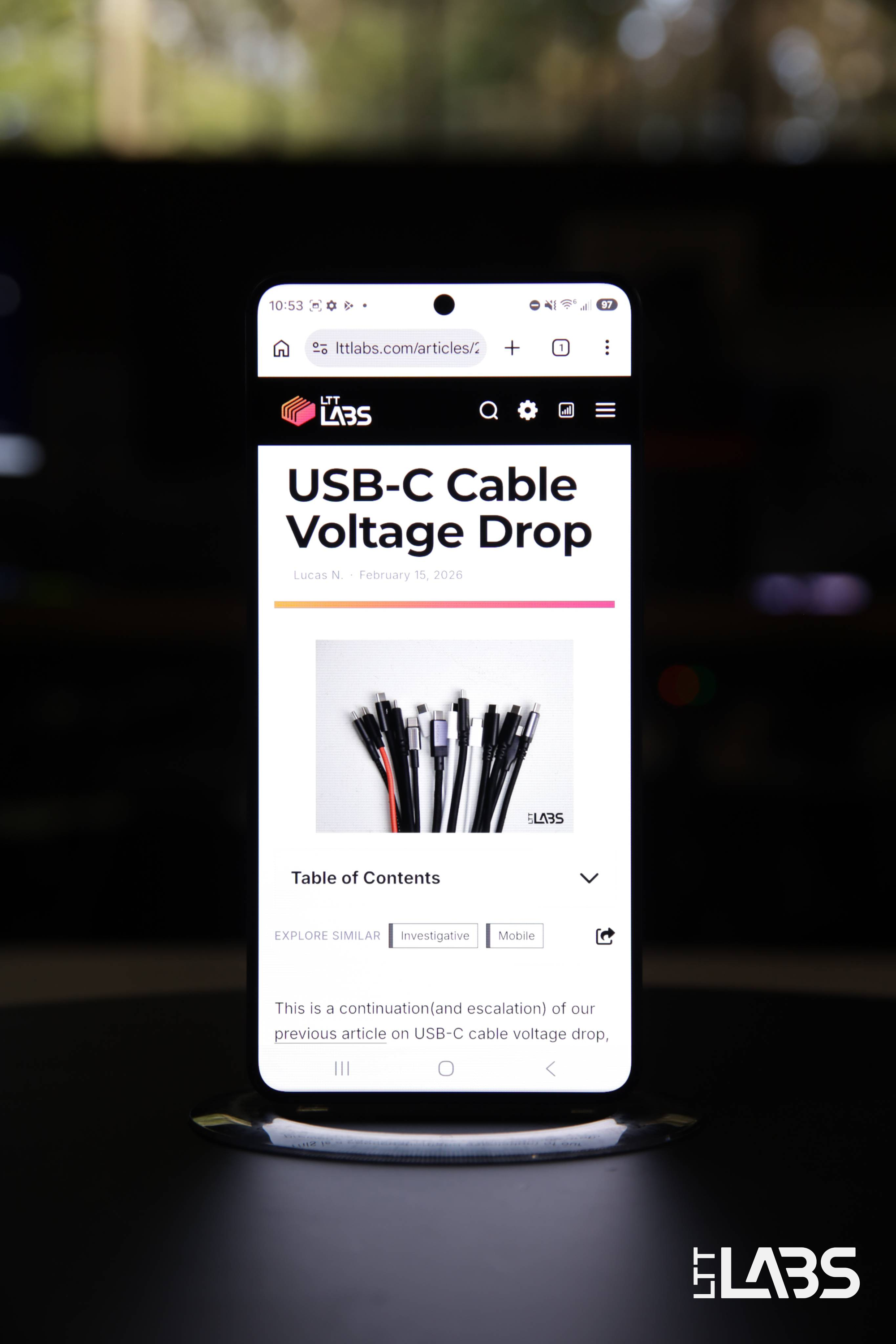
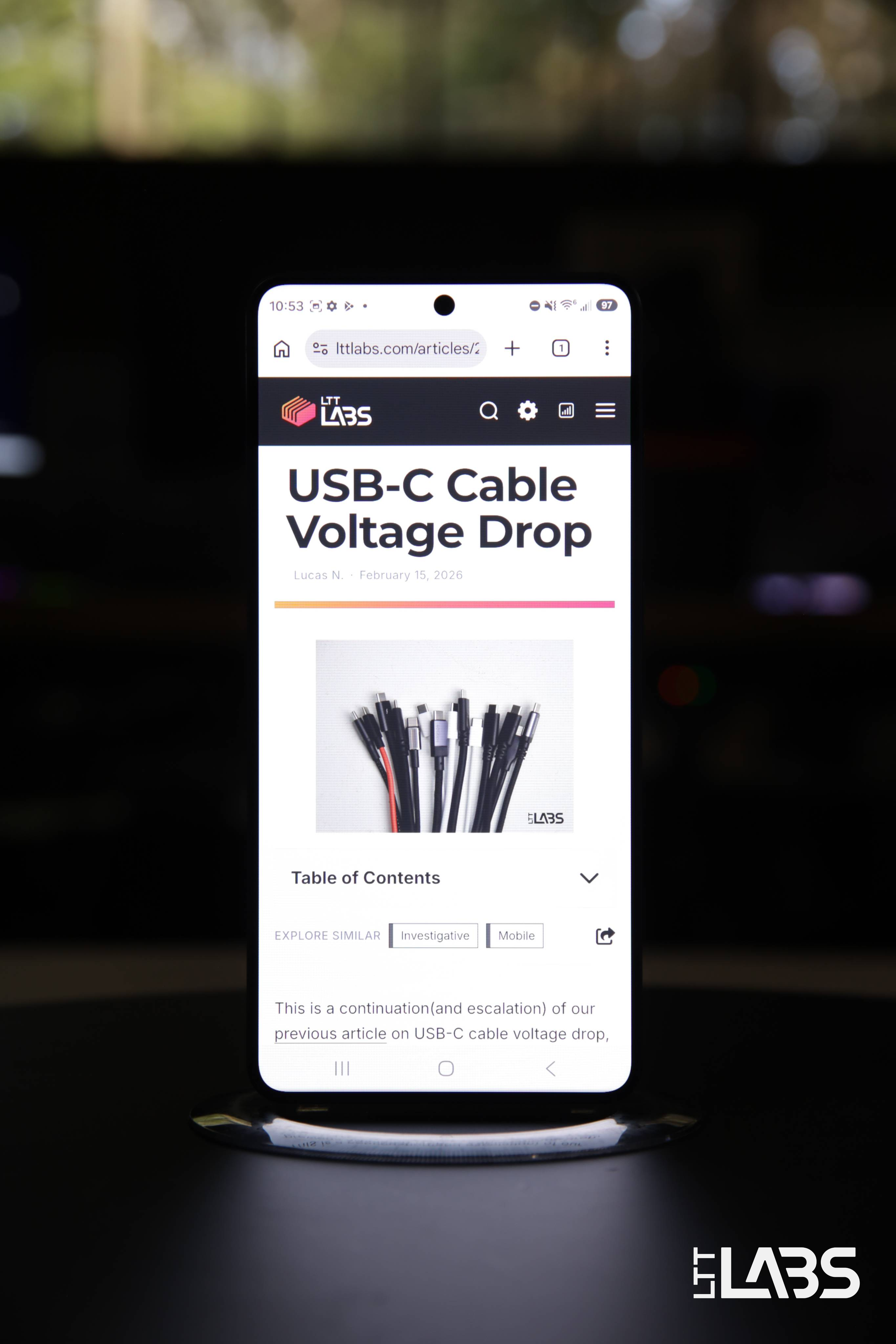
{{slide}}Default Display Mode - 0° Viewing Angle{{/slide}}{{slide}}Privacy Display Mode - 0° Viewing Angle{{/slide}}{{slide}}Maximum Privacy Display Mode - 0° Viewing Angle{{/slide}}{{noAnimation}}
30° Viewing Angle
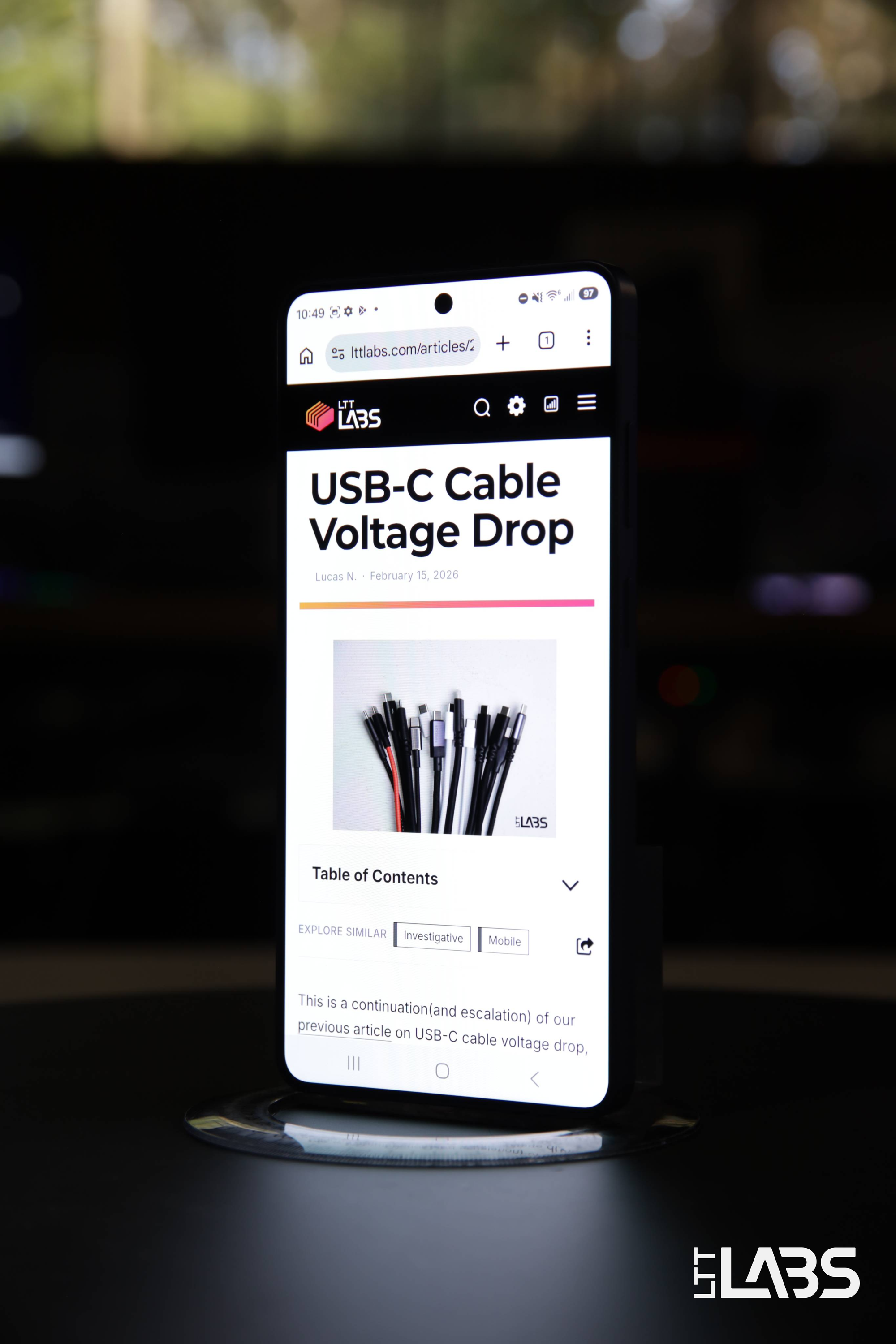
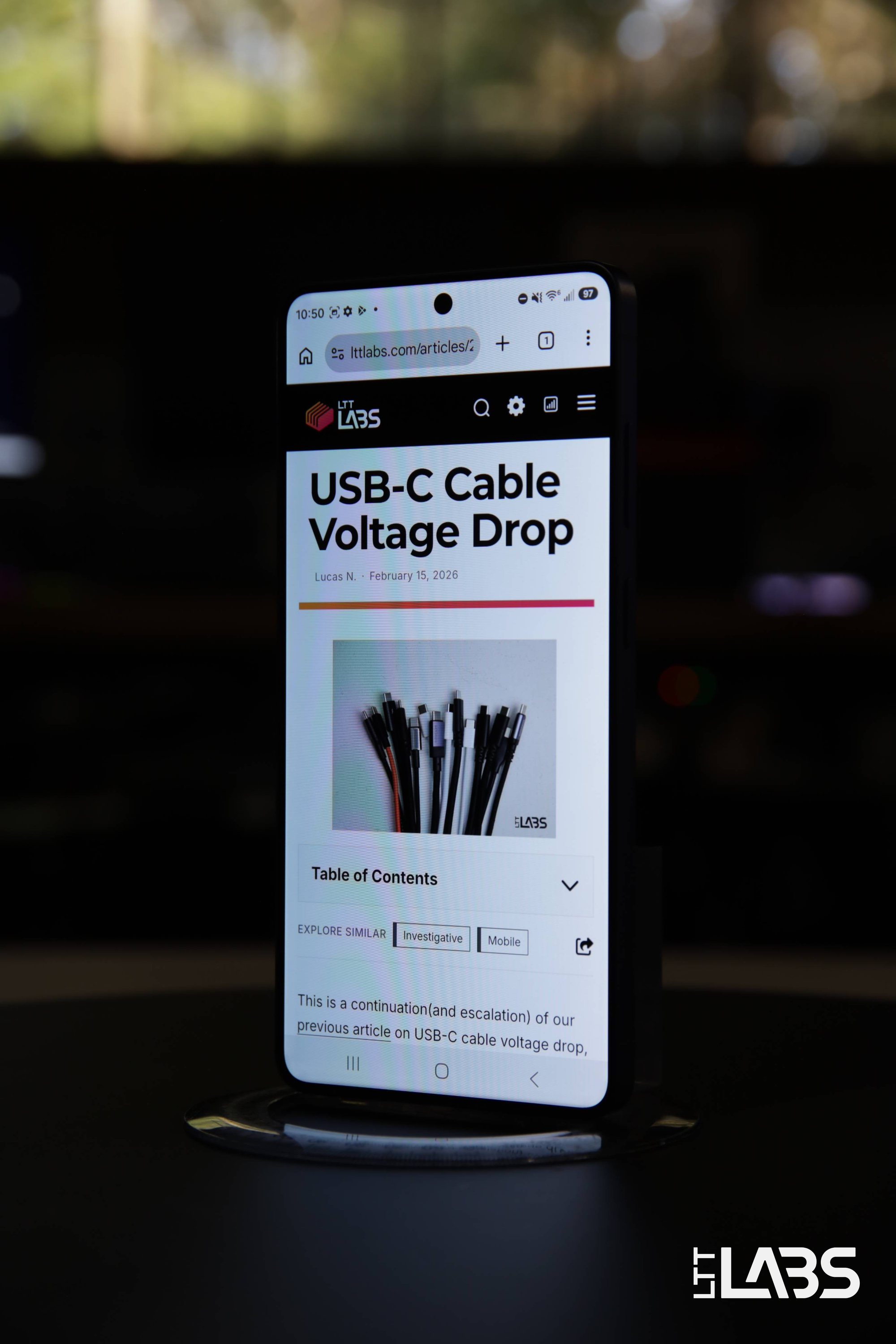
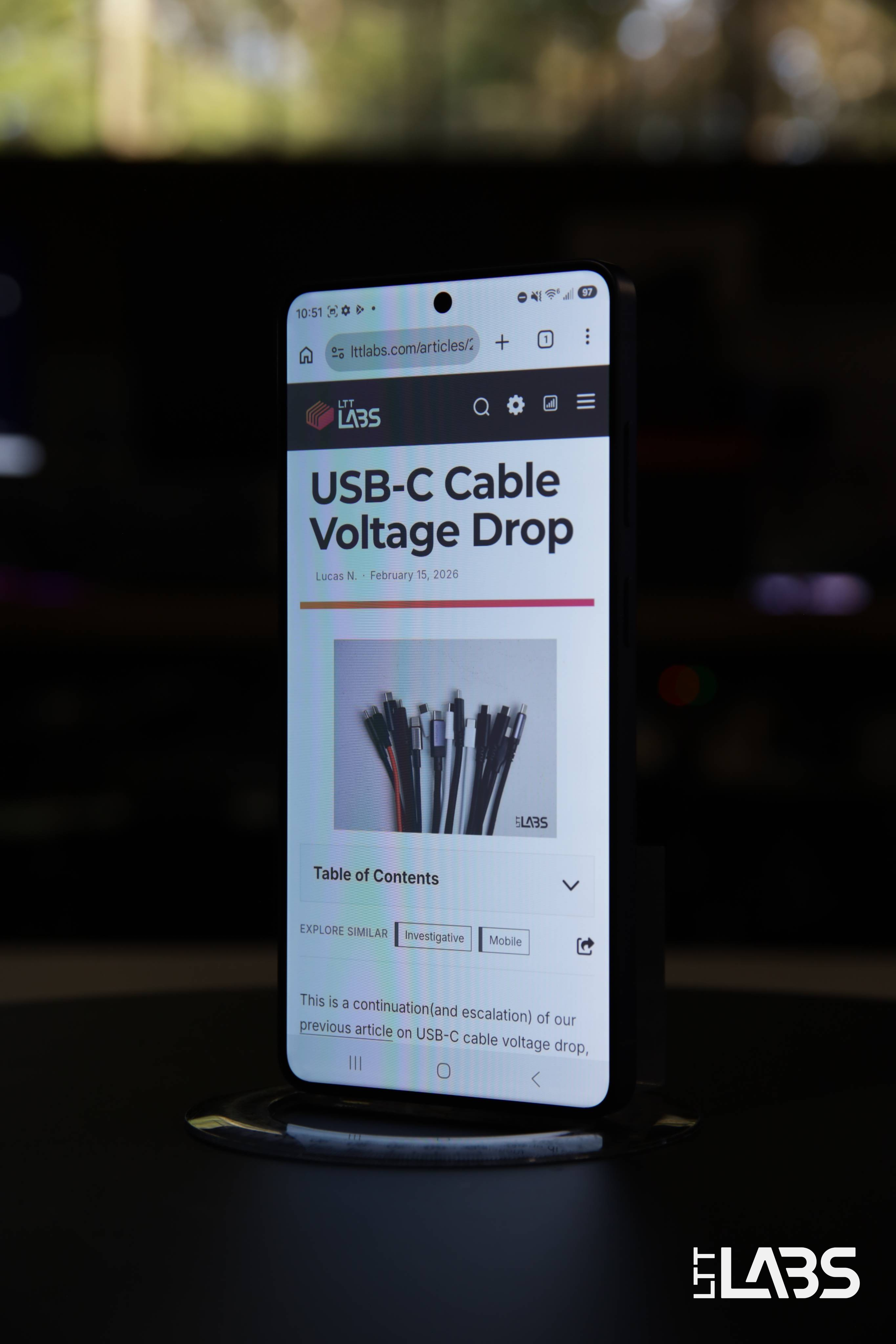
{{slide}}Default Display Mode - 30° Viewing Angle{{/slide}}{{slide}}Privacy Display Mode - 30° Viewing Angle{{/slide}}{{slide}}Maximum Privacy Display Mode - 30° Viewing Angle{{/slide}}{{noAnimation}}
60° Viewing Angle
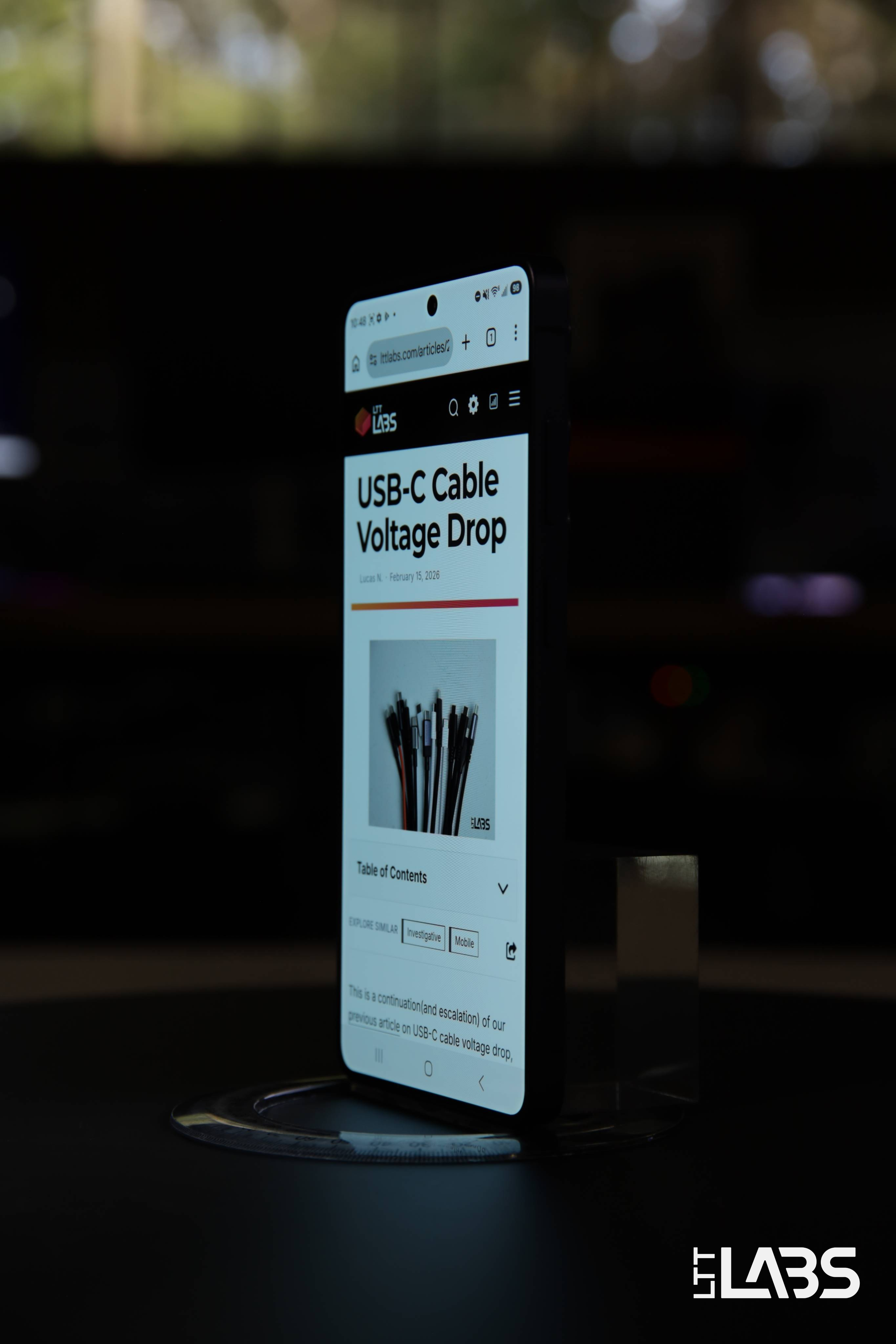
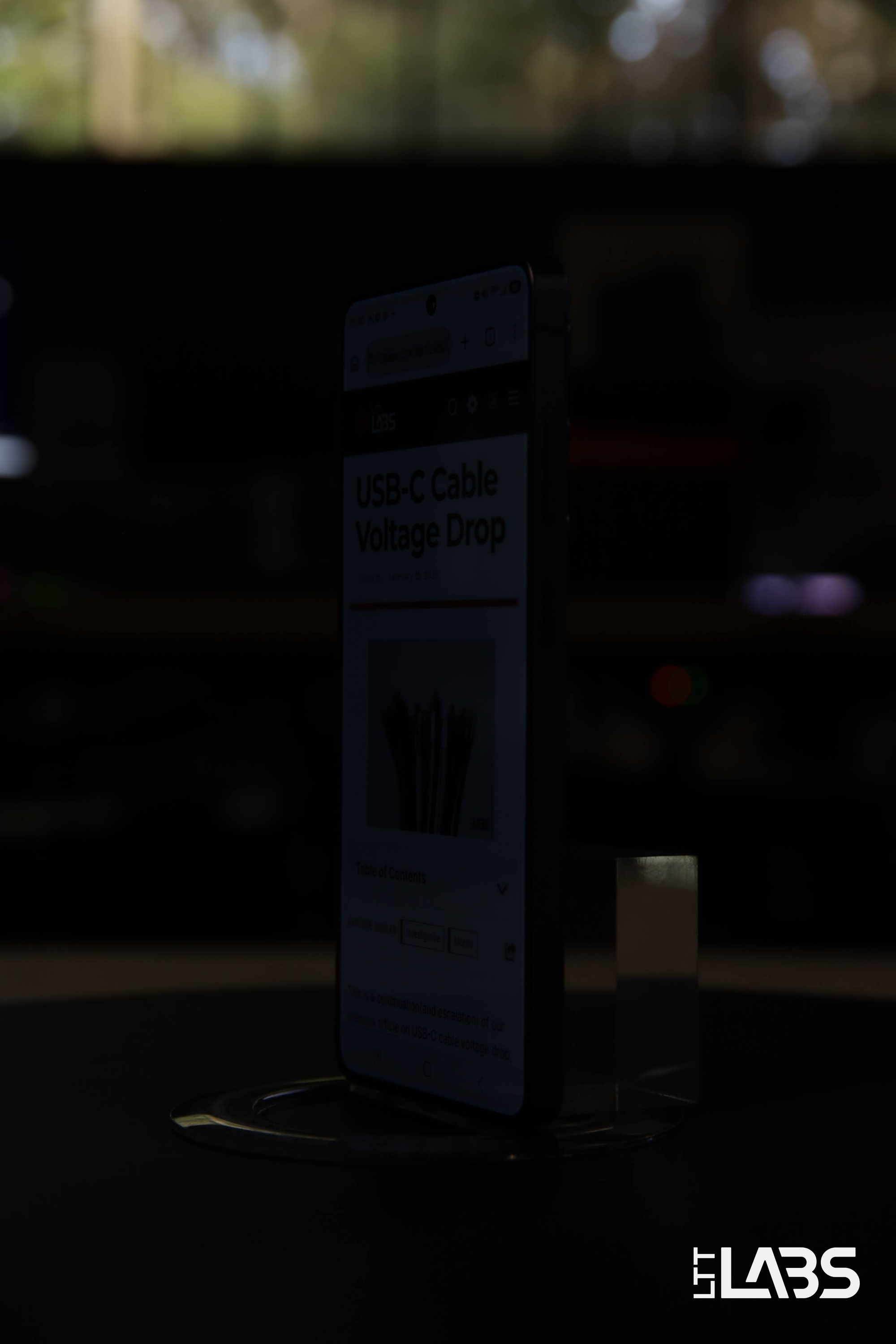
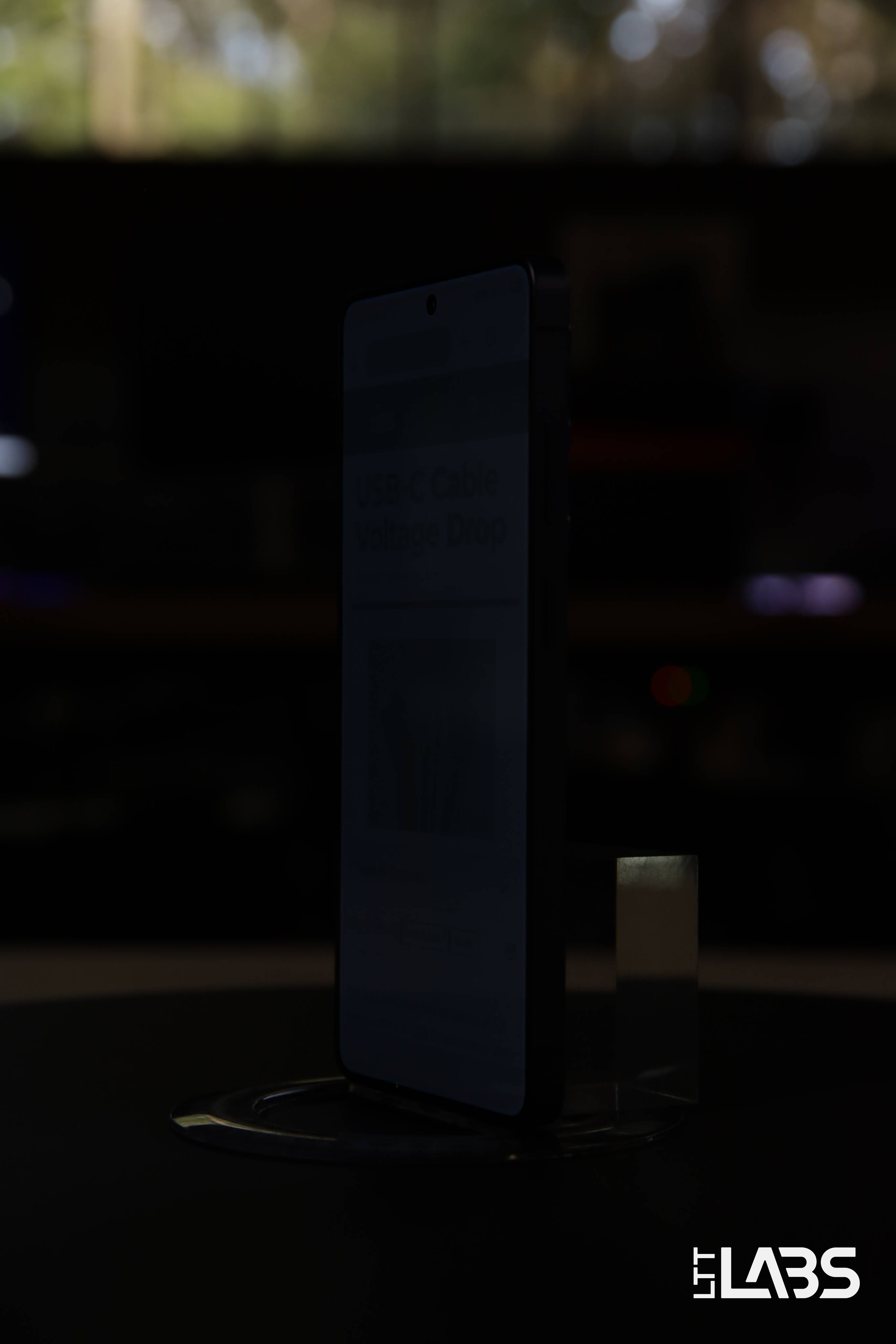
{{slide}}Default Display Mode - 60° Viewing Angle{{/slide}}{{slide}}Privacy Display Mode - 60° Viewing Angle{{/slide}}{{slide}}Maximum Privacy Display Mode - 60° Viewing Angle{{/slide}}{{noAnimation}}
Landscape Viewing Angles
0° Viewing Angle
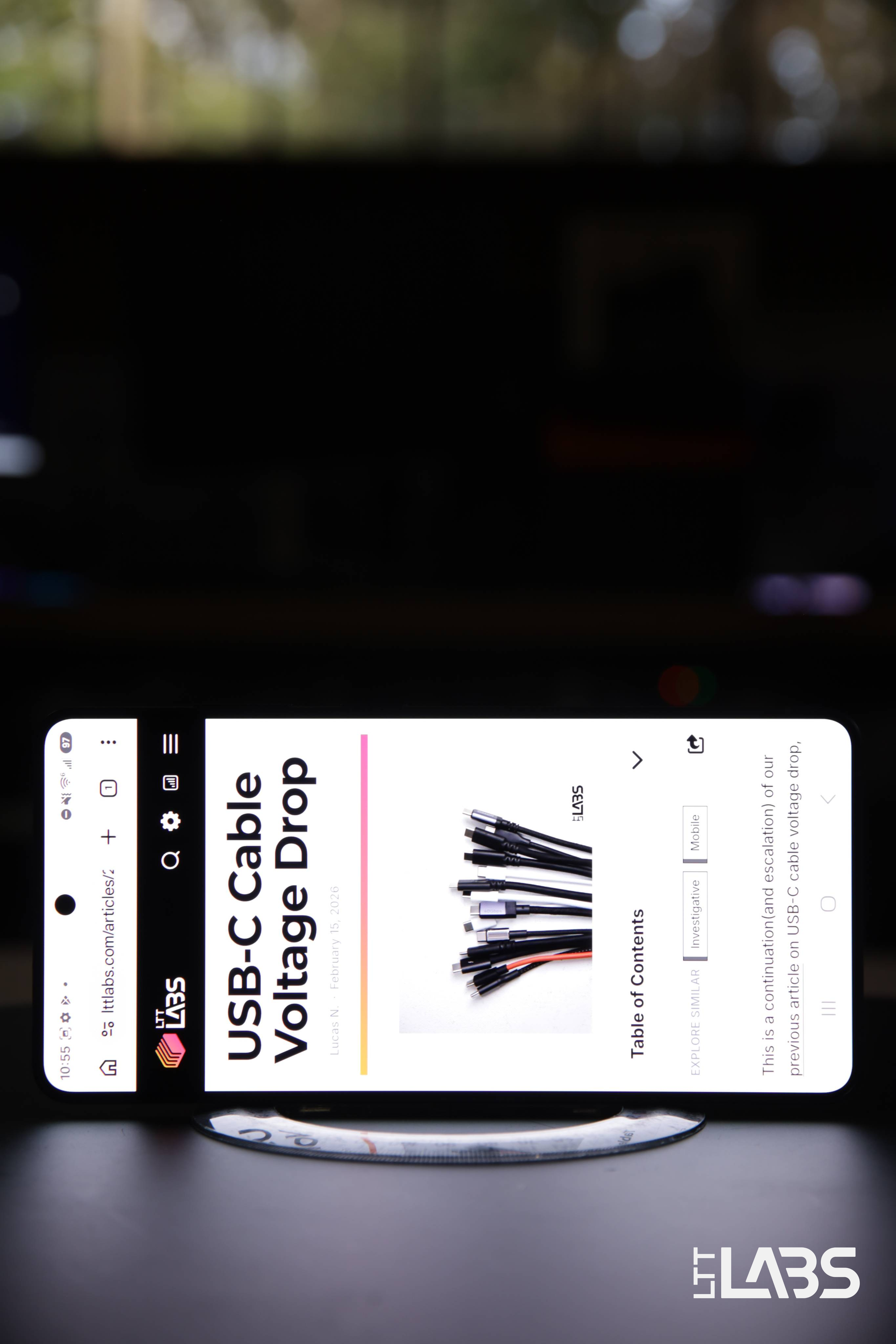
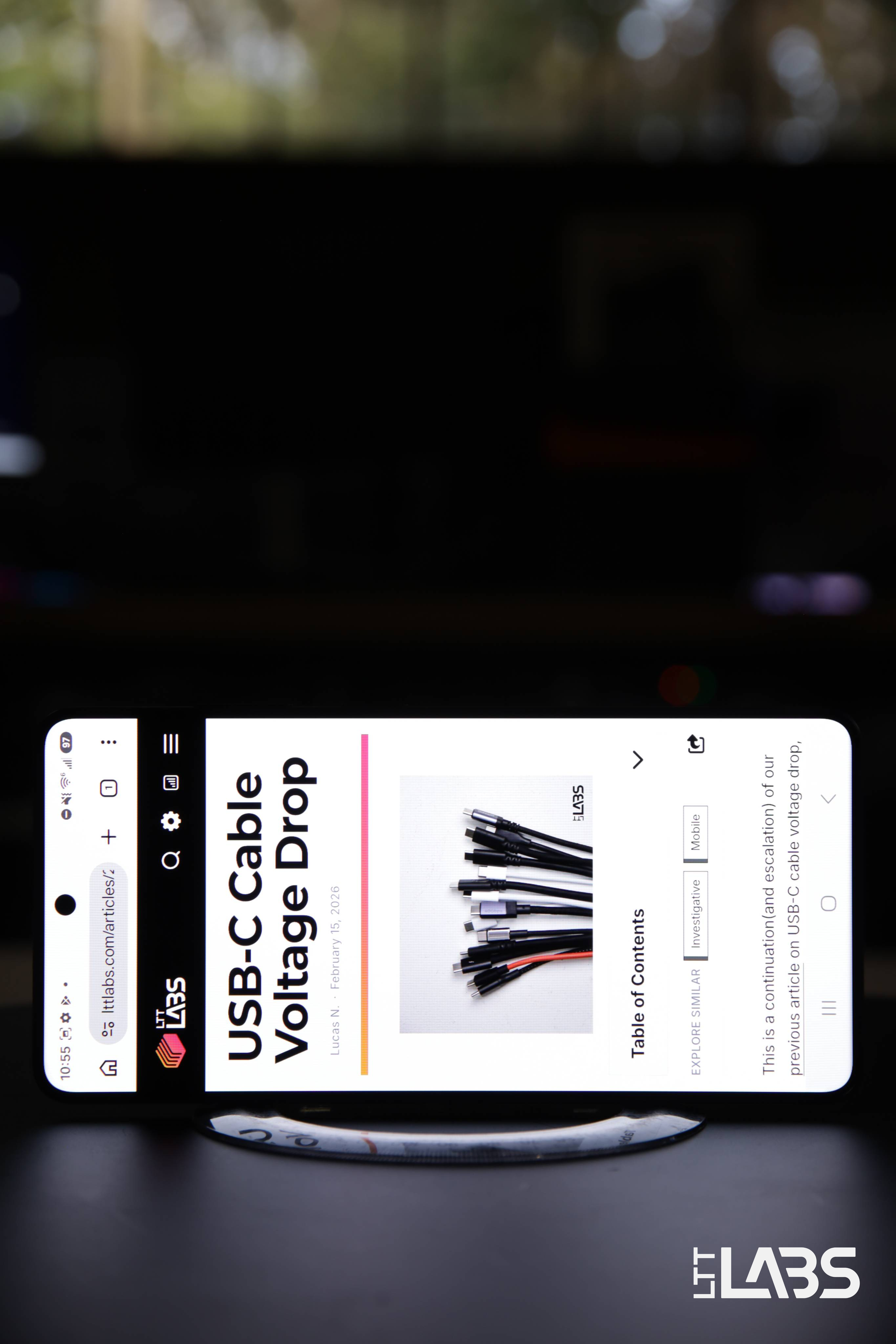
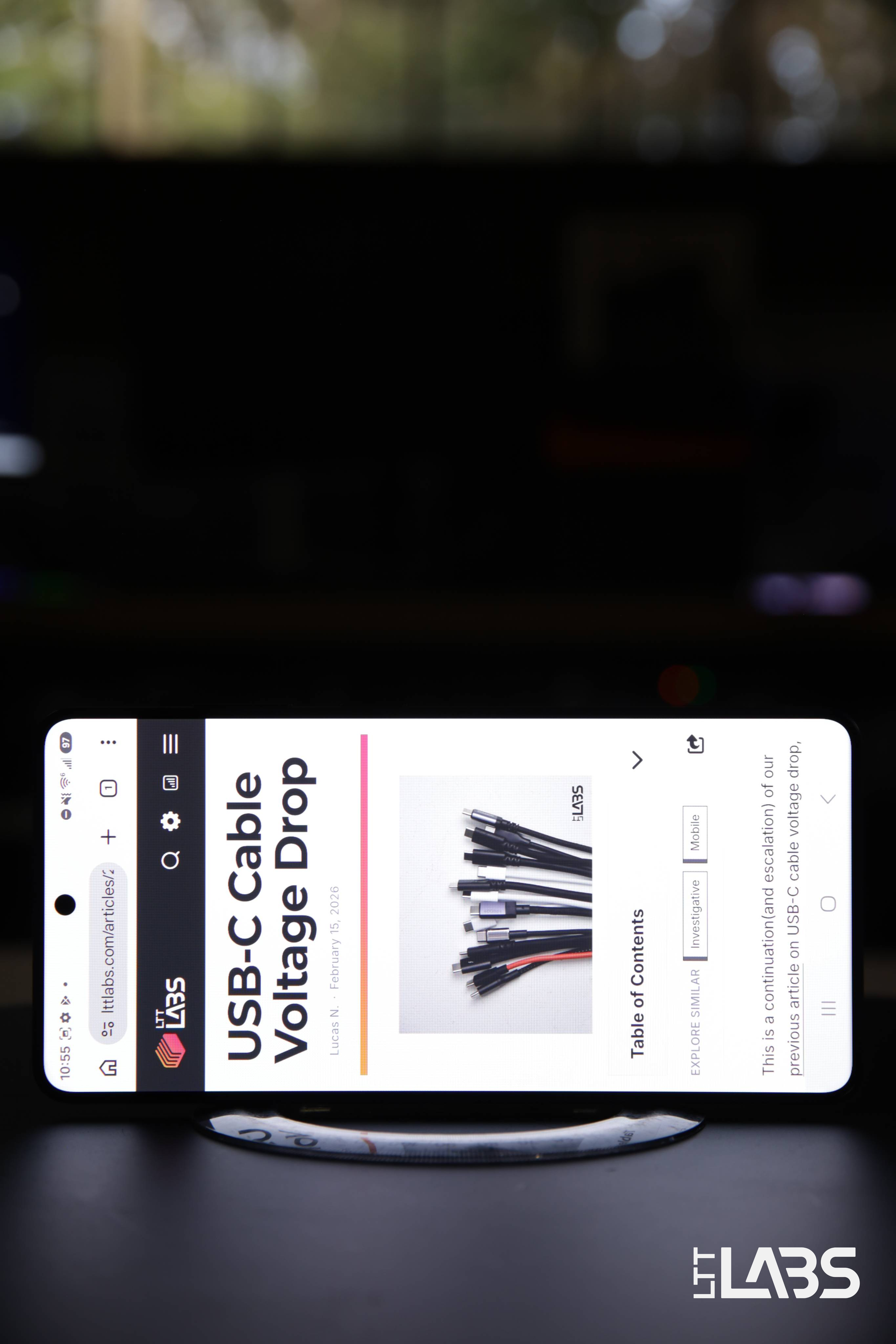
{{slide}}Default Display Mode - 0° Viewing Angle{{/slide}}{{slide}}Privacy Display Mode - 0° Viewing Angle{{/slide}}{{slide}}Maximum Privacy Display Mode - 0° Viewing Angle{{/slide}}{{noAnimation}}
30° Viewing Angle
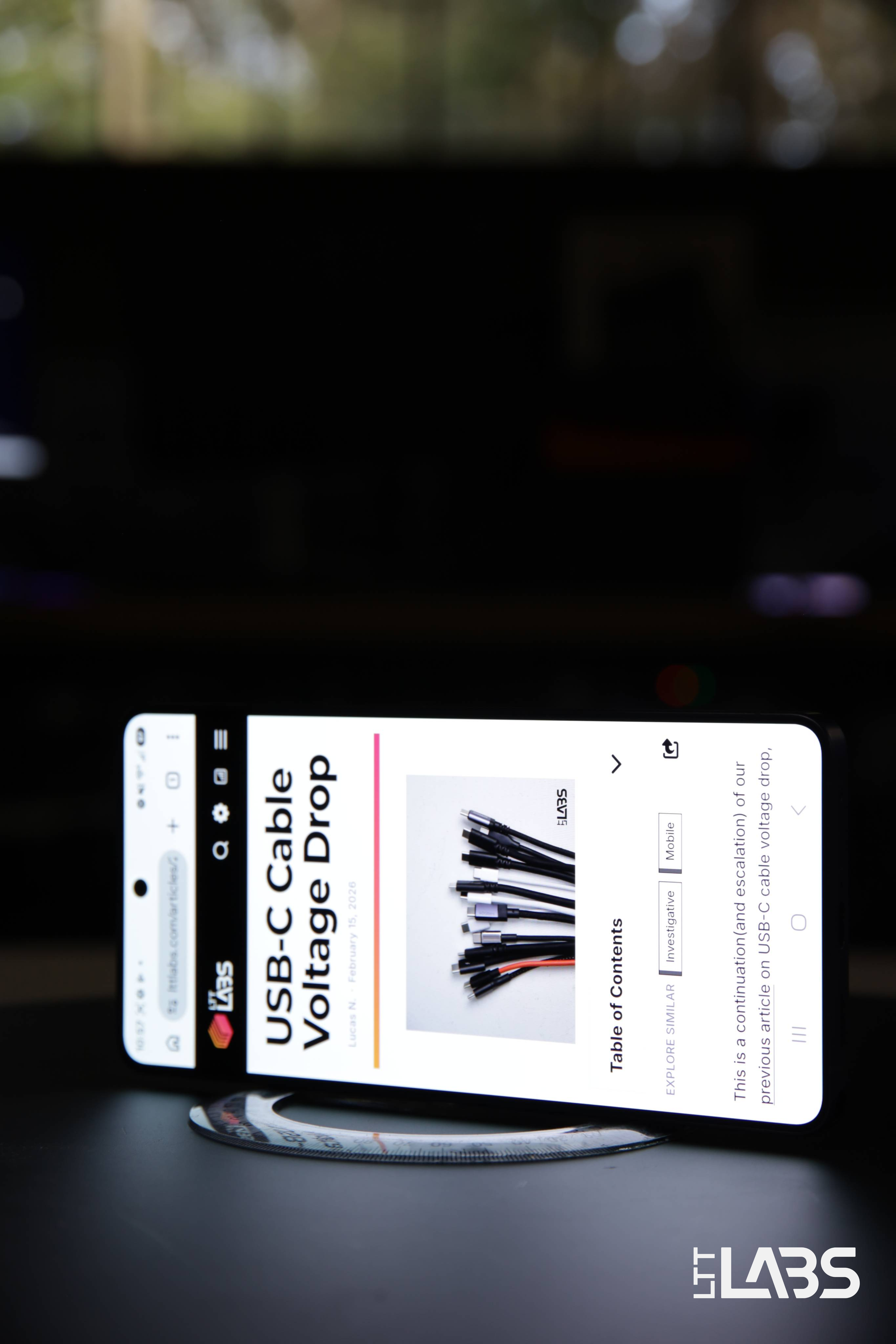
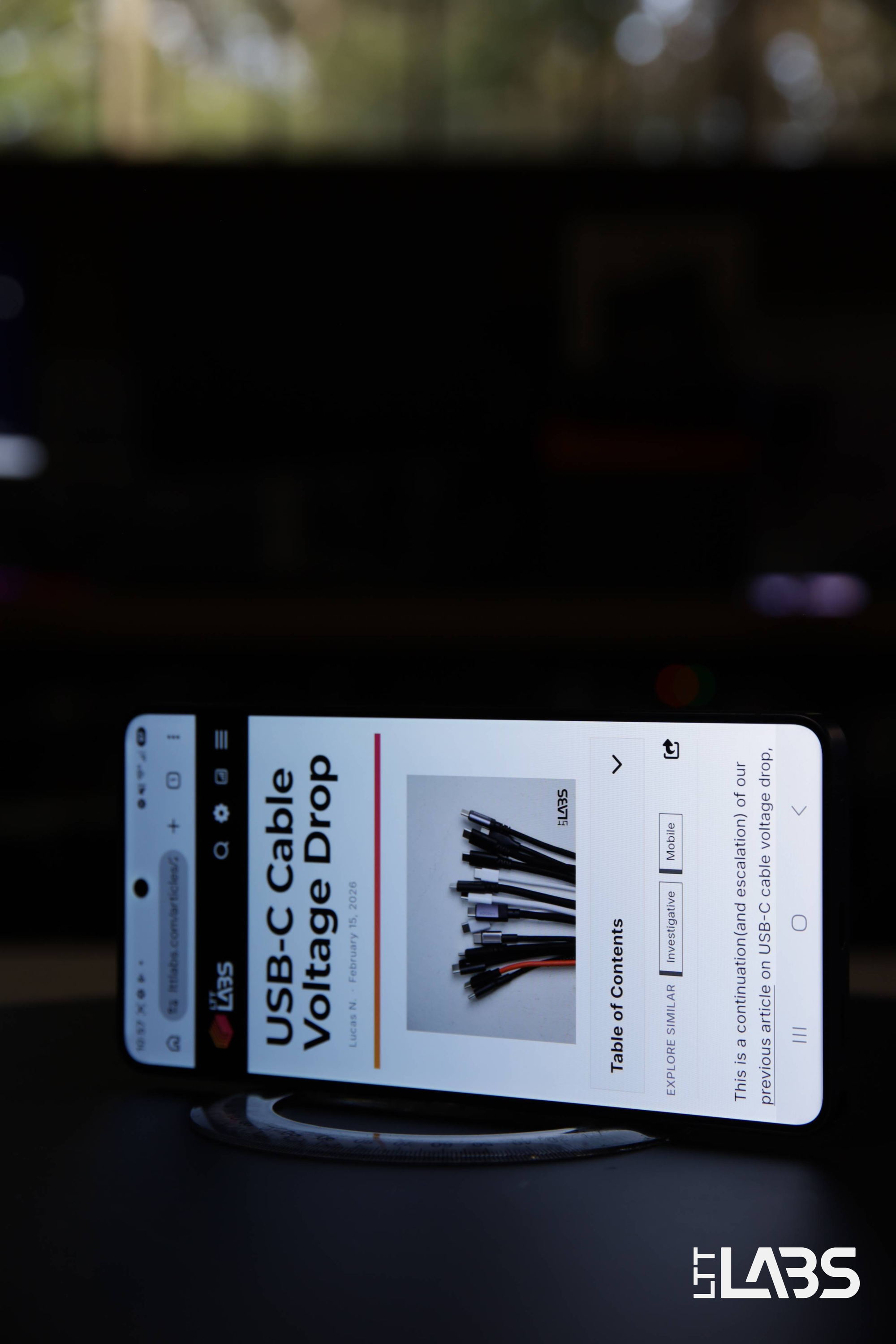
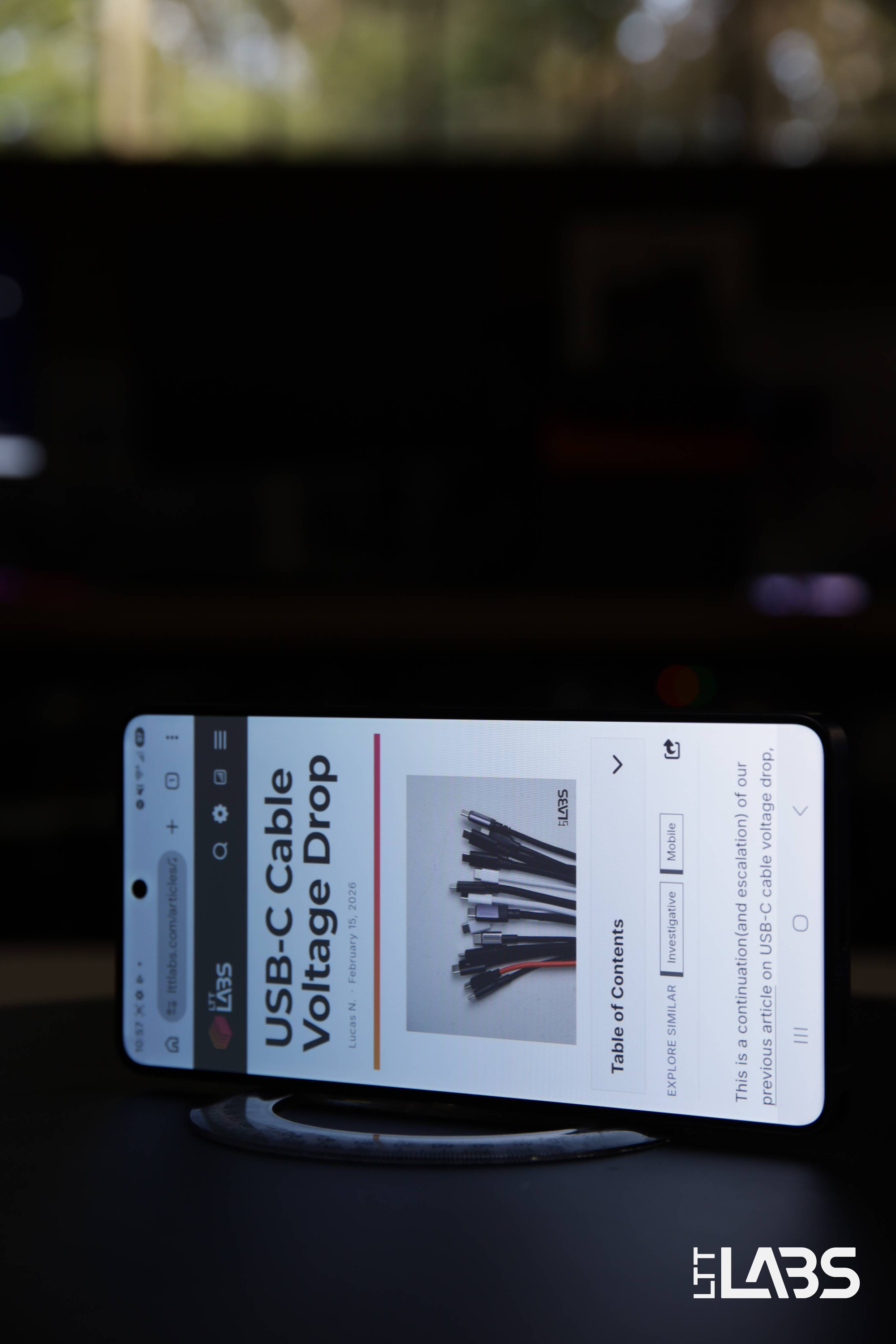
{{slide}}Default Display Mode - 30° Viewing Angle{{/slide}}{{slide}}Privacy Display Mode - 30° Viewing Angle{{/slide}}{{slide}}Maximum Privacy Display Mode - 30° Viewing Angle{{/slide}}{{noAnimation}}
60° Viewing Angle
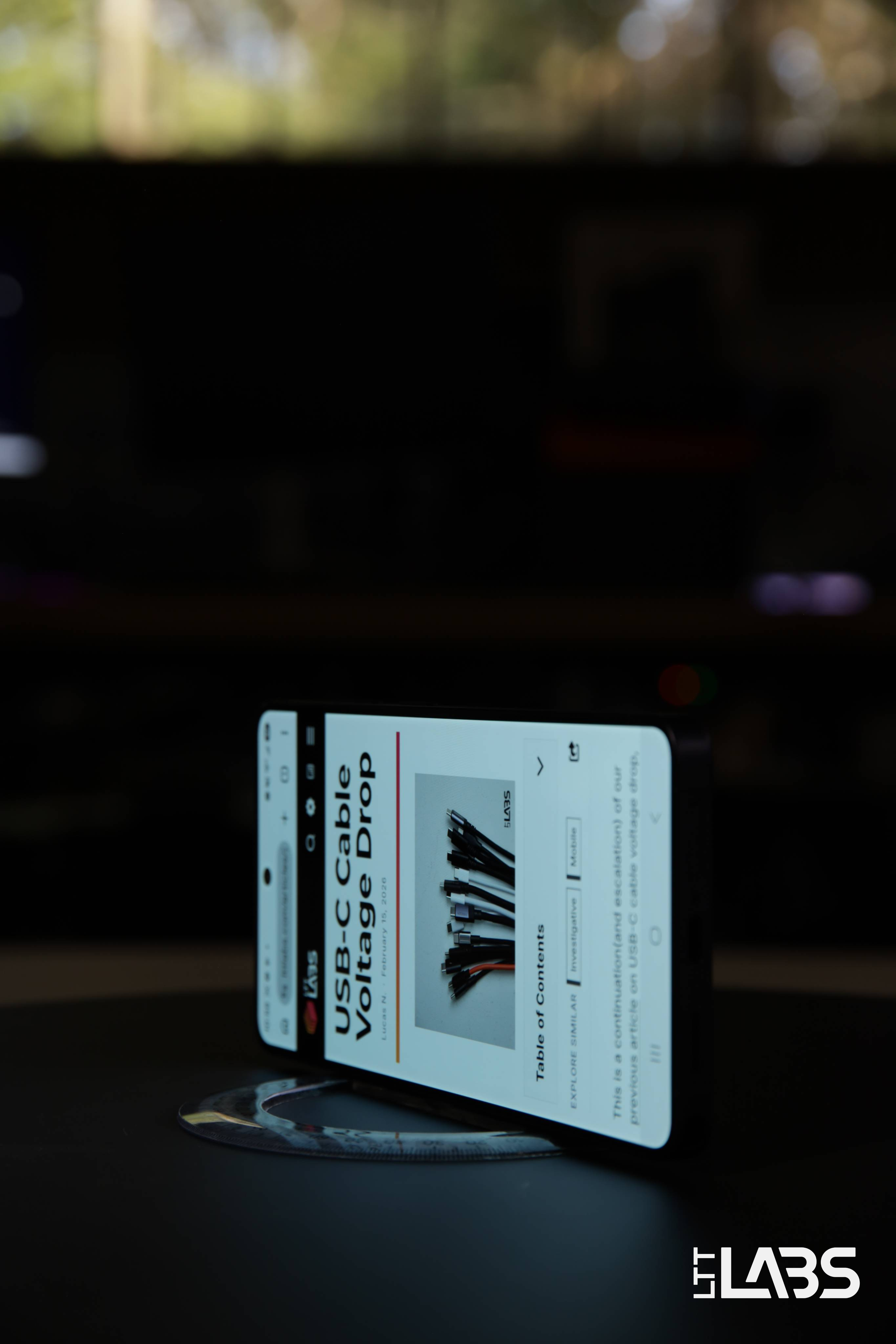
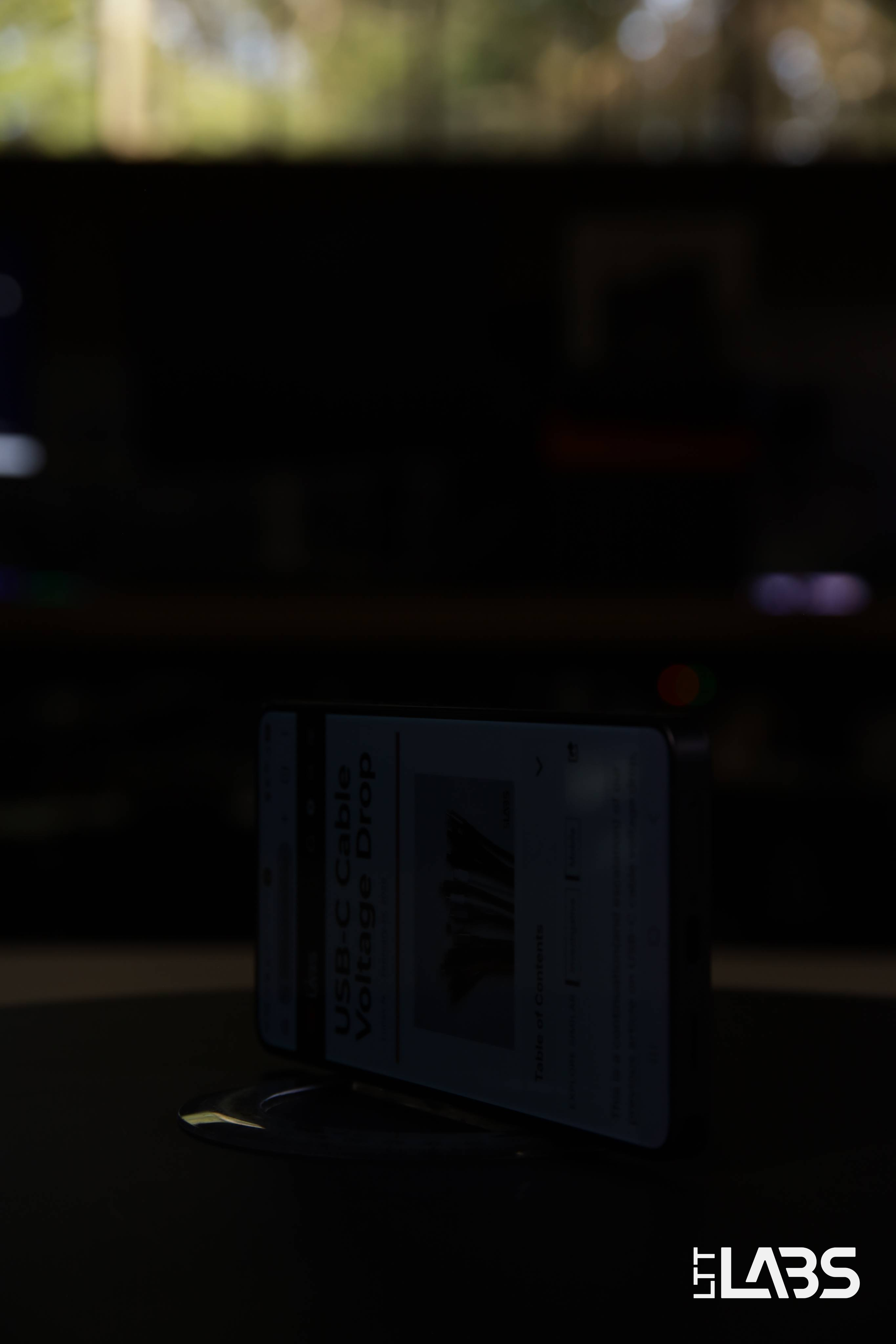
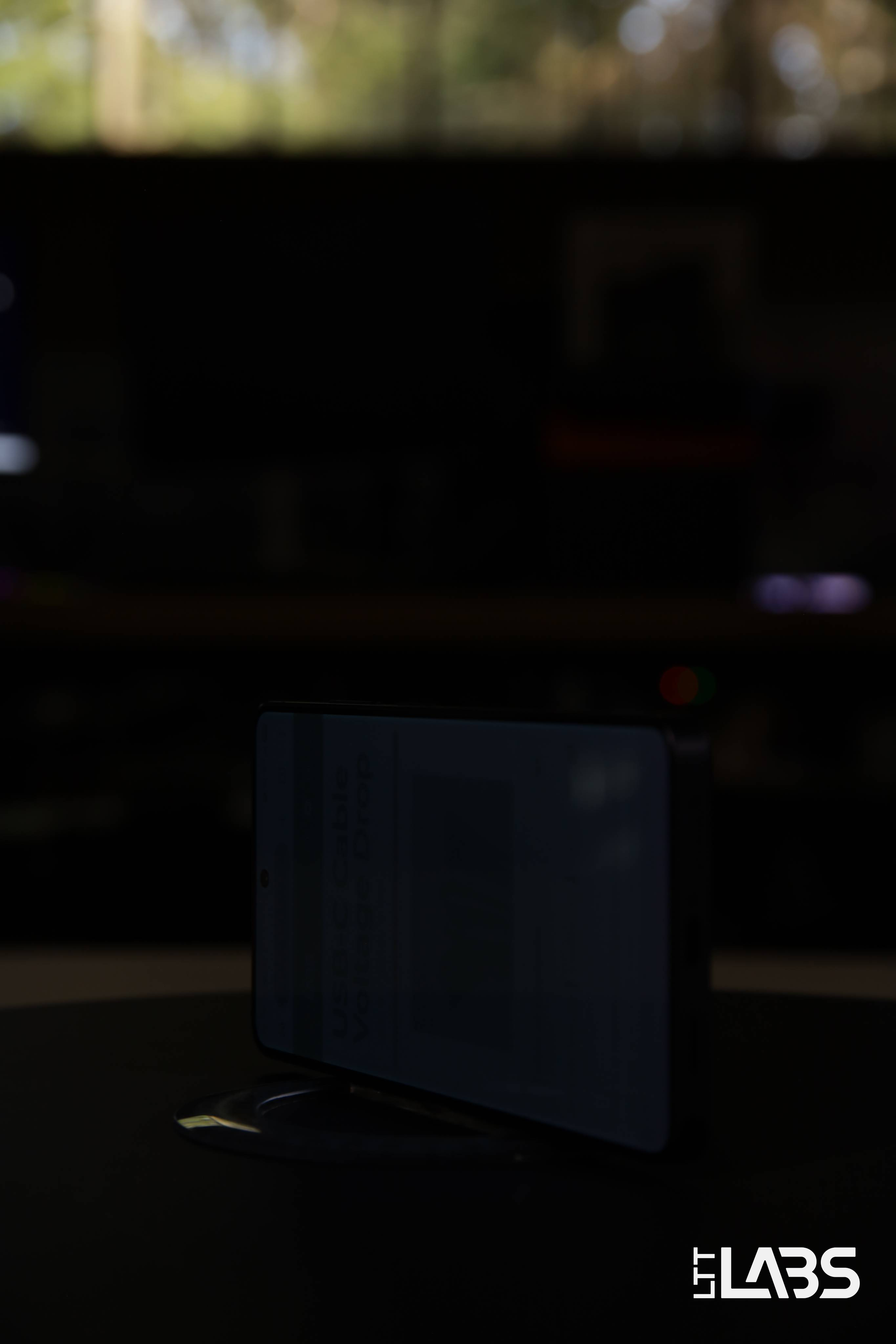
{{slide}}Default Display Mode - 60° Viewing Angle{{/slide}}{{slide}}Privacy Display Mode - 60° Viewing Angle{{/slide}}{{slide}}Maximum Privacy Display Mode - 60° Viewing Angle{{/slide}}{{noAnimation}}
Appendix B - Additional SDR 180° Viewing Angle Videos
Standard Dynamic Range Content
Default Display Mode
Samsung Galaxy S26 Ultra - Default Display Mode
Privacy Display Mode
Samsung Galaxy S26 Ultra - Privacy Display Mode
Maximum Privacy Display Mode
Samsung Galaxy S26 Ultra - Maximum Privacy Display Mode