Why Are the AirPods Pro 3 a Nightmare to Test?
AirPods Pro 3 pack smart adaptive tech, but that same complexity makes them tough to measure, leading to wildly different results across reviewers. Even with accounting for quirks and careful testing, they still fall short of the Pro 2.
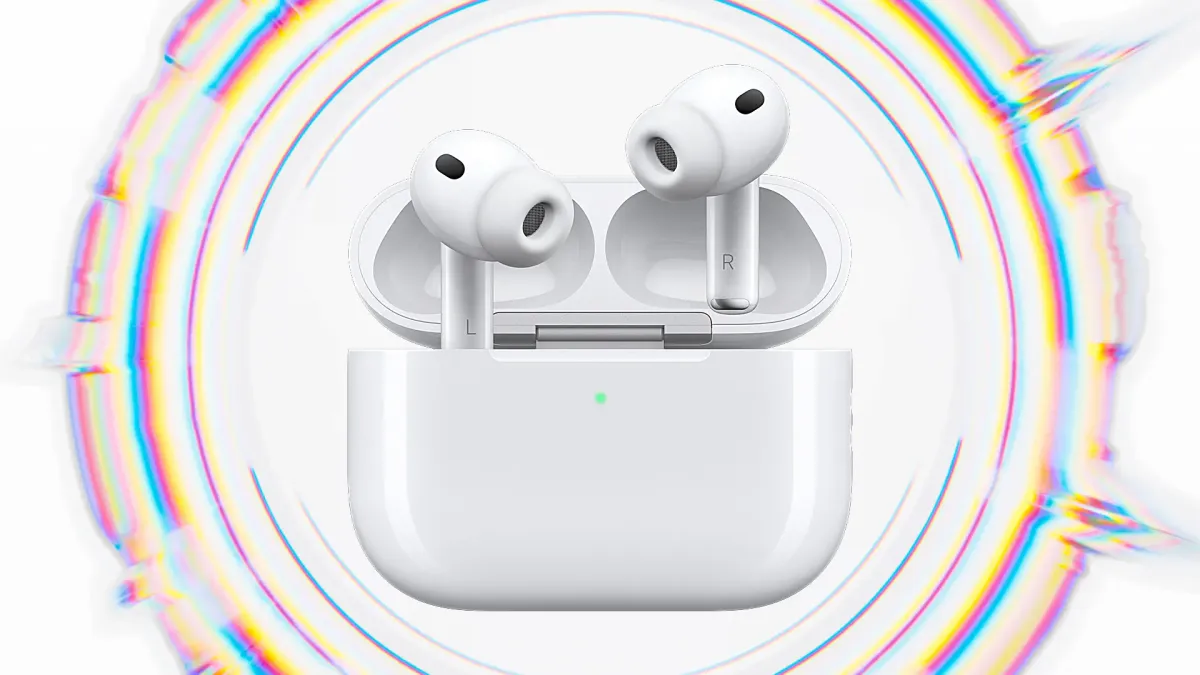
In a recent ShortCircuit video, Linus had a few (reasonable) crashouts over the new Apple AirPods Pro 3. The interesting bit to us, however, is that the AirPods Pro 3 have wildly inconsistent test results for different reviewers and we have set out to explore why.
Unlike traditional in-ear monitors (IEMs), where you can pin down a fixed tuning on a graph, Apple bakes layers of software tricks into the AirPods Pro 3 that change with volume, content, and fit. In theory these are beneficial features for the user, but quite a complicated problem when it comes to testing.
Problems and Fixes
Measuring the AirPods Pro 3 is not like playing a frequency sweep through a normal IEM. There are a few hoops you have to jump through before you even get data that makes sense. Here is what we ran into and how we worked around it.
Seal
Like any in-ear design, the seal between the tip and the ear canal (or in our case, the measurement earpiece) makes or breaks the low end. If the seal is not tight, the bass disappears and the frequency response measurement is thrown way off.
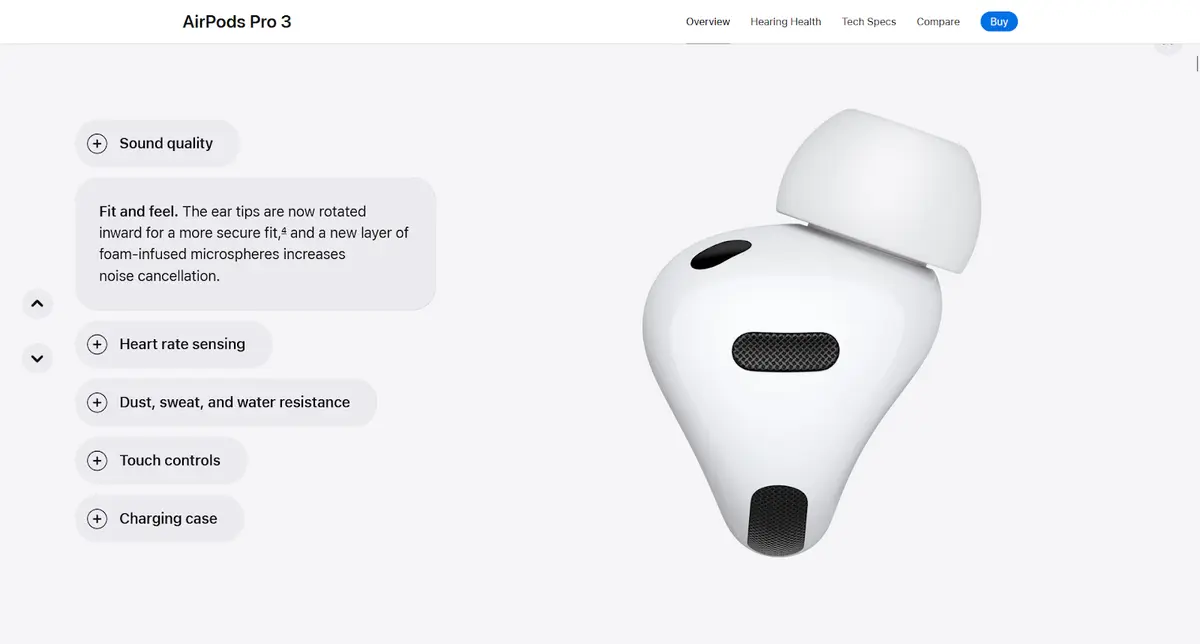
AirPods Pro 3, with the redesigns, are easier to seal than the AirPods Pro 2, but it is still a factor that can swing results by a huge margin. We’re still able to get repeatable measurements, but we must take extra care when seating them in the rig and re-checking until we get a consistent seal.
Skin-detect sensor
The AirPods Pro 3 may not play properly unless they think they are in a real ear. This is determined by a “skin-detect sensor” on the inside of the earpiece.
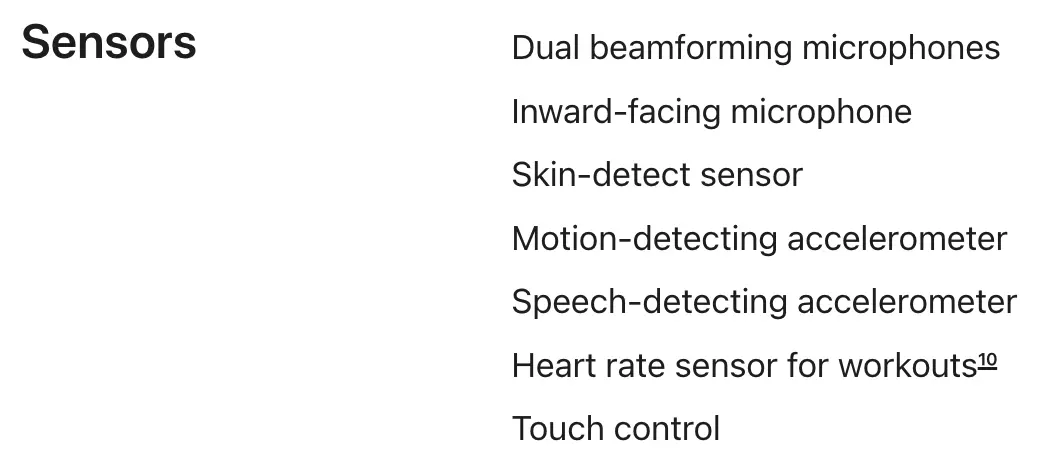
The skin-detect sensor has to believe the earpiece is in an ear before testing can start. We initially suspected that anything conductive would trigger the sensor but copper tape did not work. It is not super easy to figure out when exactly the sensor gets triggered but organic material like ham and cheese fooled it. In our case we found that the simplest and most reliable method was just covering it with a finger.
Priming
Even with the skin-detect sensor handled, the AirPods do not always present the same sound. Apple designed them to adapt depending on the content. Play a phone call and they optimize for speech. Play music and they shift into a different state. It is not exactly known how many states there are but we suspect there are a few based on the different results obtained for different types of content. If you run a frequency sweep without telling them what kind of content they should expect, the measurements come out strange.
The fix is quite simple: “priming”. Before we measure, we feed the AirPods music-like stimulus to get them into the “music mode” state. Only then do we run sweeps for frequency response. Without priming, you can end up with graphs that do not represent the listener’s experience, which is part of why measurements across the internet can look so different as we will explore later.
Volume
Our hearing changes with loudness. At low levels we are less sensitive to bass and treble, so they sound much softer than the midrange. At high levels our ears become more sensitive to bass and treble, so they sound stronger than the midrange.
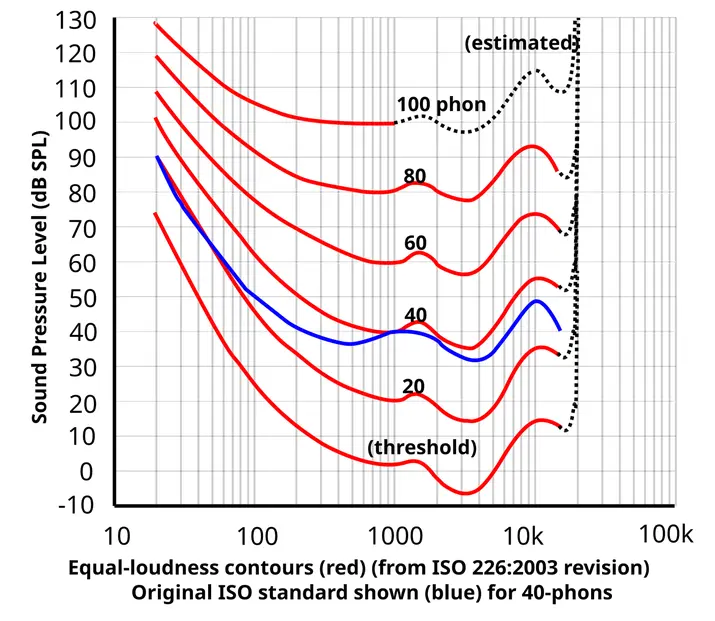
Apple compensates for this with internal volume EQ, boosting bass and treble when you listen quietly and reducing them when you listen loudly. Test them at 70 dB, then at 90 dB, and the graphs will not match.
We handle this challenge by testing at set reference volumes and running multiple levels to see how the response shifts. The takeaway is simple: if the volume is not controlled and labeled on the measurement, the data is incomplete.
Adaptive Adjustments
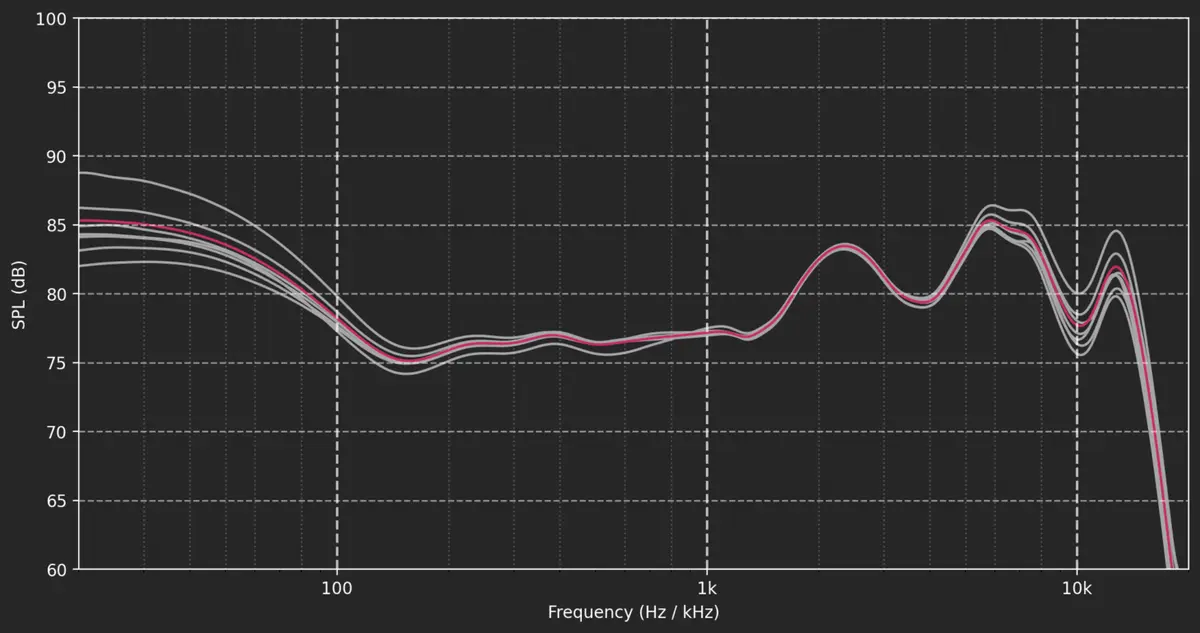
Finally, the AirPods Pro 3 never stop adjusting. Apple’s Adaptive EQ listens inside your ear canal and makes rapid adjustments in real time to normalize sound. This is great for consistency between different listeners, but for measurement it means the frequency sweep can capture tiny shifts mid-test.
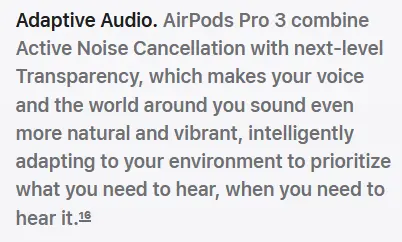
To mitigate this, we repeat measurements multiple times, average them, and look for stability. It is slower, but it is the only way to get data that reflects what a listener actually hears. Here are some of the passes we took at the measurements (white) alongside the average (red).
What It Looks Like in Practice
We have talked about priming, seal, volume, and sensors. But what does that actually mean on a graph?
What it might look like
Here an IEC 60318-4 standard earpiece was used, with no priming, a loose seal, and uncontrolled playback volume to measure the AirPods Pro 3. Measurement courtesy of our friend Griffin from The Headphone Show.
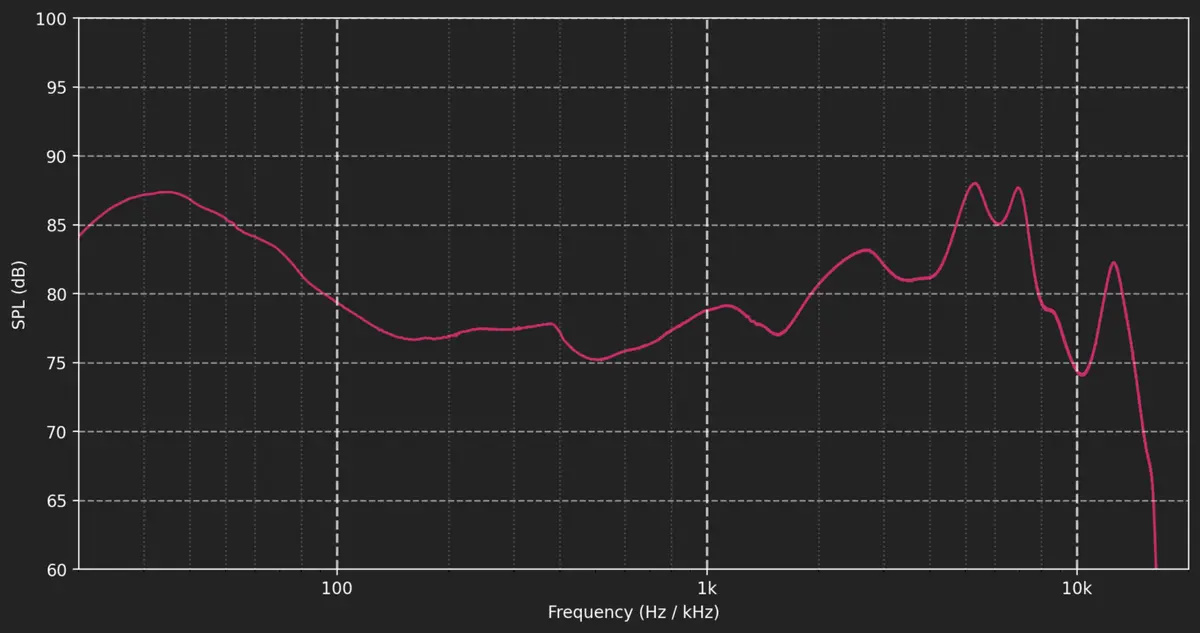
This graph was taken as a deliberate “poor attempt” to show what happens when you skip the extra measures. With no priming, a poor seal, and no control over playback level, the bass collapses, the mids wander, and the treble spikes unpredictably. The IEC 60318-4 standard is not as accurate as the modern equivalents, but that is not the problem here. It is the method that does the real damage.
What it looks like when we account for the quirks
Here we have the AirPods Pro 3 that we measured on a B&K 5128 with 20 re-seats and music priming.
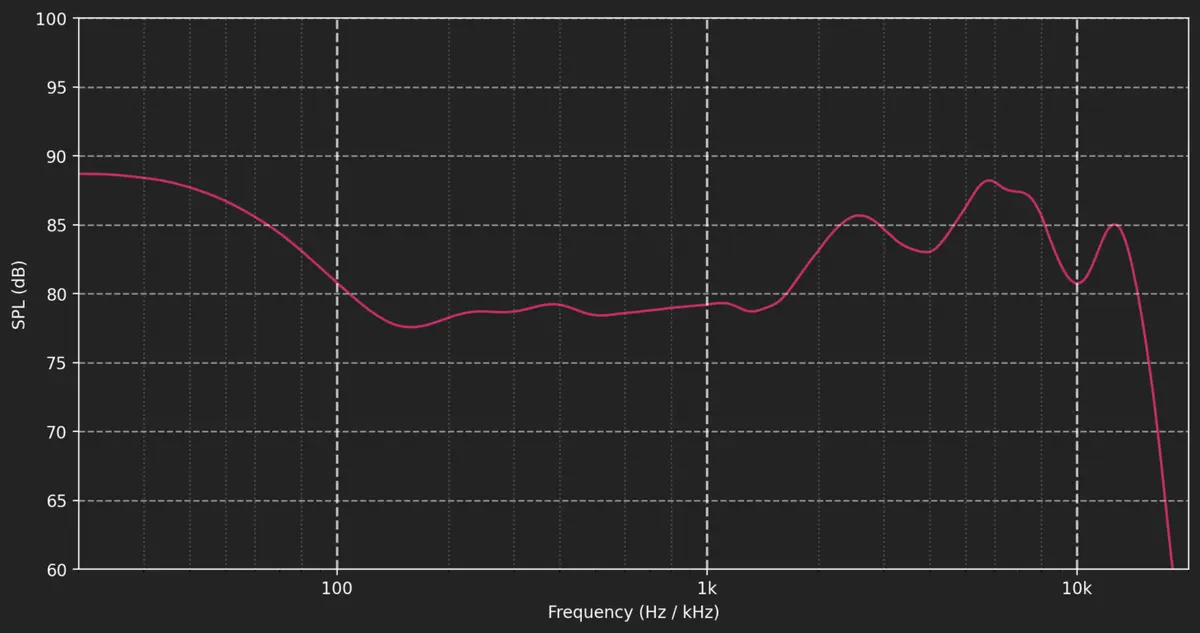
Once the skin-detect sensor is satisfied, the seal is locked in, and the buds are primed, the picture clears up. Bass and mids behave predictably, but the treble changes character. The Pro 3 pushes it forward, making details sound brighter and sharper, which sounds less “natural”.
How volume changes the picture
This is the same pair of AirPods Pro 3 that we measured at different playback levels also using the B&K 5128 setup, configured in the same way.
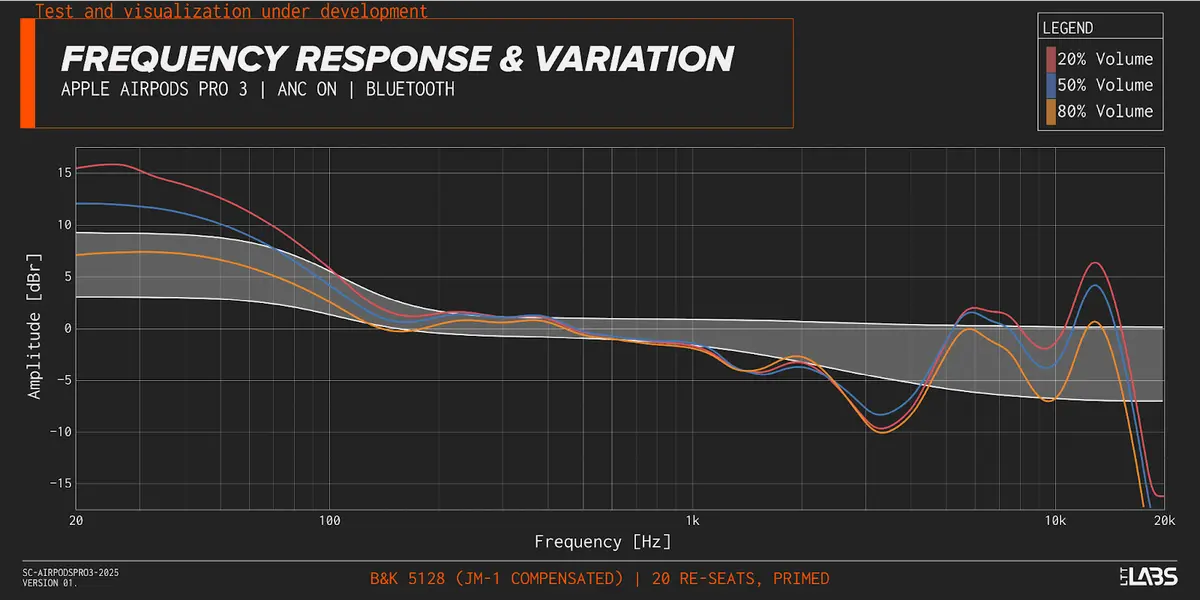
At 20% volume, Apple’s volume EQ boosts bass and treble. At 50%, the curve flattens toward Apple’s target response. At 80%, bass and treble are pulled back. If two different testers do not match playback levels, their graphs will not show the same curves. This is not a bug, it is a clever feature.
End of the Line
In our testing, we found that the AirPods Pro 3 are a step back from the last generation with respect to sound quality, even though both share the same adaptive systems. The AirPods Pro 2 measure better in frequency response. They were widely loved for good reasons.
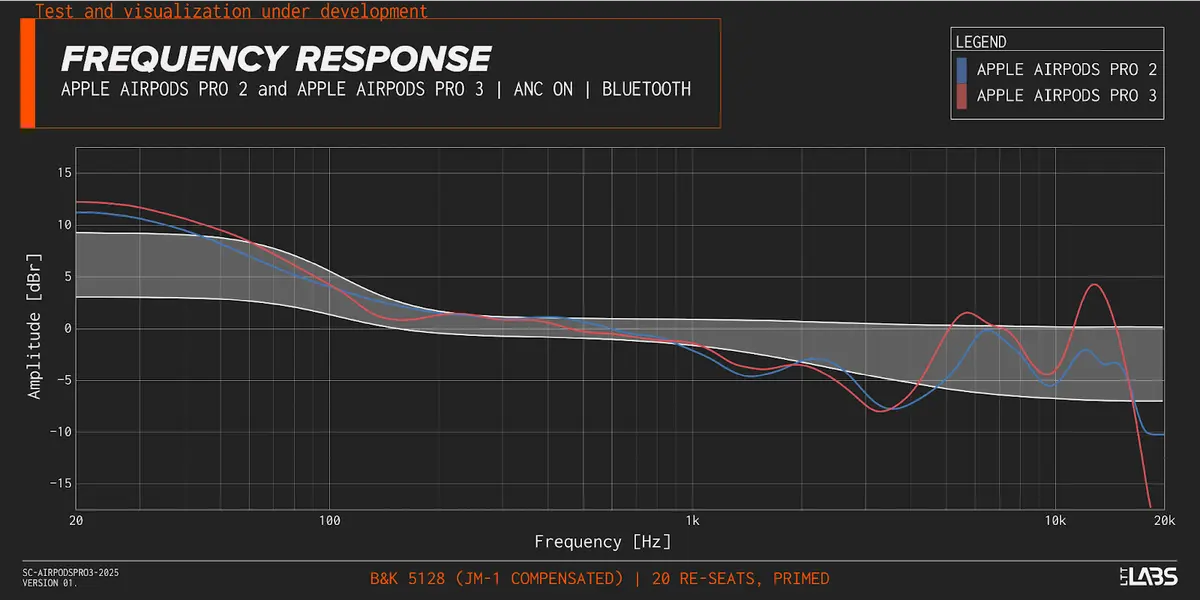
What makes it all the more frustrating is that the AirPods Pro themselves are built on genuinely impressive technology and design, solving problems most earbuds never even try to address. They would be so much better if Apple simply gave users proper parametric EQ.
Thanks to Griffin Silver (Listener) of The Headphone Show for peer reviewing our article and sharing his thoughts on the AirPods Pro 3:
“The AirPods Pro 2 were one of the best sequels to ever hit the world of earphones, and this meant the AirPods Pro 3 had big shoes to fill. While in many ways it does—the ANC and Transparency are spooky good—when it comes to sound quality, AirPods Pro 3 went for a tuning that veers too much towards excitement at the direct expense of the warm neutrality that made AirPods Pro 2 an easy, no-brainer recommendation.”
The Headphone Show also explored this topic. Check it out here!